Package Name:com.zavistudio.netplus
Show More


4.8 MB
File Size
Everyone
Android 8.0+
Android OS
Fix slow WiFi instantly. Speed test, signal strength, ping & network health.
Is your WiFi slow, dropping, or just not performing like it should? NetPulse shows you exactly what's wrong — and tells you how to fix it.
Most apps just show you numbers. NetPulse gives you answers.
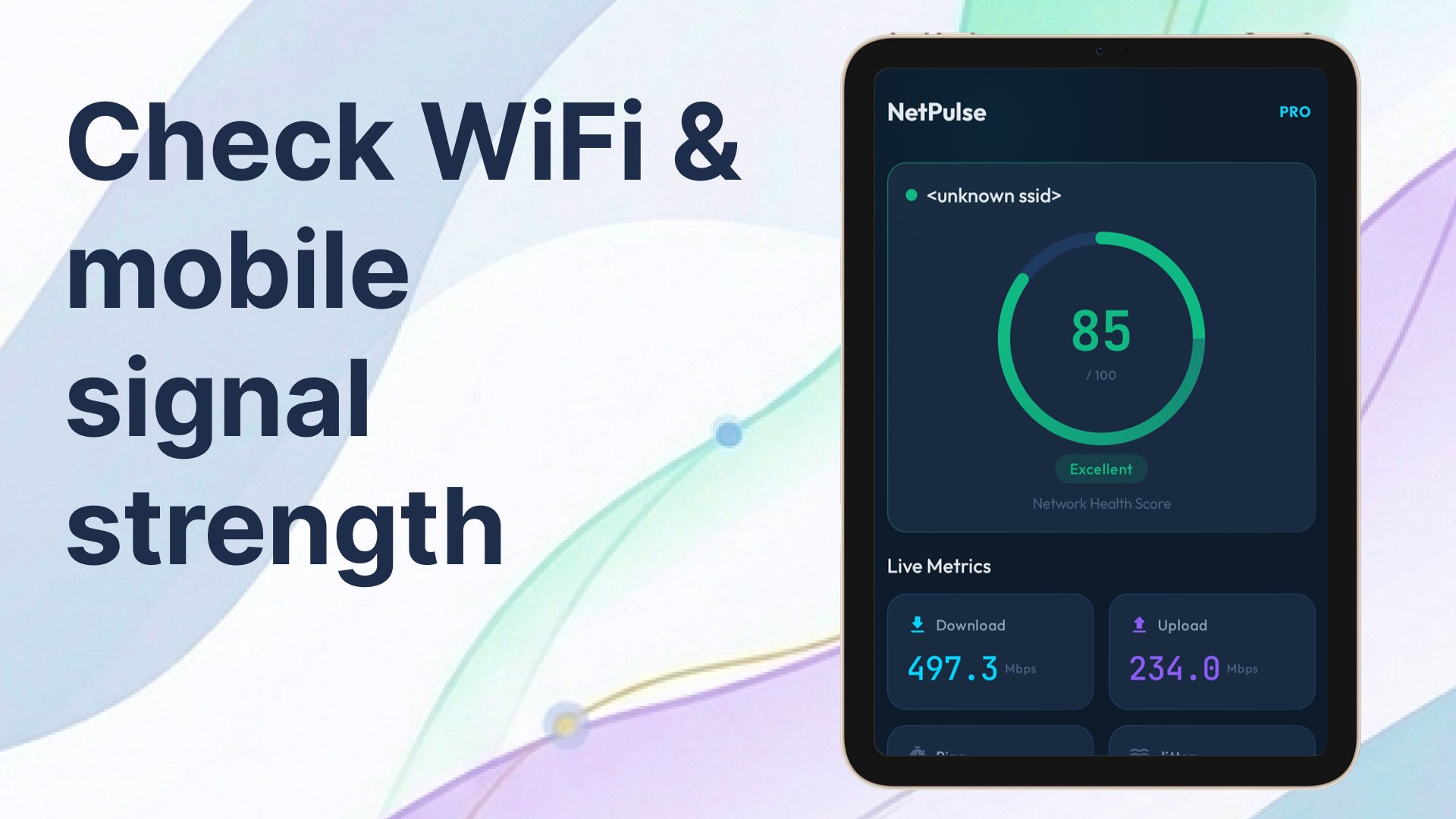
⚡ NETWORK HEALTH SCORE
Get a real-time score from 0 to 100 for your connection. Green means fast. Red means there's a problem. Know your network status in one glance.
🚀 SPEED TEST
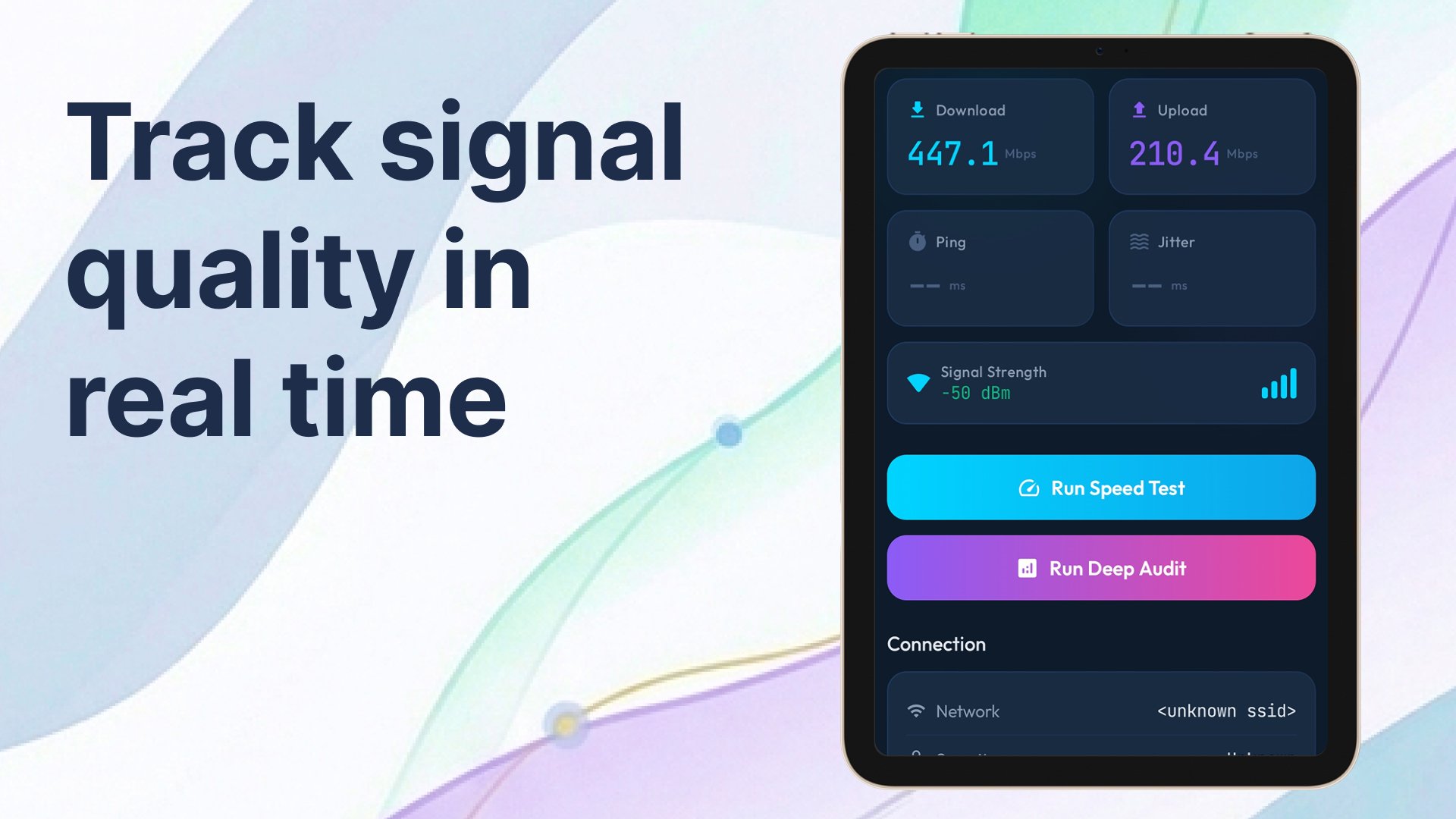
Measure your real download speed, upload speed, and ping. See if your internet provider is actually delivering what you're paying for. Results in under 30 seconds.
🔍 DEEP NETWORK AUDIT
The feature that sets NetPulse apart. Run a full diagnostic in 15 seconds:
Packet loss detection — find dropped connections causing lag
Latency consistency test — spot jitter that ruins video calls and gaming
DNS resolution speed — check if slow browsing is a DNS problem
Stability score — a single number that tells you how reliable your connection is
Smart suggestions — plain-English fixes, not just raw data
📊 SPEED HISTORY
Track your connection over 7 days. See if your ISP throttles speeds at certain times. Spot patterns before they become problems.
📡 WIFI ANALYZER
Scan all nearby WiFi networks
Compare signal strength instantly
See which 2.4 GHz channels are congested
Get a recommendation for the least crowded channel
One router setting change can double your speed
🌐 NETWORK INFO
Your public IP address and ISP name
Local IP, gateway, and DNS servers
Connection type — WiFi, 4G, or 5G
Security protocol in use (WPA2, WPA3, or Open)
🔒 SECURITY CHECK
VPN detection — see if your IP is protected
Open network warning — know when you're on an unsecured connection
DNS configuration check — see if your DNS is leaking
Security score from 0 to 100
WHO USES NETPULSE?
🎮 Gamers — check ping and packet loss before matches
📹 Remote workers — verify your connection before video calls
🏠 Home users — find why WiFi is slow in certain rooms
🔧 IT professionals — quick diagnostic on any network
WHY NETPULSE?
Every other WiFi analyzer was built years ago. NetPulse is built for 2026 — dark theme, smooth animations, and results that actually help you fix problems instead of just showing confusing data.
Free to use. No account required. No personal data stored.
Download free. Run your first audit in 15 seconds.





One-click to install XAPK/APK files on Android!

Thanks for your rating and feedback!
You have already rated.