Package Name:com.mx9.remote
Show More

Smart remote with WiFi ADB, IR, keyboard, swipe navigation and setup help
Use your Android phone as a remote for compatible MX9 tv box. Choose Wi-Fi control through ADB or Kodi, or infrared with a matching remote profile.
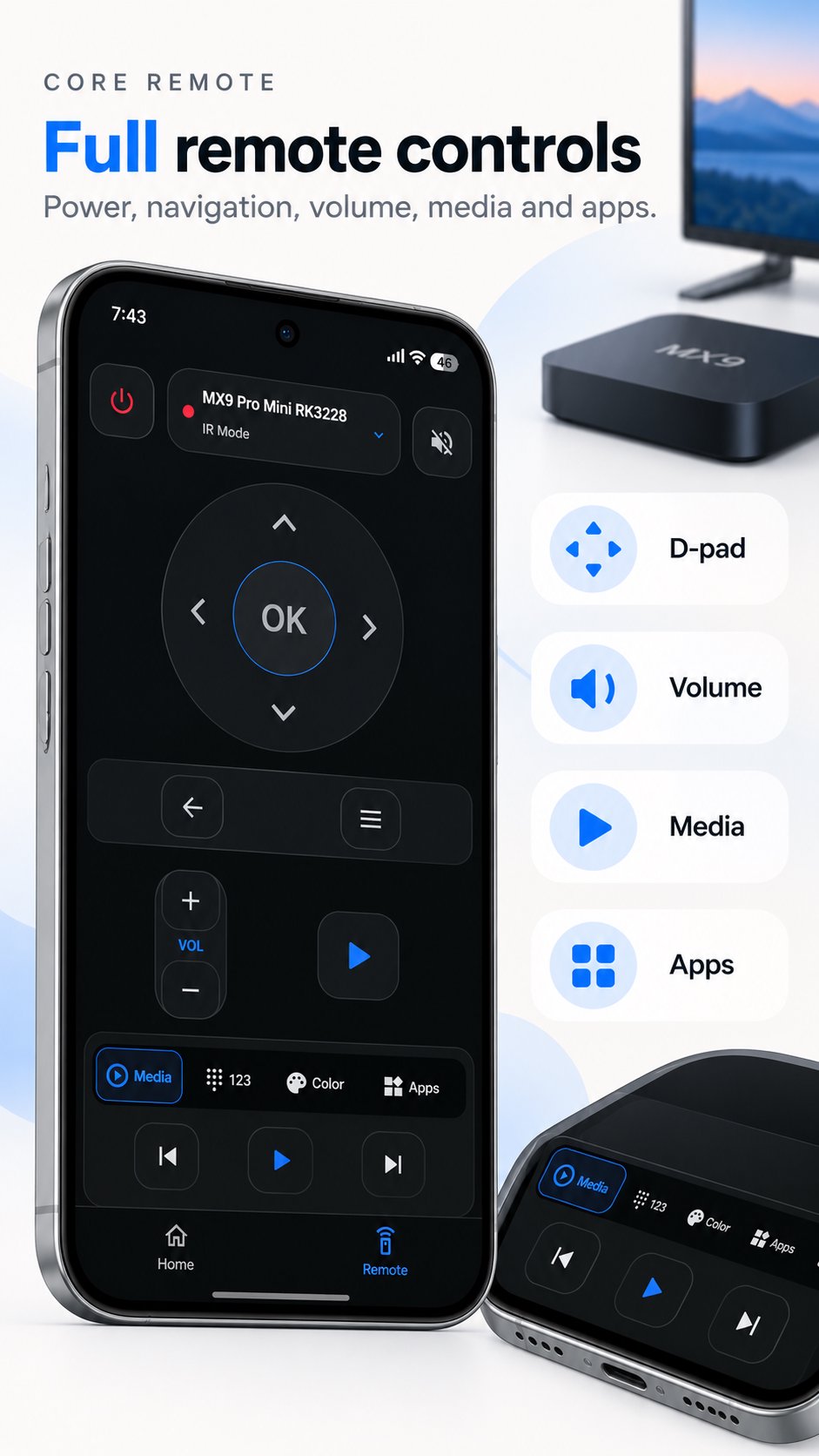
REMOTE CONTROLS
• Direction buttons, OK, Back, Home, volume and media commands where supported.
• WiFi keyboard for standard English letters, numbers and symbols.
• Swipe navigation to move the highlighted item, tap to select and hold to go back.
• Shortcuts to supported apps already installed on your box.
• Device discovery, manual IP entry and illustrated setup guides available offline.
MORE FOR YOUR TV BOX
Use the Kodi remote when Kodi's HTTP control is enabled. Enter a username and password only if your Kodi setup requires them. Text input depends on Kodi's capabilities.
TV tools let you view device information, capture screenshots, manage files and adjust display settings where network ADB and the box's permissions allow.
Cast setup opens your phone's system casting settings and explains receiver setup. Screen mirroring needs a compatible phone and receiver. The app does not stream photos, videos or web pages itself.
WIFI SETUP
Connect your phone and box to the same local network. WiFi control requires network ADB debugging on port 5555; sharing WiFi alone is not enough. Approve the phone on the TV if asked. Some boxes need initial setup with a computer or do not support network ADB. Wireless-debugging PIN pairing is not supported. Use ADB only on a trusted network.
IR SETUP
Infrared control requires a phone with an IR blaster and matching remote codes. Point it at the box, choose a model and check the response. IR commands do not need a WiFi connection. Buttons and compatibility vary by model and firmware; support for every MX9 box is not guaranteed.
PLEASE NOTE
The ADB keyboard sends up to 1000 printable ASCII characters. Accented letters, other alphabets and the literal sequence %s are not supported by this keyboard. Select a text field on the TV first. Swipe gestures move selection focus, not a mouse pointer. WiFi cannot turn on a fully powered-off box.
The interface includes English and partial Spanish, Portuguese, Hungarian and Indonesian translations; some screens remain in English. Contains ads.
This is an independent third-party remote-control app. It is not an official MX9 app and is not affiliated with, sponsored by or endorsed by the manufacturers of MX9-branded devices. Product names and trademarks belong to their respective owners.





One-click to install XAPK/APK files on Android!

Thanks for your rating and feedback!
You have already rated.