
LuxMod Auto Brightness

LuxMod Auto Brightness

PV-Tech
Oct 20, 2026
  • 4.7 MB

    File Size

  • Security
  • Everyone

  • Android 8.0+

    Android OS

About LuxMod Auto Brightness

LuxMod replaces the system auto-brightness, providing additional controls.

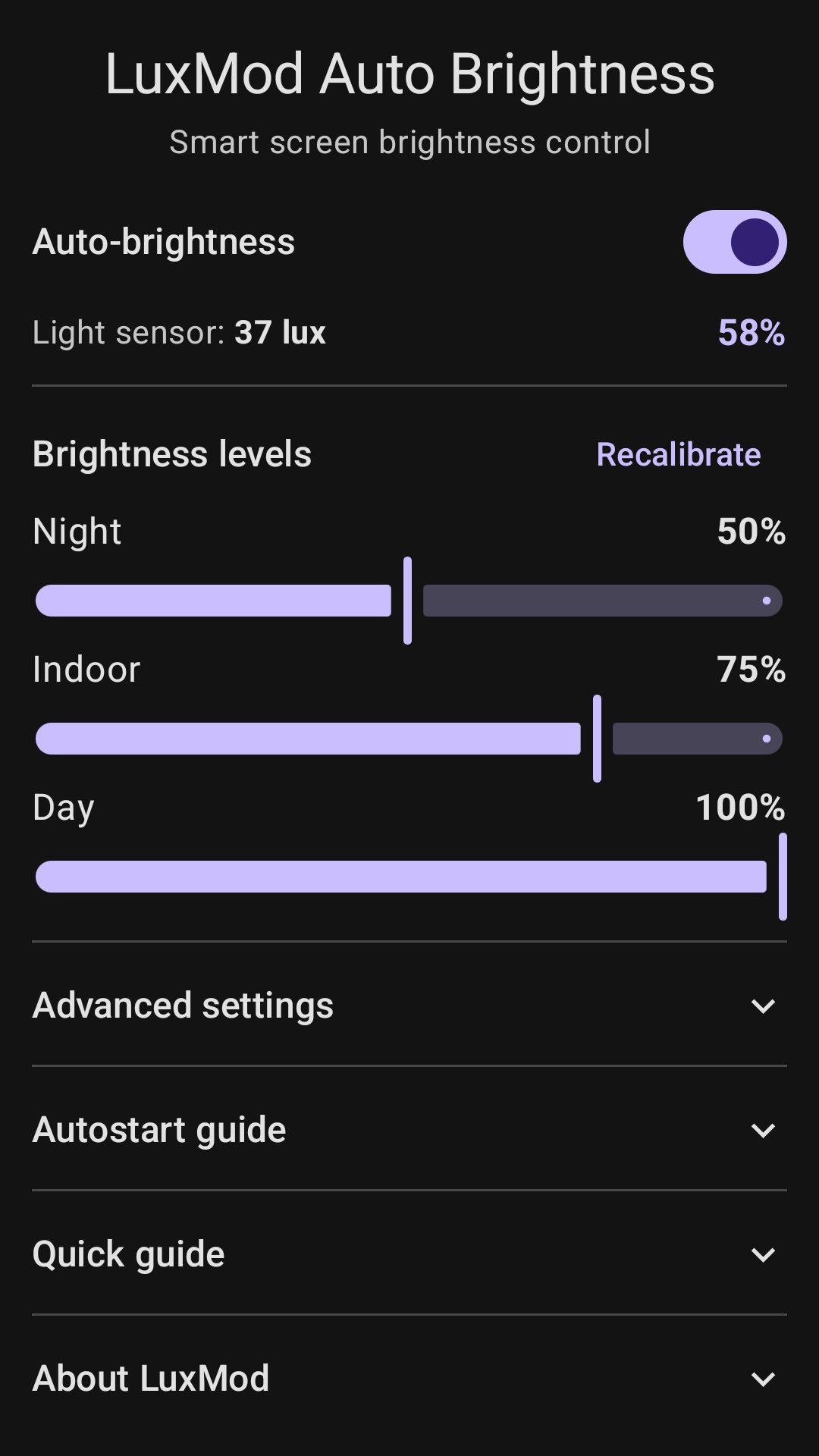
LuxMod automatically adjusts screen brightness to the surrounding light to keep your eyes comfortable. It lets you set three key brightness levels for typical use: Night (dark), Indoor (room light), and Day (bright daylight). Brightness then changes smoothly between them.

The app does not use translucent filters (overlays) for screen dimming, preserving natural colors and contrast.

Requires a physical ambient light sensor. Devices with camera-based virtual light sensors are not supported.

Show More

What's new in the latest 2.0.4

Last updated on 2026-10-20
- Improved stabilization and screen anti-flicker protection.
- Optimized battery consumption when the screen is turned off.
- Fixed UI display issues and profile settings saving.
- Updated user guide and autostart setup instructions.
Show More

Videos and Screenshots

  • LuxMod Auto Brightness poster
  • LuxMod Auto Brightness screenshot 1
  • LuxMod Auto Brightness screenshot 2
  • LuxMod Auto Brightness screenshot 3
  • LuxMod Auto Brightness screenshot 4
  • LuxMod Auto Brightness screenshot 5

LuxMod Auto Brightness APK Information

Latest Version
2.0.4
Category
Tools
Android OS
Android 8.0+
File Size
4.7 MB
Developer
PV-Tech
Available on
Content Rating
Everyone
Security Report
Check Now
Security Check Completed
No Virus
No Spyware
No Malware
No Virus
No Spyware
No Malware
Package Name:com.pvtech.luxmod
SHA-256:d8f33c037b650c8b45292f12dda23335b0b55672adc65690af994462875acf3a
SHA-1:fdc64e8e6e63f827c8a7f0d76a56c2646e499594
Show More
Verified by: APKPURE

Old Versions of LuxMod Auto Brightness

APKPure icon

Super Fast and Safe Downloading via APKPure App

One-click to install XAPK/APK files on Android!

Download APKPure
thank icon
We use cookies and other technologies on this website to enhance your user experience.
By clicking any link on this page you are giving your consent to our Privacy Policy and Cookies Policy.
Learn More about Policies

