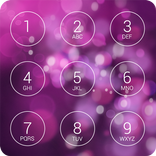
Package Name:com.smartapplock.mobile
Show More


29.6 MB
File Size
Everyone
Android 10.0+
Android OS
App lock with fingerprint, PIN & Pattern. Lock WhatsApp, Gallery, any app fast.
Protect your apps, private photos and personal data with Locksy App Lock — a fast, lightweight privacy lock for Android.
Lock apps with your fingerprint, PIN, pattern or face unlock. Protect chats, social apps, Gallery, email, banking apps, Settings and more. Locksy gives you quick access to the apps you want while keeping everyone else out.
No account required. Your lock credentials stay on your device.
LOCK APPS WITH FINGERPRINT, PIN OR PATTERN
• Fingerprint app lock
• PIN lock
• Pattern lock
• Face unlock on supported devices
Locksy works with apps already installed on your phone and can also protect newly installed apps automatically.
PROTECT ANY APP ON YOUR PHONE
Add an extra layer of privacy to messaging and chat apps, social media, Photos and Gallery, email, banking and payment apps, notes, Settings, games and other personal apps. Choose the apps you want to protect and Locksy shows the lock screen whenever someone tries to open them.
PRIVATE PHOTO & VIDEO VAULT
Move private photos and videos into Locksy's secure vault so they stay hidden from normal Gallery browsing. Open the vault with your fingerprint, PIN or pattern.
INTRUDER SELFIE
Enable Intruder Selfie and Locksy can capture a photo after an incorrect unlock attempt, with the app and time. Camera permission is only needed when you turn this feature on.
UNINSTALL & SETTINGS PROTECTION
Lock Settings and turn on uninstall protection so someone using your phone can't remove Locksy or change your protection without your PIN.
SMART LOCK OPTIONS
• Timed app locking
• Location-based unlock
• Automatic locking for new apps
• Fake cover and disguise lock screens
FAST & LIGHTWEIGHT
• Small, lightweight app with a fast lock screen
• Low battery usage, runs quietly in the background
• Supports Android 8 and above on major phone brands
PRIVATE BY DESIGN
Locksy does not require an account. Your PIN, pattern and biometric data stay on your device. Locksy does not read your messages, chats or app content to protect your apps.
ACCESSIBILITY SERVICE (OPTIONAL)
Locksy uses Android's AccessibilityService API for two app-lock features you choose to turn on:
• Detect which app has just opened, so the lock screen appears right away for the apps you protect, even when your phone stops Locksy's background service.
• Uninstall protection: show your PIN on the uninstall screen and the "Deactivate & uninstall" page, so Locksy can't be removed without your PIN. On Android 14 and later this requires Accessibility.
Locksy only checks which app is in the foreground. It never reads the text or content on your screen, and no data from the Accessibility Service is collected, stored off your device or shared. Accessibility stays off until you turn it on in Android Settings → Accessibility, and you can turn it off at any time. Locksy is not an accessibility tool.
PERMISSIONS & WHY THEY ARE NEEDED
Usage access
Used to detect when a protected app is opened so Locksy can display the lock screen.
Display over other apps
Used to show the Locksy lock screen over a locked app.
Accessibility service (optional)
Detects which app opens so the lock screen can appear, and shows your PIN on the uninstall screen for uninstall protection. Never reads screen content; nothing is collected or shared.
Device administrator (optional)
Used only by uninstall protection, so Locksy can't be uninstalled without your PIN.
Camera (optional)
Used only for Intruder Selfie.
Protect your apps. Hide private photos. Keep personal information private.
Locksy gives you simple app privacy with fingerprint, PIN, pattern, and private vault protection.



One-click to install XAPK/APK files on Android!

Thanks for your rating and feedback!
You have already rated.