Safe & Fast APK Downloads on APKPure
APKPure uses signature verification to ensure virus-free Lock Screen App APK downloads for you.

Lock your device with only one-touch
'Lock Screen App' can lock your device easily.
## ↓↓Scroll down↓↓ to read Notes on Uninstall. ##
Do you feel inconvenient to lock your device using the power button?
Are your afraid of wearing out the power button? (My n1 was repaired coz of that :< )
'Lock Screen App' is a tiny app that can help you lock easily (without power button).
Features :
•Lock device with one touch
(Same effect as pressing the power button)
•Not a widget so it does not run as service in the background
•Auto-kill itself after locking to save your Battery & Memory
•Tiny in size (<100k)
Features (Donation Version Only):
•Little bit faster
•Lock by long-pressing search button **not work on xpad/apad and device without search key**
•Get updates earlier
★★ Please buy the donation version to support the dev! ★★
(You could find it using 'View more applications'/ the link in the app's settings page)
Thank you! :D
Notes:
======
This app uses the Device Administrator permission.
@@Compatibility Issues@@
------------------------------------
1.New / Updated Moto devices may not be supported
Moto disallows lock screen in their OS updates, so it would not work on moto devices after updates and new device like Droid 3. I have reported it to moto, but they did not agree to fix!
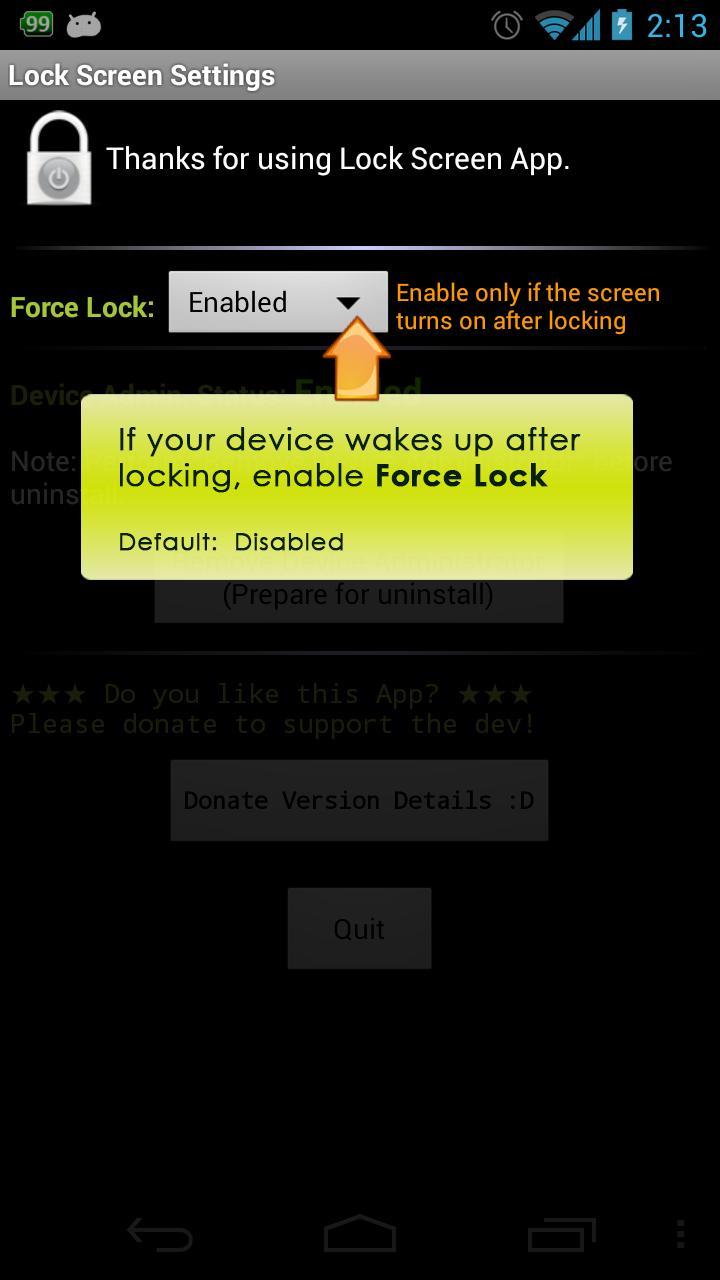
2. For device running Android 4.X, sometimes flashing (screen on then off again) may happen, try to enable 'Force Lock' in Lock Screen Settings to fix it.
3.It has been tested to work on Galaxy Nexus and Android Simulators (2.2,2.3, 4.0.2, 4.0.4, 4.1, 4.2 & 4.3)
However, the dev cannot guarantee that it could run / uninstall on all devices [coz I don't have all the devices].
If you encounter problem with you device, feel free to drop me an email!
### How to uninstall? ###
------------------------------------
Locking Screen in Android requires the user of device administration function, you must deactivate device administration *BEFORE* uninstall to avoid error!
To do this:
•Go to "Lock Screen Settings" (in launcher) -> "Remove Device Administrator"
~See screenshots~
Alternatively, you may do it via
•Go to Settings -> Location & security (or Security) -> Select device administrators -> Uncheck this app.
After that, uninstall it in Play Store, in case of error during uninstall in Play Store, do it at Settings->Apps->Lock Screen-->Uninstall
[To use other hardware keys to unlock your device, try 'Widget Locker' / 'No Lock' app (not developed by me)]





One-click to install XAPK/APK files on Android!

Thanks for your rating and feedback!
You have already rated.