
Package Name:com.lushe.loadlet
Show More

Download manager: Wi-Fi and mobile data together, data limit, browser
LoadLet is a download manager and download accelerator with a built-in browser. Download files from links or websites using Wi-Fi and mobile data together. You choose whether to use mobile data and can set a data limit. Speed gains depend on your networks and the server's support for downloading files in parts.
Wi-Fi + mobile data together
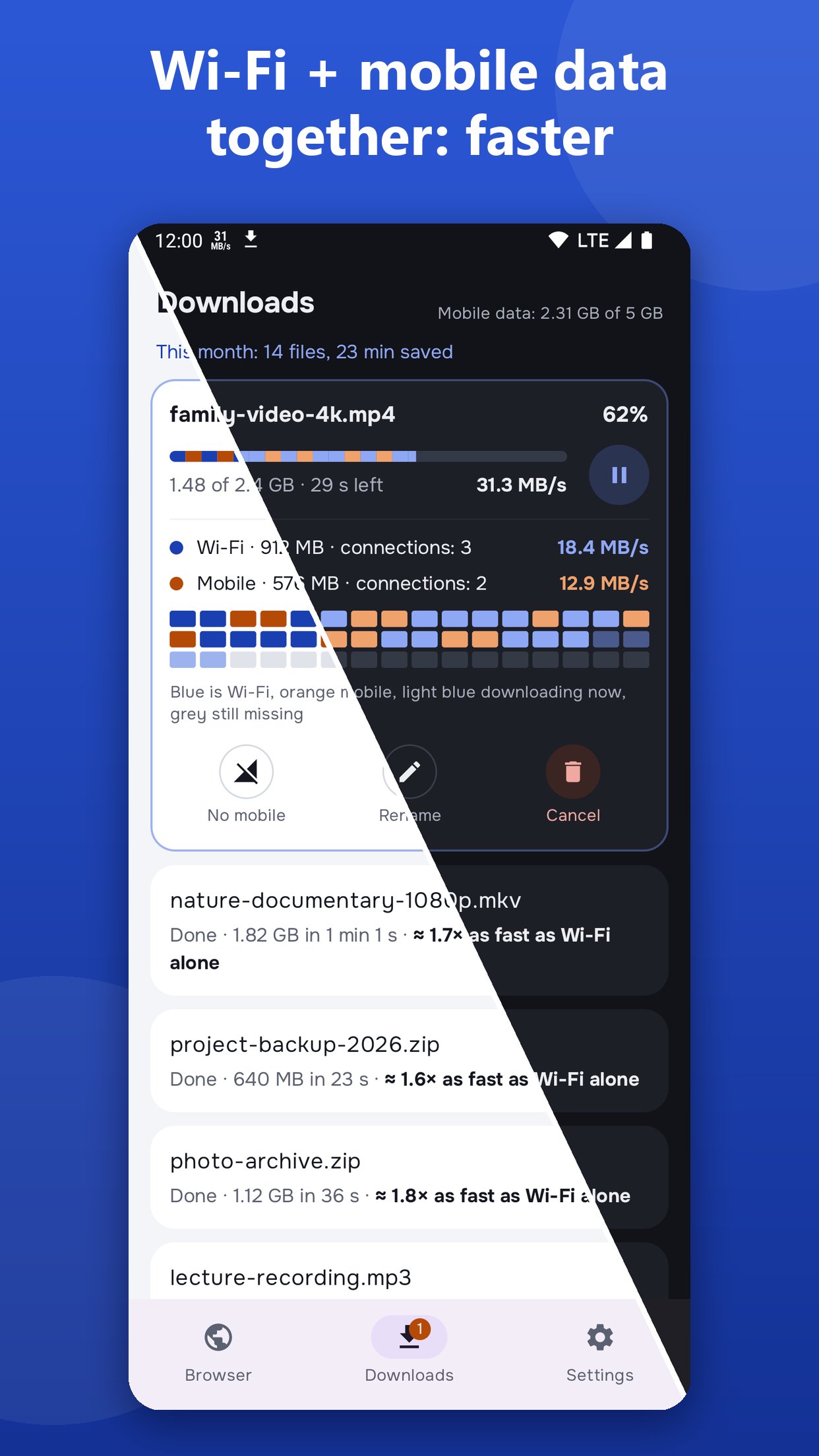
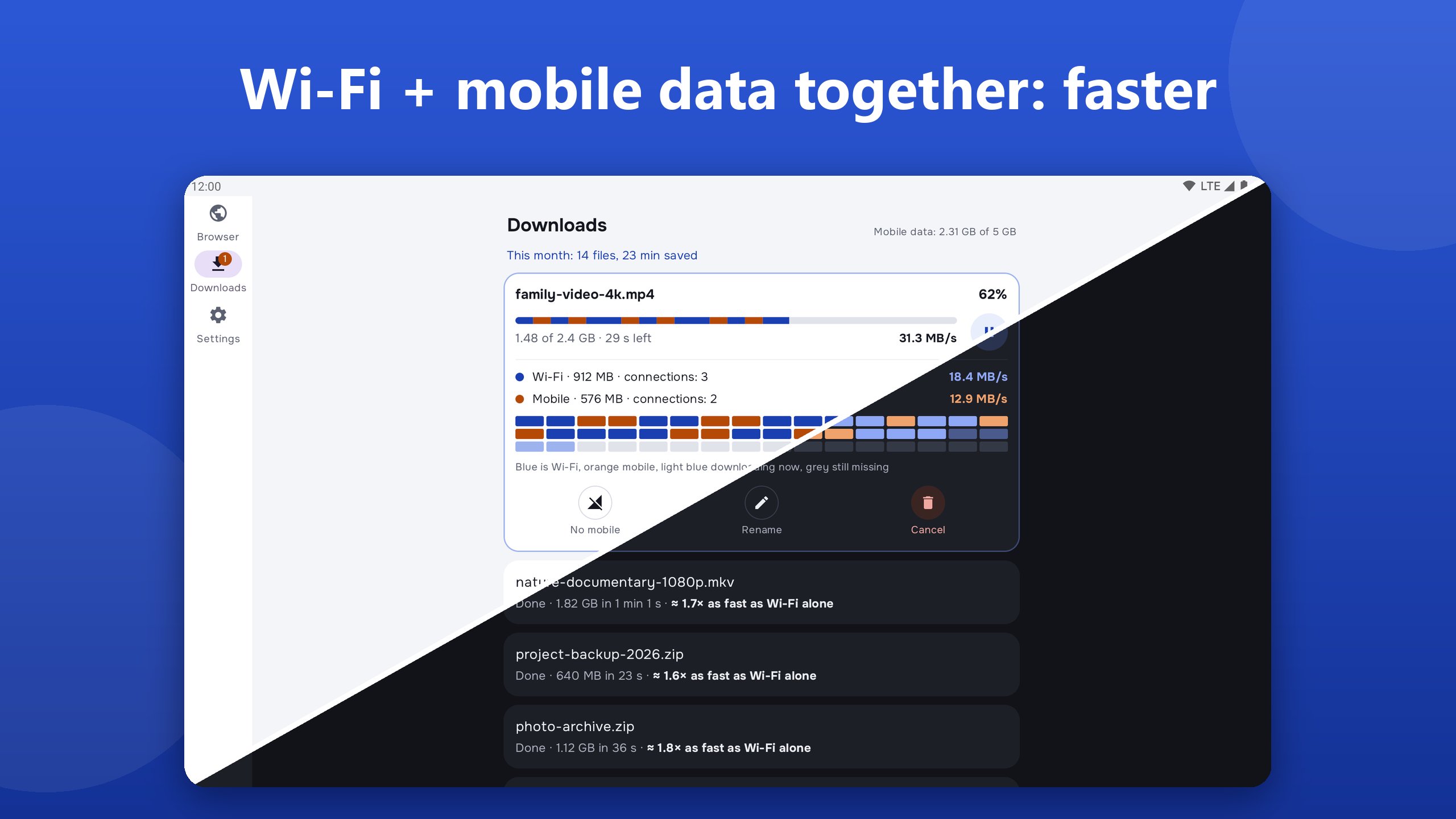
• One file over two networks at once: the faster one takes the bigger share by itself
• Several connections on each network, so it's faster even on Wi-Fi alone
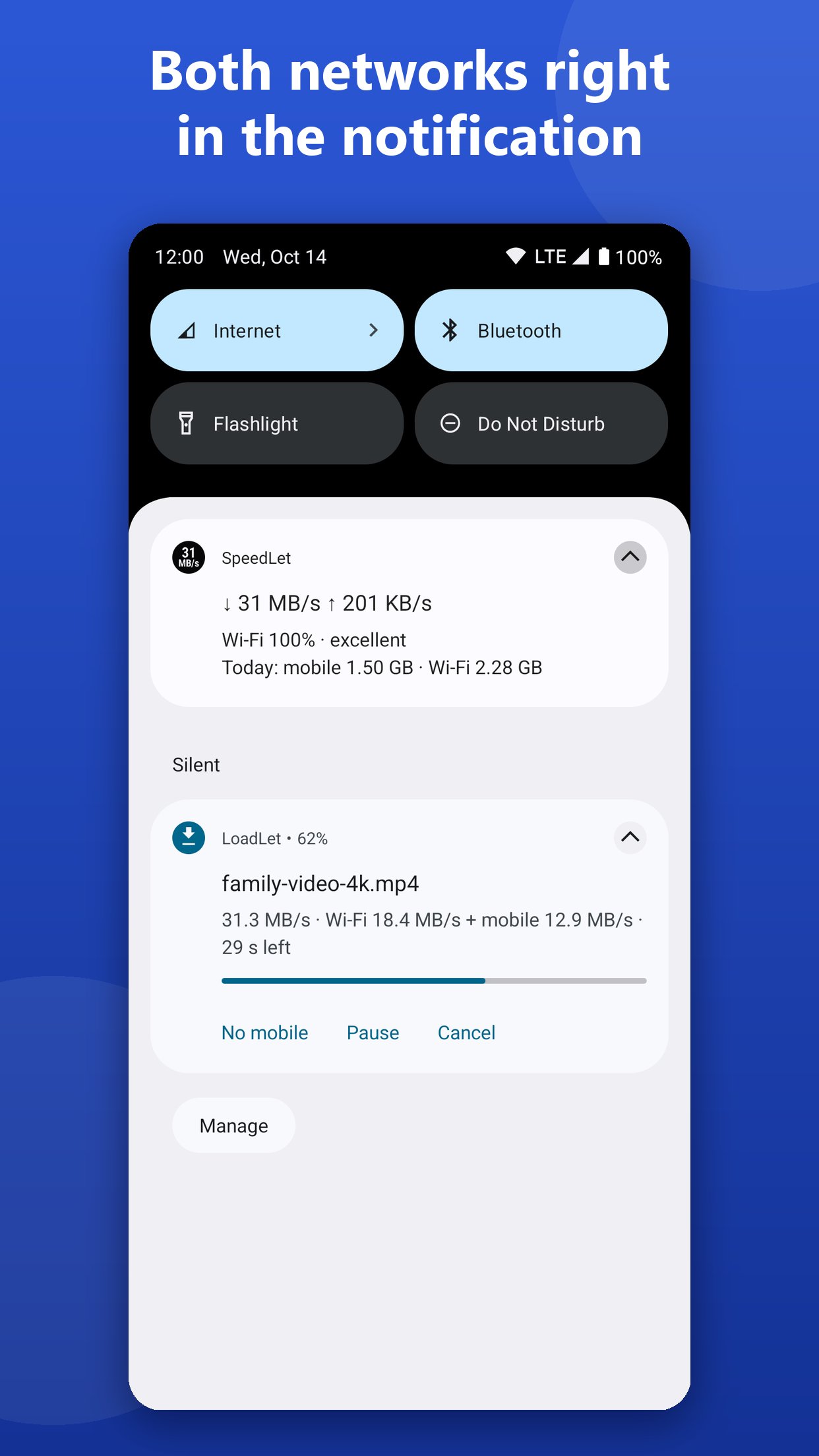
• Each network's speed is shown on its own: "Wi-Fi 18 + mobile 13 MB/s"
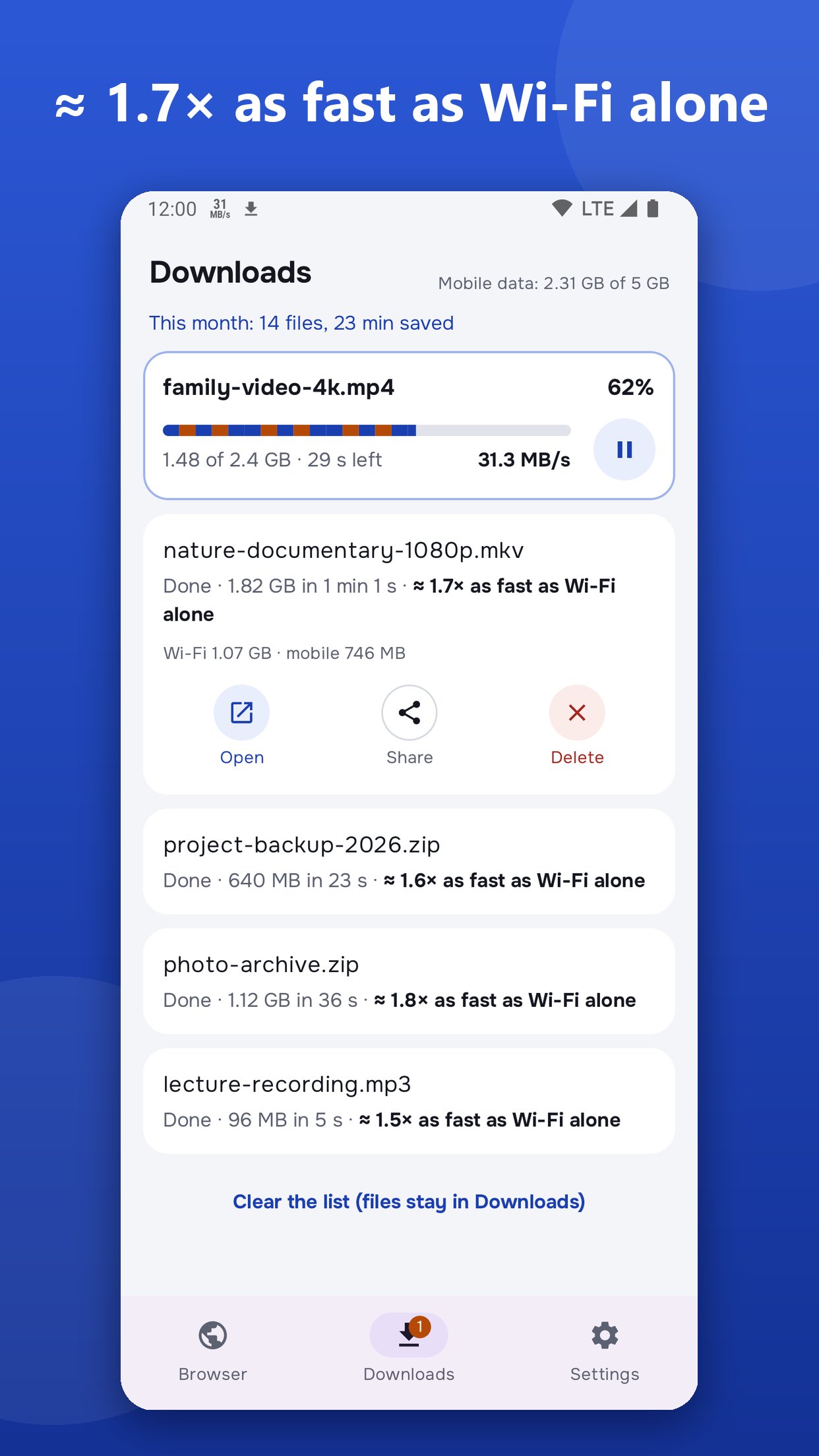
• After the download, an honest estimate: "≈ 1.7× faster than Wi-Fi alone"
• At the top of the list: files this month and the time saved
• Weak Wi-Fi in a café, a hotel or far from the router is where it helps most
Mobile data under control
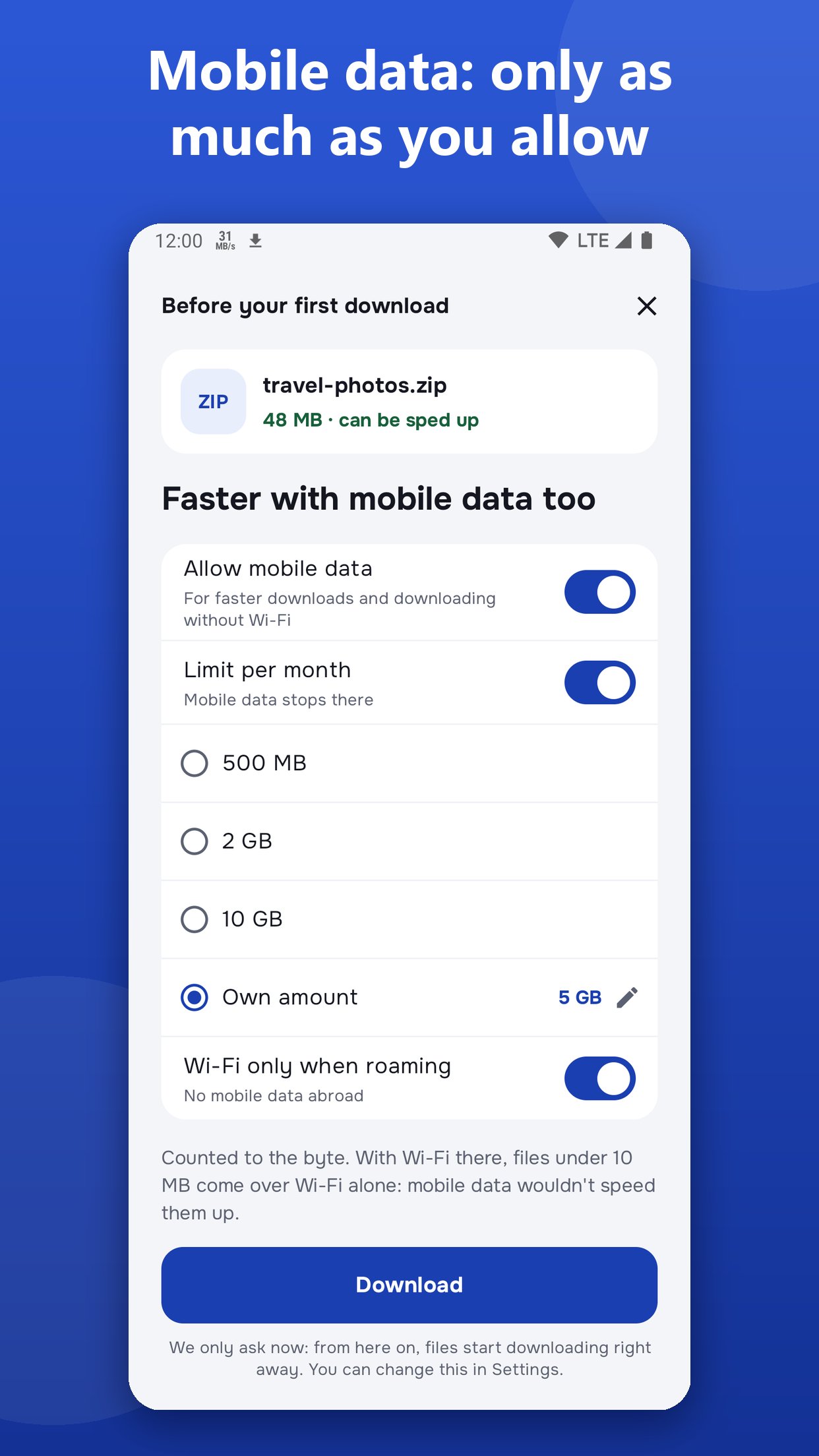
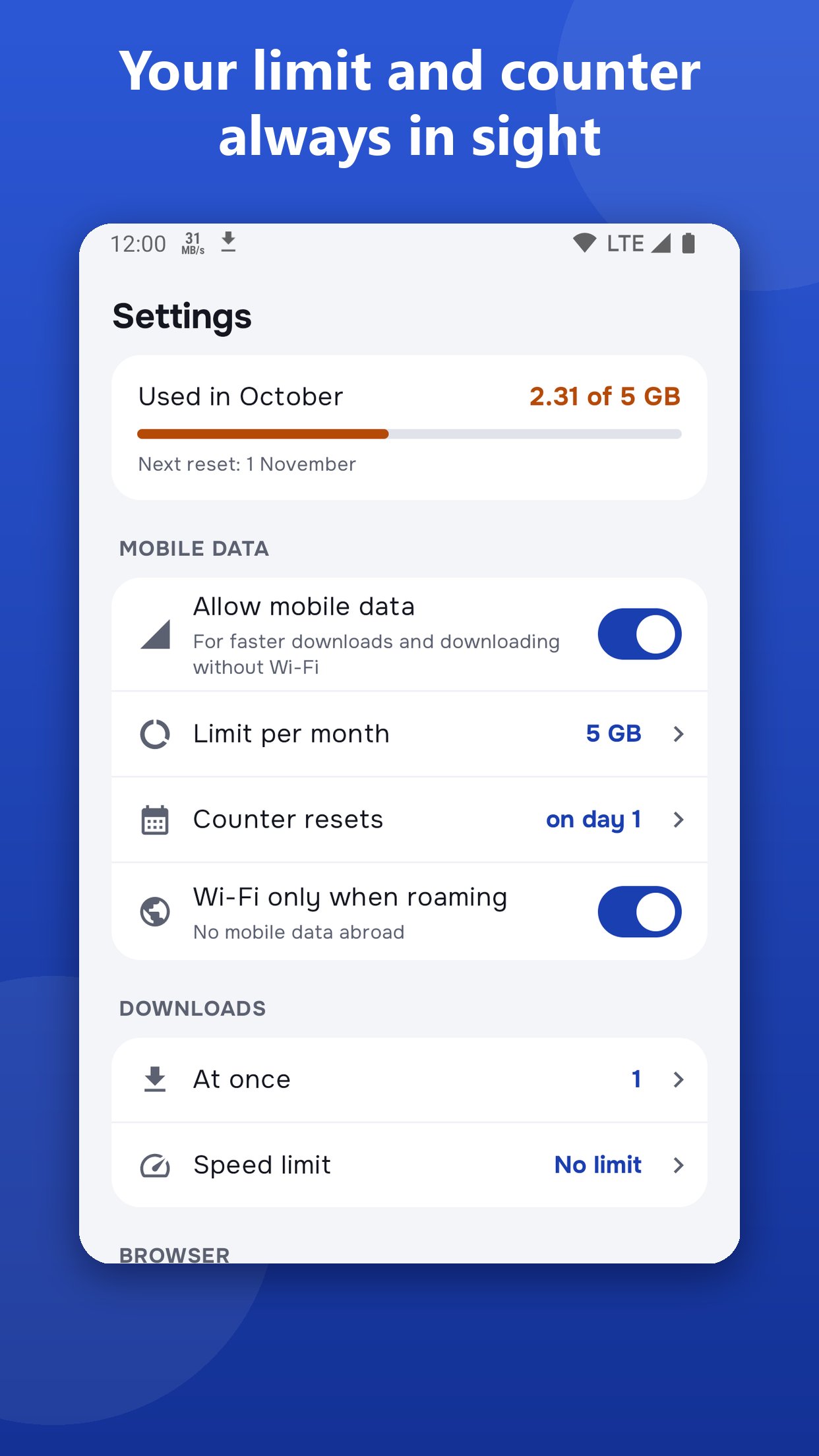
• A monthly mobile data limit if you want one: 500 MB, 2 GB, 10 GB or your own number
• Every byte is counted; at the limit mobile data stops and Wi-Fi finishes the rest
• The month starts on the same day as your carrier's
• With Wi-Fi around, small files use Wi-Fi only; when roaming, Wi-Fi only until you turn it off
• Turn mobile data off completely, or just for one file
Built-in browser
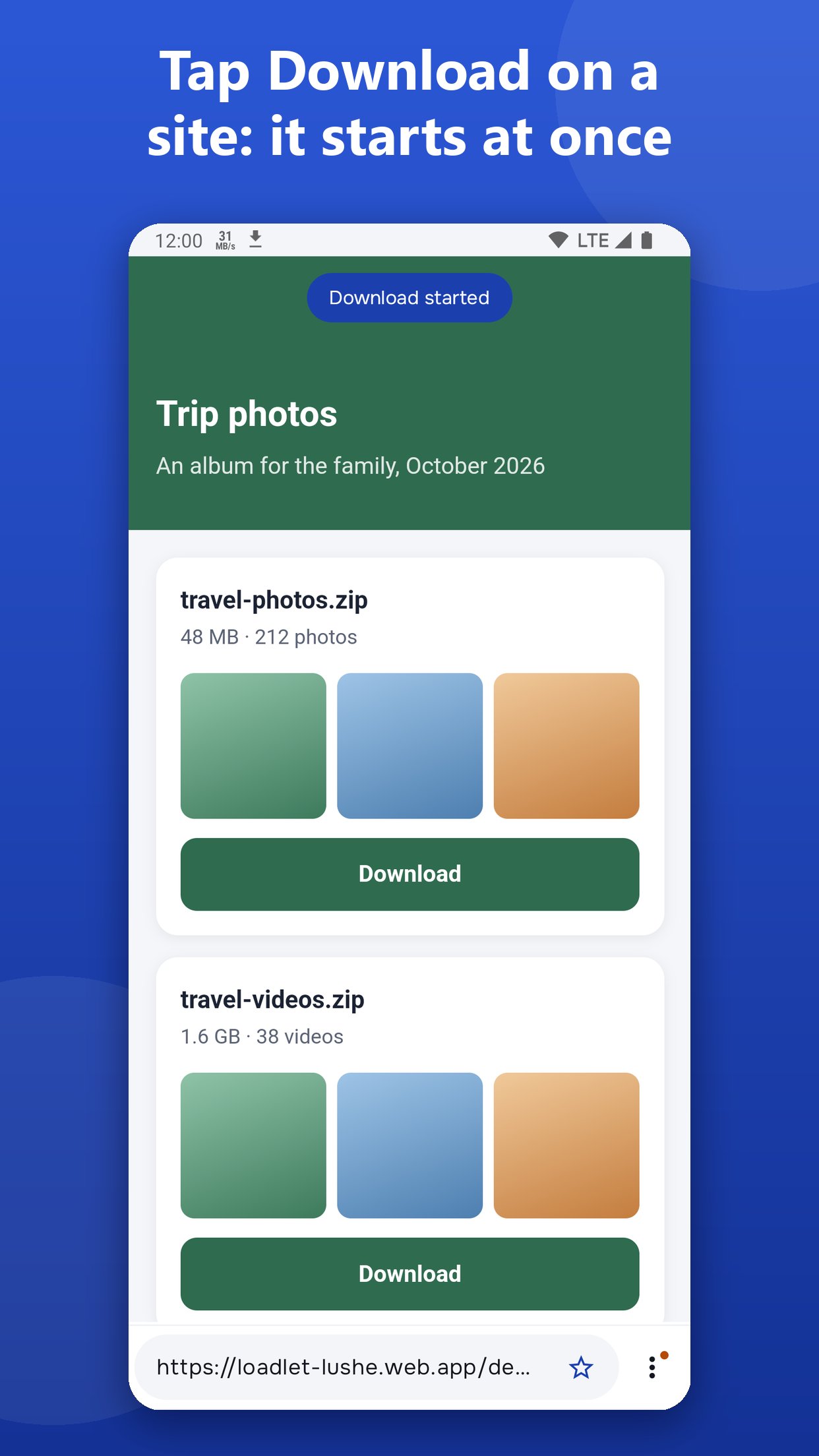
• Tap "Download" on a site and the file is already on its way, with a short tip at the top
• Files a site makes itself ("Save as PDF", a table export) are saved too
• Sites full screen: the bar at the bottom hides as you scroll and comes back with a small swipe up
• Sites that need you to sign in work: LoadLet uses the same cookies as the page, and a site's user name and password are kept encrypted on your phone
• One field for an address, a search or a file link; nine search engines to choose from
• Saved sites on the start page
• No internet? The start page says so at once and opens the network settings
• Pop-up windows that sites open by themselves are blocked
• A file a page starts by itself, without your tap, is asked about first
Downloads that don't get lost
• Resume interrupted downloads: after a dropped network or a restart it goes on from the same place, when the site allows it
• One network gone: the other carries on
• The file changed on the site: it starts over rather than glue two versions together
• Choose in Settings how many files download at once; by default one at a time, the rest in line, so each arrives faster
• A download speed limit if you need one: 1, 5, 20, 50 MB/s or your own
• Pause, resume, rename, Open and Share
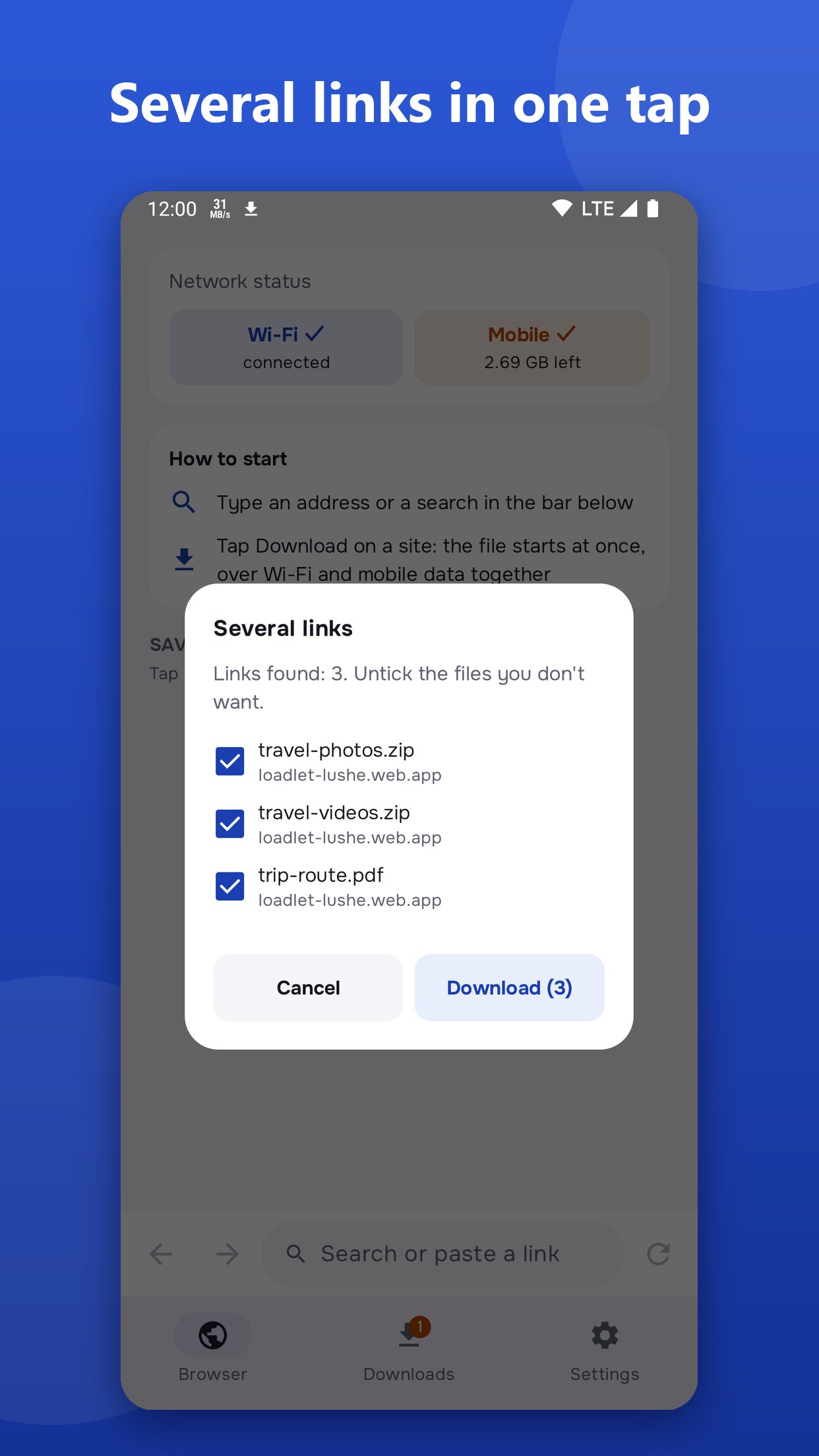
• Download files from links: share them to LoadLet or paste them into the address bar; several links at once become a list to tick
• Files are saved to the Downloads folder
Honest about speed
The speed-up works when a site serves a file in parts, as many sites with big files do. If a site gives a single stream or a VPN is on, LoadLet says so in one sentence and downloads over the best connection.
Direct, no servers in between
The file goes from the site straight to your phone: no VPN, no middle servers, no subscription. No root needed.
Easy on the battery
No download, no work: LoadLet holds no network, doesn't wake the phone and doesn't run in the background. The progress is in the notification.
Privacy
No accounts. Links, site history and files stay on your phone. Android's encrypted backup can keep your settings and saved sites for a new phone.
Free. Ads are small and stay out of the way: no full-screen ads, nothing covers the page, and no ads load while the app isn't on screen.
Works on Android 8 and newer. Light, dark, black for OLED screens, or as the system.

One-click to install XAPK/APK files on Android!

Thanks for your rating and feedback!
You have already rated.






