









Thanks for your rating and feedback!
You have already rated.

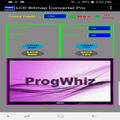
LCD Bitmap Converter tool converts from BMP to Code and Code to BMP
LCD Bitmap Converter tool allows developers to customise firmware display graphics. This is achieved by loading a 24bit image in BMP format and selecting the colour (1bit, 2bit or 4bit) and image dimensions (for eg: 96 x 96). The result is a text file representing the image bytes in textual hexidecimal format, this code is then included in a firmware source code or library for compilation. The resultant binary when uploaded will display the graphic at the desired time.
Feature Summary
1) Convert your .bmp/.gif/.jpg/.jpeg/ image file to embedded C/C++ code style array or string: {HEX: 0xFF,0xBA,0x12,0x08..} or {HEX: 0xFF,0xBA,0x12,0x8..}
2) Convert your embedded C/C++ code style array or string: {HEX:0xFF,0xBA,0x12,0x08..} or {HEX:0xFF,0xBA,0x12,0x8..}
to .bmp/.gif/.jpg/.jpeg/ image file
3) Convert your embedded C/C++ code style Binary array or string: {BIN: B11011110, B10101011, ..} to .bmp/.gif/.jpg/.jpeg/ image file
4) Convert your .bmp/.gif/.jpg/.jpeg/ image file to embedded C/C++ code style array or string: {BIN: B11011110, B10101011, ..}



One-click to install XAPK/APK files on Android!
Thanks for your rating and feedback!
You have already rated.