APKPure에서 안전하고 빠른 APK 다운로드
APKPure는 바이러스 없는 Virtual Nail Salon APK 다운로드를 위해 서명 확인을 사용합니다.

Try on real-life nail polish colors, nail patterns, and rings on your own photo!
Want to design your very own manicure? Well now you can with Virtual Nail Salon by ModiFace!
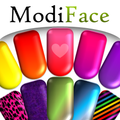
Virtual Nail Salon is an exciting app that allows you to try on a variety real-life nail polish colors, nail patterns, and rings on your very own photo! Simply upload a photo or choose a model and instantly paint your nails with gorgeous nail polish colors. Choose from solid, sparkly, or different pattern nail polishes to create your custom manicure! That’s not all. You can even create your own nail patterns/stickers by drawing or uploading pictures and patterns of your favorite things. To add a final touch to your photo, bedazzle your hands with a variety of rings and jewels !
Once you are done, save your manicure to your gallery or share it with your friends. This is the most feature-packed and amazing virtual nail salon application ever created!
★ Features ★
virtual manicure/pedicure
Try-on beautiful rings
ability to upload your OWN photo with nail boundary auto detection
ability to create your OWN nail pattern by either painting it or using any photo
over 50+ real-life nail polish shades
ability to share on Facebook, Twitter, and by email
★ How-to-Use ★
1. Choose a photo
- Select a photo from gallery, take a new photo, or use an existing model hand
2. Choose a nail polish
- Select any nail polish you want. You can also create your own design by selecting on the rainbow nail with the heart.
3. Customize your manicure
- Paint one nail at a time or free form draw on your nails with any of the colors in the wheel.
4. Decorate Photo
- Tap on the diamond in the top left corner to add rings to your photo.
5. That’s it!
- Hit finalize to see what products you used and share with your friends
★ Quick FAQ ★
Q: How do I create my own nail pattern?
A: First, select the rainbow nail with the heart in the centre located in the top left corner. Once you have done this, you can then add a picture or draw on the nail to create your custom design. When you are done, press “save nail” to add it to the color wheel.
Q: How do I apply nail polish to one nail at a time?
To paint one nail at a time, select on the “Mode” option in the bottom bar. Once you do this you will be given the option to:
- Apply to all nails
- Apply to one nail
- Freeform draw
Select “Apply to one Nail” and then pick a color and tap on the nail that you would like to paint.
Q. Where are the photos saved to?
A. Saved photos can be found in ModiFace folder here: /mnt/sdcard/Pictures/ModiFace/.


등급과 피드백에 감사드립니다!
당신은 이미 평가했습니다.





