APKPure에서 안전하고 빠른 APK 다운로드
APKPure는 바이러스 없는 SOLUTION - Unfortunately, System UI has stopped APK 다운로드를 위해 서명 확인을 사용합니다.


8.0
1 리뷰
11.3 MB
파일 크기
Everyone
Android 4.1+
Android OS
Get extra information about System UI and fix your error
If you are using an android phone for quite some time, you must have encountered errors related to android ui while installing an app, or after you performed a system UI update at least once, the error goes something like this “Unfortunately, Sytem UI has stopped” .The error is very common and can have various causes.
"Android.System.UI has stopped working" error message can occur if your last android update was either corrupted or unsuccessfully patched on your device.
This error is also very common with your android operating system update and upgrades, you must have seen errors like, system ui kitkat error, unfortunately system ui has stopped marshmallow or error lollipop system ui could not be updated.
These errors can be caused by the custom updates too which you receive from your phone manufacturers, like on Sony Xperia phones the error can be something like” system ui has stopped sony xperia”
The reason this error message is shown is because the current applications are not compatible with the updated UI interface that the device is running.
It may cause headaches when you see this error and it doesn’t go away despite numerous trys. So if you want to know how to fix system ui has stopped error on your phone, you just have to install SOLUTION - Unfortunately, Sytem UI has stopped app and you will be able to easily diagnose the root cause of the problem responsible for this error.
This App solves your Problem "Unfortunately, Sytem UI has stopped"
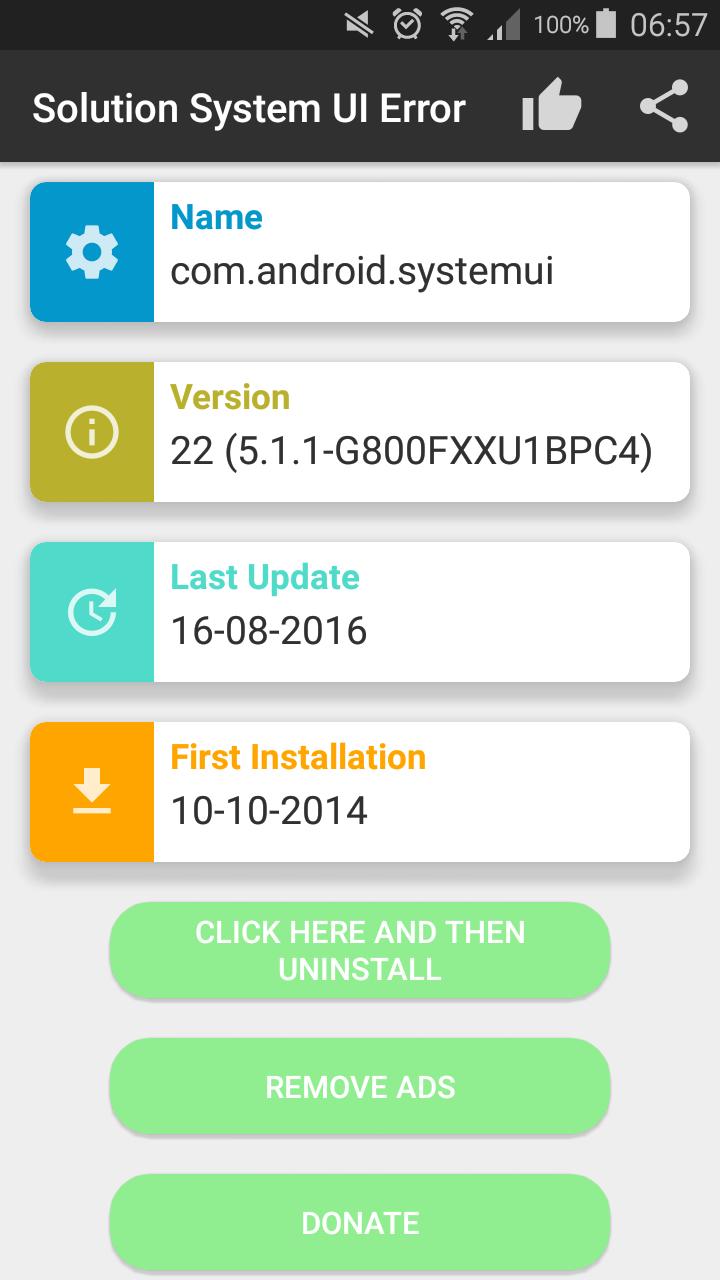
Fix your error with System UI and get extended information about the app which is responsible for this message.
Following information is included:
Package name
Version Name
Version Code
Date of last update
Date of last installation
Once you are able to diagnose easily the cause of the conflict and the error, you will be in a better position to fix the issue by either uninstalling or disabling the conflicting app or removing the updates that you installed on your phone.
If it is an issue with the updates, it can be fixed with the following
Settings->More->Application Manager
Change the list to ALL
Scroll down to Google App and select it
Select 'uninstall updates'
And that's it. It might ask to install a factory default, so yes to that.
With this app our goal is to provide a solution for android systemui related errors and we hope that by installing and using this app you will be able to easily identify the cause of these errors and easily perform a system ui fix on your phone to get rid of these errors.
If you have any feedback about the app please contact us through the email mentioned in the play store. If this app has helped you please take a moment to rate and review it in the play store.
Disclaimer: Before uninstalling an app or system updates from your phone please take data back-up to ensure safety.


등급과 피드백에 감사드립니다!
당신은 이미 평가했습니다.