
APKPure에서 안전하고 빠른 APK 다운로드
APKPure는 바이러스 없는 mTool (System Settings Widget) APK 다운로드를 위해 서명 확인을 사용합니다.

One tool to rule them all.
Settings, Settings Widget, System, System Settings, System Widget, Einstellungen, Einstellungen Widget, System Control, Systemsteuerung, Settings Manager, Profiles, Profile System Profiles, System Manager, Einstellungen Profile
------------------------------------------------------------
One tool to rule them all.
That's one sentence. And that's also what describes mTool the best.
It's like the one ring in The Lord of the Rings, which was forged to
control all the others.
mTool does this on your mobile. You can forget all other tools, because mTool controls all their functions too.
Well now let's get to the point:
WHAT IS MTOOL?
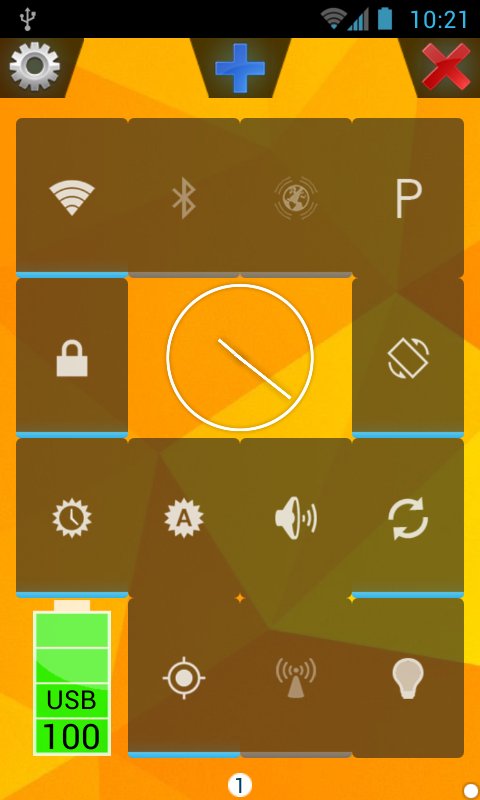
It is an application for your Android smartphone, with which you can control
all kinds of system settings like Wi-Fi, Bluetooth, etc.
WHICH SYSTEM SETTINGS CAN BE CONTROLLED WITH MTOOL?
✔ Wi-Fi
✔ Bluetooth
✔ Mobile Data
✔ GPS
✔ NFC
✔ Brightness
✔ Screen Timeout
✔ Wifi-Hotspot
✔ Keyguard
✔ Rotation
✔ Auto-Sync
✔ Volumes (Ringer-Mode)
▲ THOSE CAN ALL BE CONFIGURED IN PROFILES AND THEN ACTIVATED/DEACTIVATED WITH ONE CLICK.
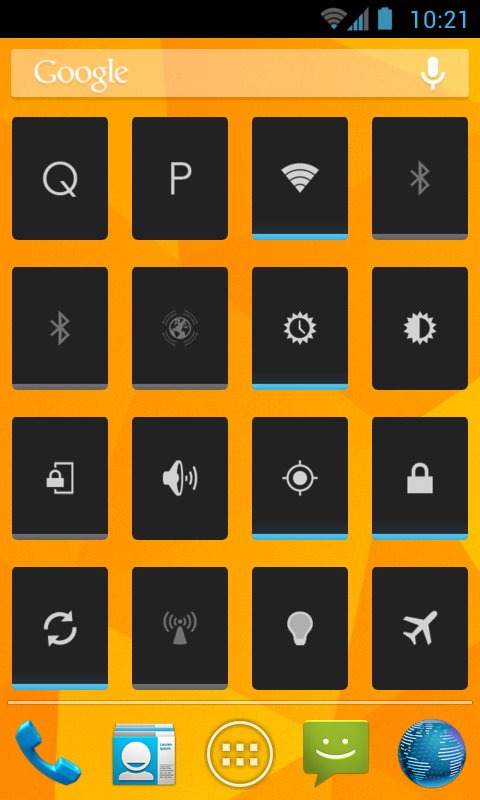
▲ AND THOSE CAN ALSO BE CONFIGURED AS APPWIDGETS/HOME-SCREEN-WIDGETS (THOSE + PROFILES + QUICK).
Additionally:
✔ Torch
✔ Clock
✔ Battery Info
✔ Application
..and more to come
HOW CAN I FOR INSTANCE TOGGLE A SETTING LIKE WIFI?
A) 1. Open mTool
2. Click on the Wi-Fi widget -> close mTool
(3.)If there is no Wi-Fi-widget:
A. Click the + button
B. Select Add Item
C. Select Wifi and follow the wizard.
D. Go to 2.
B) 1. Open mTool
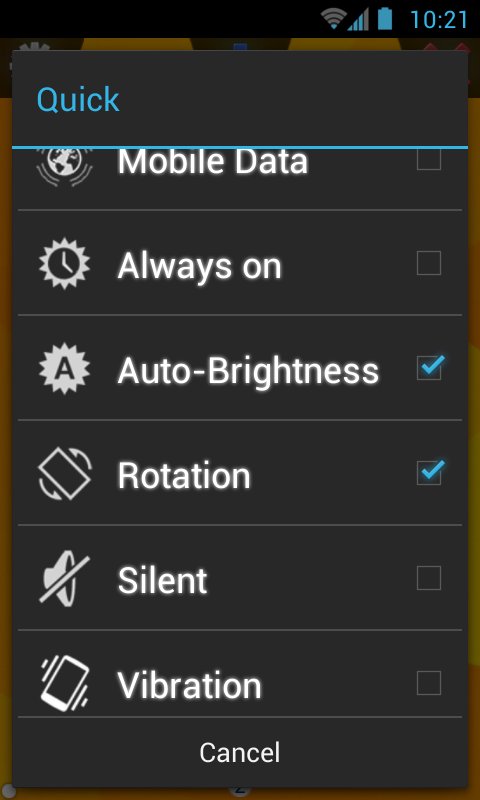
2. Click on the + button
3. Select Quick
4. Click on Wi-Fi -> close -> close mTool
C) Click on an mTool WiFi or Quick appwidget.
D) Activate a Profile with your desired Wi-Fi-Status
------------------------------------------------------------
Trial/Lite Version: http://play.google.com/store/apps/details?id=m.tool.lite
More on http://www.turtle-enterprises.co.de/mtool.html
Check out my other apps: http://www.turtle-enterprises.co.de/apps.html
------------------------------------------------------------
mTool Lite:
-1 Page
-0 Profiles (except Airplane mode)
-1 AppWidget
-Grid Size: 4x4
mTool:
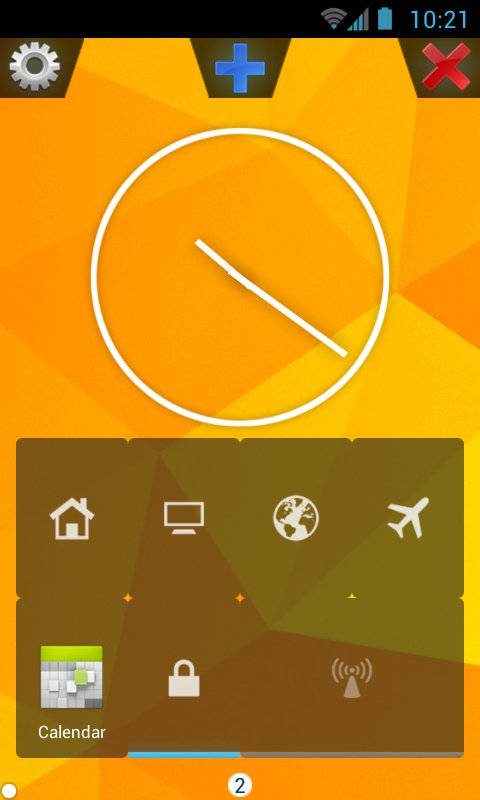
-up to 2 Pages
-up to 3 Profiles
-up to 4 AppWidgets
-Grid Size: 4x4
mTool Pro:
-as many pages as you want
-as many Profiles as you want
-as many AppWidgets as you want
-Grid Size: 3x3, 3x4, 4x4, 4x5, 5x5
------------------------------------------------------------
Tags:
Settings, Settings Widget, System, System Settings, System Widget, Einstellungen, Einstellungen Widget, System Control, Systemsteuerung, Settings Manager, Profiles, Profile System Profiles, System Manager, Einstellungen Profile, Settings, Settings Widget, System, System Settings, System Widget, Einstellungen, Einstellungen Widget, System Control, Systemsteuerung, Settings Manager, Profiles, Profile System Profiles, System Manager, Einstellungen Profile, Settings, Settings Widget, System, System Settings, System Widget, Einstellungen, Einstellungen Widget, System Control, Systemsteuerung, Settings Manager, Profiles, Profile System Profiles, System Manager, Einstellungen Profile, Settings, Settings Widget, System, System Settings, System Widget, Einstellungen, Einstellungen Widget, System Control, Systemsteuerung, Settings Manager, Profiles, Profile System Profiles, System Manager, Einstellungen Profile, Settings, Settings Widget, System, System Settings, System Widget, Einstellungen, Einstellungen Widget, System Control, Systemsteuerung, Settings Manager, Profiles, Profile System Profiles, System Manager, Einstellungen Profile,


등급과 피드백에 감사드립니다!
당신은 이미 평가했습니다.