APKPure에서 안전하고 빠른 APK 다운로드
APKPure는 바이러스 없는 MaterializedHome for KLWP APK 다운로드를 위해 서명 확인을 사용합니다.

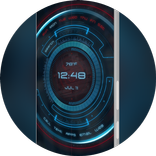
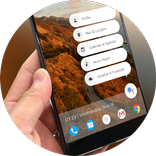
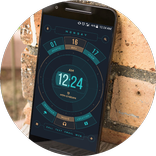
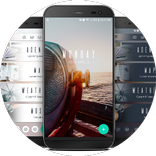
KLWP위한 4 페이지 미리. 자동으로 모든 전화에 맞게 크기를 조정합니다. 즐겨!
***This is not a stand alone app. It is a preset for KLWP Live Wallpaper Pro Key***
First you need to download these apps:
-Nova Launcher Pro
-KLWP Pro Key
Then:
-In nova select 4 pages, and hide dock (if you don't have 4 pages it will not work properly).
-Make sure wallpaper scrolling is enabled on Nova launcher settings.
-In KLWP go to menu, load preset, and under 'Installed' choose MaterializedHome, or click on the MaterializedHome app in your app drawer.
-Set KLWP to 4 pages
-Go to menu, and select 'Set as wallpaper', and click apply
-Press the save button, exit the app, and enjoy!
-When using the preset, when you expand the home page you can access favorite apps, go from light to dark mode, and toggle the navigation bar (if you have on screen nav buttons).
-To access your app drawer, go to Nova Settings, then Gestures & Inputs, an for the swipe up gesture select App Drawer. Now you just swipe up on your screen and the app drawer will show up.
Easliy change the colors, images, and font under 'Globals', and easily change the hotspots for the apps under 'Shortcuts' when you open the KLWP app. App icons I used for this preset are called Ruzits V2.
If you have any questions please email me. I will answer you quickly. Thanks!


등급과 피드백에 감사드립니다!
당신은 이미 평가했습니다.