






Thanks for your rating and feedback!
You have already rated.

Kplayer+ Oficial is an Android media player for authorized live and on-demand streams.
Developed by Wplay - Kplay - Krator - Apoloplay, it focuses on stable performance and a clean, organized viewing experience. Users can download Kplayer+ Oficial for fast loading, simple navigation, and access that respects provider rights at all times. Content is only visible when authorized, which keeps the experience clear and compliant. Below are the highlights that stand out in everyday use.
This platform is built around authorized viewing. It only plays content available through a valid account with your provider, and there is no built-in catalog. After signing in, what appears depends on your plan and region, so content you are not entitled to will not display or will not play. Kplayer+ Oficial is designed to respect usage rights and provider rules, which helps keep streaming straightforward and compliant. If something is missing, the most practical step is to check your provider subscription or contact support to confirm access rather than searching for external links.
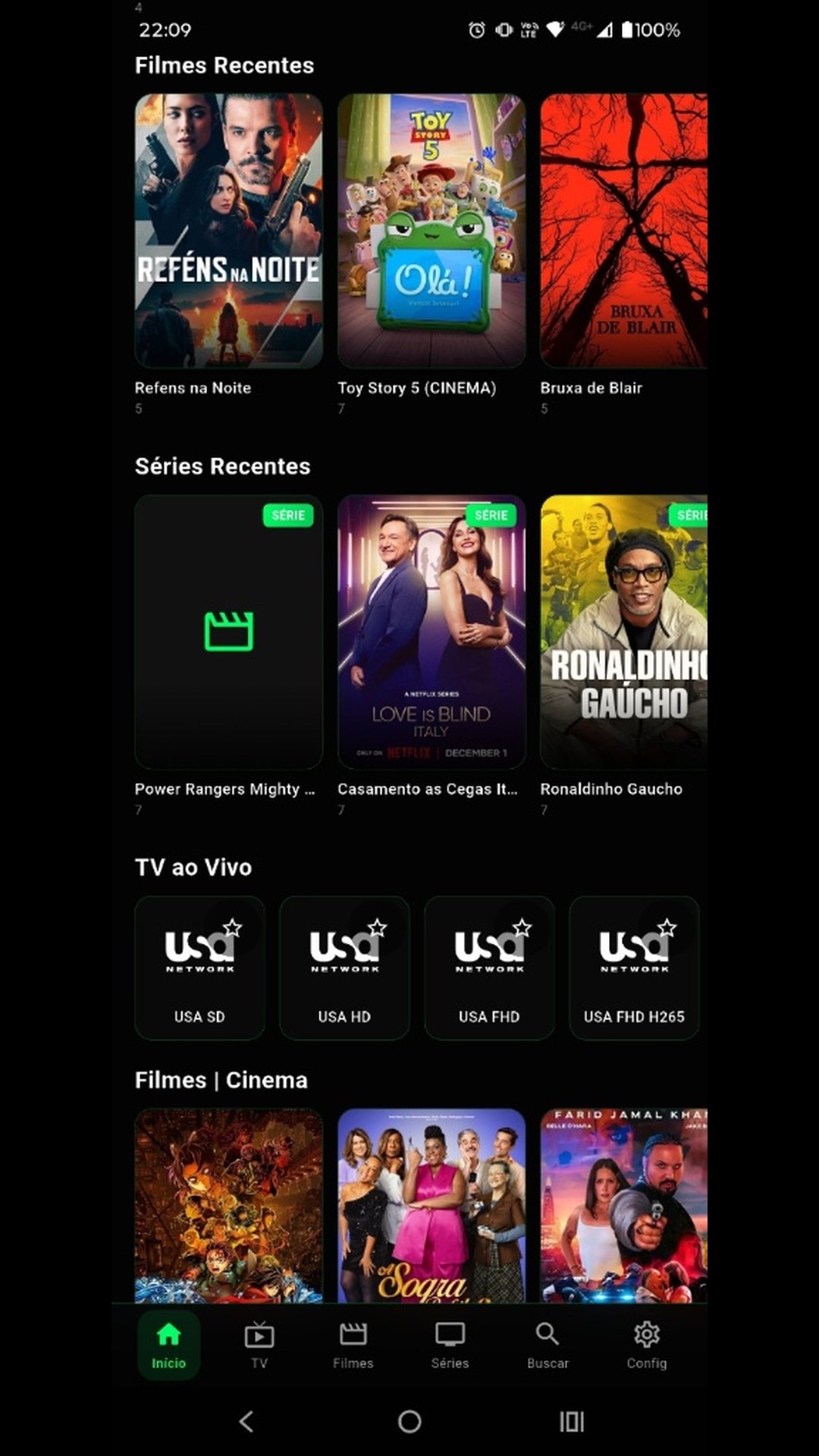
The interface keeps browsing simple, with categories that mirror the structure your provider supplies. That organization makes it easy to move between live channels, movies, and series without visual clutter. When the catalog is large, the internal search field helps you jump straight to a channel name or title, saving time. The results reflect items you are entitled to view, so expectations stay clear. Kplayer+ Oficial focuses on a quick path from browsing to playback, which works well for users who prefer a tidy layout and minimal steps.
Playback is optimized for stability, with fast starts and responsive controls. Standard buttons keep the player distraction-free, so adjusting volume, seeking, or pausing feels immediate. The app works with supported transmission formats provided by your source, and performance largely follows the quality of the stream you receive. If a particular item buffers or fails, it often points to the source or a weak connection rather than the player. Kplayer+ Oficial keeps the emphasis on smooth viewing, which suits quick channel changes and casual movie nights alike.
Both live TV and on-demand libraries are supported, so you can watch events as they happen and then switch to a series or film. Live channels open quickly for a near-instant tune-in experience, while on-demand titles resume with stable loading. Quality, availability, and categorization always follow your provider’s catalog. There are no offline downloads, and sharing protected content is not available. With Kplayer+ Oficial, the best results come from a reliable internet connection and an active plan that includes the channels or titles you want to watch.
Because it relies on provider credentials and plays only authorized content, Kplayer+ Oficial delivers a clean, stable experience with clear boundaries. The strengths are obvious in daily use, while the trade-offs reflect its compliance-first design.
ProsYou can get the Kplayer+ Oficial APK on APKPure and install it like any standard Android app. Before starting, confirm you have active provider credentials, since the app does not include its own catalog and won’t play content without authorization. The download is typically lightweight, usually under 100MB, so most users finish in a few minutes on a stable connection.
After installation, open the app and sign in with your provider details to view available channels, movies, and series. If an item does not appear, it is likely not included in your plan. For the best experience, choose the Kplayer+ Oficial latest version to benefit from performance refinements and format compatibility improvements. Keep your login credentials handy and check your connection for smooth, uninterrupted viewing.





One-click to install XAPK/APK files on Android!
Thanks for your rating and feedback!
You have already rated.