Download APK sicuri e veloci su APKPure
APKPure utilizza la verifica delle firme per garantire download di APK Fractaldraw senza virus per te.

This is a kind of drawing programm. You can draw self similar fractal structures
This app allows you to draw the Julia set of any rational function by simply fixing the number, position and character (attractive or repulsive) of fixed points in the complex plane. You don’t have to put in any formula! If you put a new fixed point, the corresponding Mandelbrot set is shown which tells you in which regions the fixed point is attractive or repulsive.
For experts: The character of the fixed points is structured by Newton’s method to find the zero of a factor (z-z_f)^p.
But you don`t have to know any mathematical details. Just play around with position number and character of fixed points and try to understand intuitively their impact on the obtained picture.
In this way you can draw really beautiful self similar structures and discover intuitively results which are partially not understood and may be not even known by actual mathematical research.
To get an idea how it works choose the first example in the example gallery or press reset. You are now starting with two attractive fixed points.
Press the brush button to see the actual positions of the fixed points.
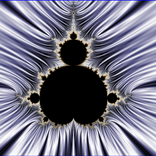
The button with the Mandelbrot icon shows you the Mandelbrot set corresponding to the actual fixed point indicated by a cross.
Changing the position of the cross in the Mandelbrot window below you can change the textures in the fixed point environments of the Julia set. Choose "fixedpoint properties" to see the power p which characterizes the fixed point (attractive if the real part is smaller than 0.5 or repulsive if the real part is larger than 0.5).
For example a nice texture is obtained for p=0.8.
Note that the Mandelbrot set is a map of textures of the Julia set!
Tip the second fixed point indicated by a circle (which then switches to a cross) to see its corresponding Mandelbrot set and to change its properties by varying the position of the cross in the lower window.
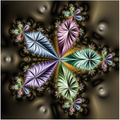
In this way you can obtain the third example if you choose p=0.8 for the first fixed point and p=-0.219+i*0.611 for the second (zoom in the upper window to see the full structure).
Press the brush to disable the change of fixed point positions before you zoom.
By varying the position of the cross in the lower window you change the character of the actual fixed point and you can find an astonishing variety of fractal figures. Especially the black cusps at the border of the Mandelbrot set are leading to interesting structures.
With the "+/-" button you can increase/decrease the number of fixed points in the newtonfractal mode .
If you Choose "make figure symmetric" in the menu you obtain the famous fractal for finding the zeros of z^n-1 with Newton’s method if you putted n fixed points before.
Varying number position and character (textures) of the fixed points you can use the app to draw a very large variety of self similar fractal structures. The texture of a fixed point is changed if you switch on its corresponding Mandelbrot set. Note that it is an intrinsically mathematical problem that the Mandelbrot set sometimes switches strangely!
This happens when the algorithm finds a different critical point (point with zero derivative of the iteration function).
The example gallery serves as an inspiration of what can be done. But with some experience you can create much more interesting artwork.
With the "save project" option it is possible to save editable and zoomable projects to work on further.
Tip long on a project to delete it.
You can also explore the Mandelbrot and Julia sets of the fractals corresponding to the iteration functions z^n+c for any power n.
Just choose the famous quadratic mandelbrot set (last example) in the example gallery and press the "+" or "-" Buttons to increase or decrease the power n.



Basta un clic per installare i file XAPK/APK su Android!

Grazie per la tua valutazione e feedback!
Hai già valutato.