Package Name:papyvo.app
Show More

PDF reader & converter: JPG, Word, web to PDF. Compress PDF size. Offline.
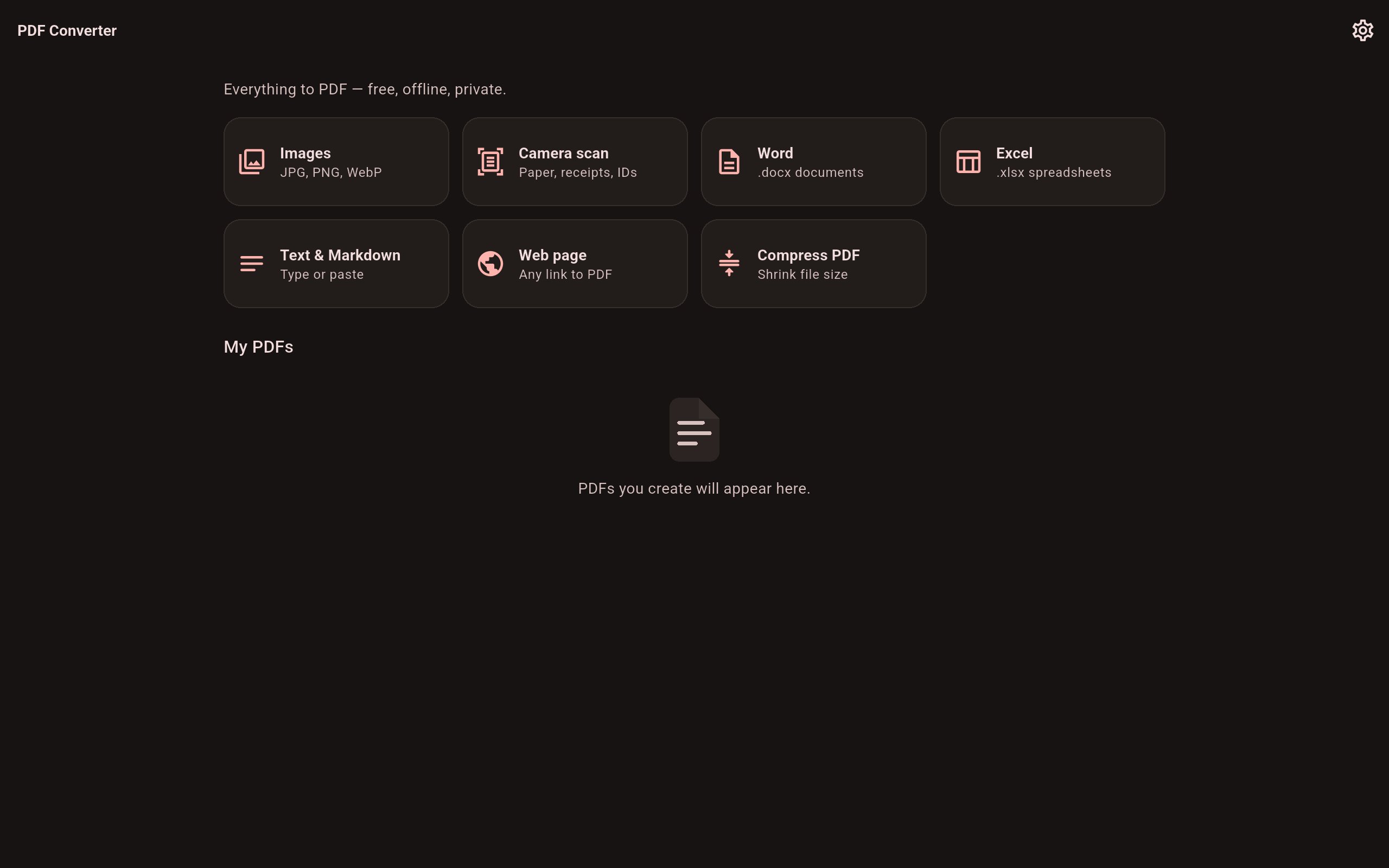
Papyvo is the all-in-one PDF converter and PDF compressor that keeps your documents on your device — every feature free, no ads, no account, no watermark, no page limits.
📸 IMAGE TO PDF CONVERTER
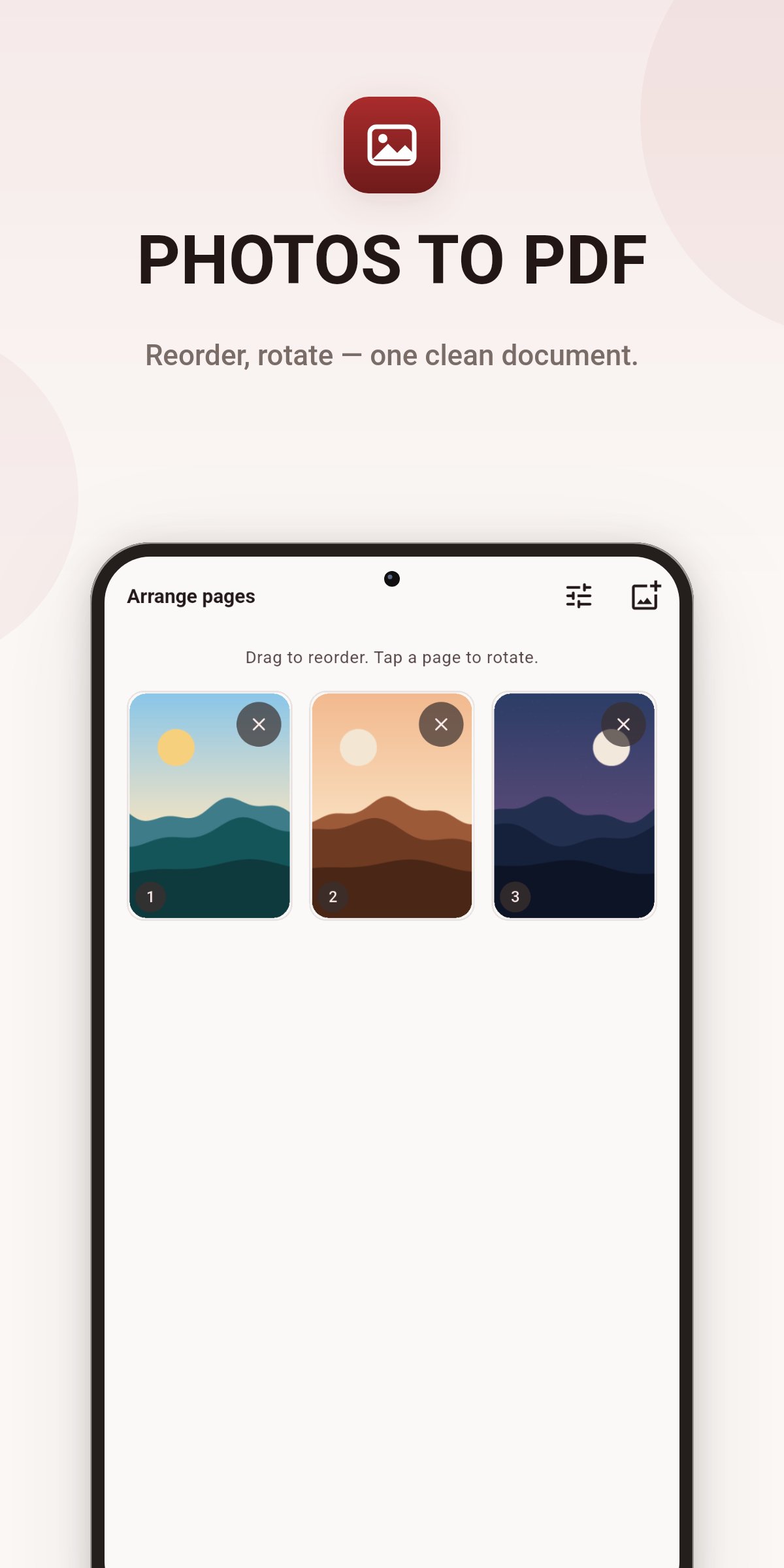
Turn any picture into a document in seconds. Convert JPG to PDF, PNG to PDF or WebP photos to PDF — one image or a whole batch from your gallery. Selected photos become a single multi-page PDF: drag pages to reorder, tap to rotate, remove the ones you don't need. Choose the page size (A4, Letter, Legal, A5 or fit-to-image), set margins and pick the image quality, then create your PDF with one tap. A handy photo to PDF maker for receipts, homework, notes, whiteboards and paperwork.
🗜️ COMPRESS PDF — REDUCE PDF FILE SIZE
A built-in PDF compressor shrinks oversized files so they actually send. Reduce PDF size with three levels — smallest file, balanced, or best quality — and turn a 50 MB scan into an e-mail-friendly attachment in seconds. Papyvo will never hand you a "compressed" file that is larger than the original: if your PDF is already as small as it gets, it says so honestly. Compressing happens entirely on your phone; the file is never uploaded to a server, unlike online PDF size reducer websites.
📄 SCAN TO PDF WITH YOUR CAMERA
A document scanner without the cloud. Point your camera at paper and Papyvo detects the edges automatically, corrects the perspective and lets you fine-tune the corners by hand. Choose color, grayscale or black & white, add more pages, and save the scan as a clean PDF. Perfect for contracts, invoices, receipts, ID cards and class notes — no account, no subscription, no upload.
📝 WORD TO PDF & EXCEL TO PDF — OFFLINE
Convert docx to PDF and xlsx to PDF directly on your device. Most converter apps send your documents to a server; Papyvo's office converter runs offline, so a private contract or a company spreadsheet never leaves your phone. Best results with simply formatted documents.
✍️ TEXT TO PDF & MARKDOWN TO PDF
Type or paste anything — notes, letters, essays — and export a clean, printable PDF in any language. Markdown formatting (headings, lists, tables) is supported.
🌐 WEBPAGE TO PDF
Save any link as a PDF for offline reading. The page is fetched and then converted on your device — nothing goes through our servers, because we don't have any.
🔒 TRULY FREE. TRULY PRIVATE.
• 100% of features free — no subscription, no trial, no locked "pro" tools
• No ads, no watermark, no account, no sign-in
• Your files are processed on-device and never uploaded
• Anonymous crash and usage statistics only, with a one-tap opt-out in Settings
MANAGE YOUR PDFS
Every PDF you create is listed with a live preview thumbnail. Rename, sort by date, name or size, share to any app, print, save to your device storage — and if you delete by mistake, undo brings it right back.
WORKS WITH SHARE & OPEN
Share photos, Word or Excel files, text or a PDF from any app and Papyvo picks the right tool automatically: pictures open the image to PDF converter, documents open the office converter, and PDFs open the compressor.
Download Papyvo — the free offline PDF maker, photo to PDF converter and PDF size reducer in one small app.





One-click to install XAPK/APK files on Android!

Thanks for your rating and feedback!
You have already rated.