Unduh APK dengan Aman dan Cepat di APKPure
APKPure menggunakan verifikasi tanda tangan untuk memastikan unduhan APK My Resume Maker yang bebas dari virus untuk Anda.

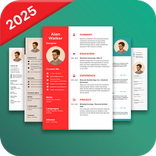
Saya Lanjutkan pembuat membuat Anda untuk membuat resume Anda lebih cepat dan efektif dalam satu menit.
Make your Resume for job apply...!
Here You can having number of format for different different resume to make more effective than others candidate.
When you are giving first time job interview at that time you have your resume to define yourself with professional information.
My resume maker free app for very much useful to build the ready resume. My Resume Builder CV Free Jobs contains different types of Professional Resume Formats.
How TO Create your Resume :
1. My Resume Maker first to make Tap to Start with fill Name of Candidate.
2. When You fill the name you can see name of the list candidate resume at one place in main screen.
3. Press your name list you can having number of tab with your full information fill one by one.
4. Contact Information contains Full Name of the candidate, Gender, date of birth, address, language known, contact number and email id. Fill all the information and click on Save button.
5. Academic Information contains Degree/certificate, Collage/University with specification of percentage or CGPA, Percentage/CGPA, Passing Year. Fill all the information and click on Save button.
6. Work Experience contains Name of Organization, Position of Job, Duration Period, Location of Company, Salary, Job Responsibility. Fill all the information and click on Save button.
7. Project Information contains project title, description of project, Role of project, Team Size, Expertise. Fill all the information and click on Save button.
8. Reference Information contains name of person, contact number, email address. Fill all the information and click on Save button.
9. Skill, Hobby contains interest, hobbies, skills. Fill all the information and click on Save button.
10. Objective, Achievements contains achievements, Objectives, Curriculum. Fill all the information and click on Save button.
11. Photo Sing contains Choose Photo, Choose Signature. Fill all the information and click on Save button.
12. Create PDF contains number of resume formats with its main functionality and all the levels is different.
13. When you select any one format you can having message that your resume created.
14. Select your name with resume you can see that your PDF file generated with all the filling information of above.
15. You can having facility to direct share via social media as well as delete of that resume if you find some other formats.
16. When you select your resume you can having option such as find, table of contents, Re flow text, send file, zoom content, print.
17. Here you can easily make your resume and faster output with best formates.
Reset/Modify any field any time during the Resume Creation process at any point of fill the information.
You can edit or delete of your resume at any time when you needed.
You can view and share your resume with simple steps.
Enjoy best Resume Maker app with best features and faster to used at any time.
Thanks for download this My Resume Maker or My Resume Builder app.



Sekali klik untuk menginstal file XAPK/APK di Android!

Terima kasih atas peringkat dan umpan balik Anda!
Anda sudah menilai.