Safe & Fast APK Downloads on APKPure
APKPure uses signature verification to ensure virus-free HTTP Listener for Tasker APK downloads for you.

Listener for HTTP events. They are filtered & an Intent is created & broadcast.
PLEASE SEE THE APP'S HELP FILE AS THERE IS INSUFFICIENT SPACE HERE TO DESCRIBE ALL THE DETAILS.
Note: Disable battery saving to remove notification on later Android.
Usage
Upon start up, this app displays a list of ports being monitored for HTTP activity. To start monitoring all the Active entries on the list you simply press the Start Server button. If all goes well, the monitoring will be underway. About the only thing that might go wrong is that the specified port number is already in use by some other app. You should see a message if this is the case.
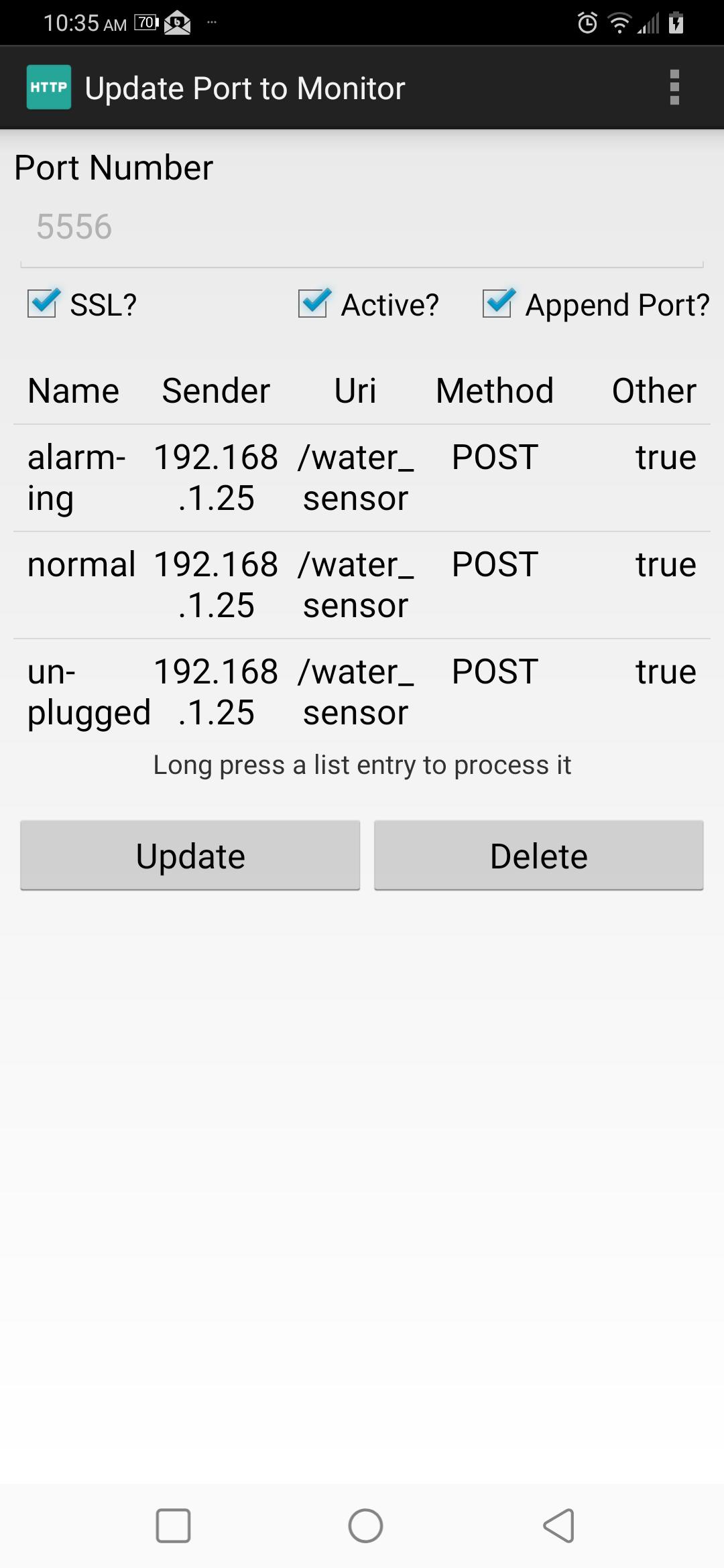
Initially, of course, the list of ports being monitored is empty. From the app's menu, choose Add Port to Monitor and supply the necessary information. Note that port numbers MUST be > 1024. Each port can optionally:
* support SSL
* be enabled/disabled for monitoring
* append the port number to its Intent action strings
Each port can optionally specify one or more filters that the request's data must match in order for an Intent to be sent. Each filter can be matched to one or more of the following:
* Sender
* Uri
* Method
* Query
* Body
If the server is currently running at the time a new entry is added to the list, you must stop & re-start the server for monitoring of the entire list to begin anew.
Ports and their filters may be modified & deleted from their lists with a long press of the entry you wish to change. As with additions, you must stop & re-start the server for monitoring of the entire list to begin anew.
For many situations, it is desirable for monitoring to begin when your device boots. This can be accomplished by checking Start Server At Boot on the app's menu. While this works fine on the vast majority of devices, you must be aware that some devices do not support this. You can start & stop the server by sending these Intents:
com.whitedavidp.httplistenerfortasker.START_SERVER
com.whitedavidp.httplistenerfortasker.STOP_SERVER
HTTP Request Processing
Once the server is running, it waits for HTTP requests for be delivered on each of the specified, Active ports. When a request is received, it is processed into an Intent that is broadcast to the system so that Tasker or other automation apps can handle the Intent's reception & do whatever you want done. You will need to know the action name on the Intent & that is always at least:
com.whitedavidp.httplistenerfortasker.HttpBroadcast
But optionally, the port number and matching filter name can be appended to the above. Please see the app's help file to see how this can change based upon a port's Append? setting & filters.
In each Intent, the app places named extra data strings for the following request data:
* time - the time at which the request was processed as expressed in the number of seconds since midnight of 1/1/1970
* port - the monitored port to which the request was sent
* sender_ip - the IP address of the request's origination
* sender_name - the host name (if it can be resolved) of the request's origination
* uri - the request's URI string
* method - the HTTP method specified by the request
* query - the request's Query string
* body - the request's body (limited to 2000 characters)
Support
Please use the email address provided here to let me know how this works for you. I will try to resolve problems when I can.




One-click to install XAPK/APK files on Android!

Thanks for your rating and feedback!
You have already rated.