
Package Name:com.HKKalender
Show More

Quick and easy calendar for daily notes, events, and shift schedules.
HK-Kalender is a fast, streamlined, and private calendar application designed for users who need an efficient way to manage daily notes, work shifts, and recurring events. Built with modern Android technology, it provides a clean, responsive interface that focuses on getting things done with minimal taps.
Key Features:
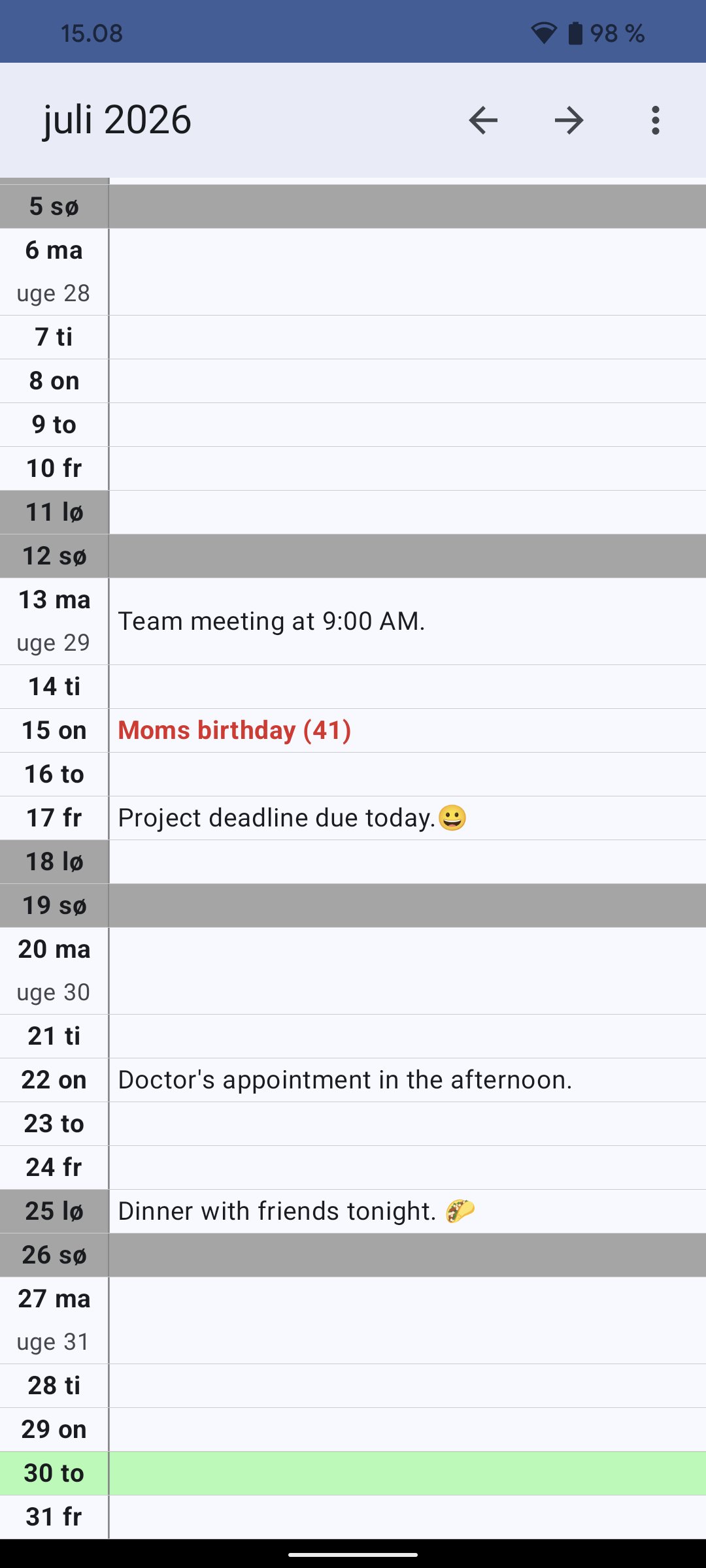
Effortless Daily Notes: Tap any day in the calendar to open the note editor. Whether it's a simple reminder or a detailed shift plan, HK-Kalender handles it with ease.
Voice Input: Save time by using the built-in microphone feature. Simply speak your note, and the app will convert it to text automatically.
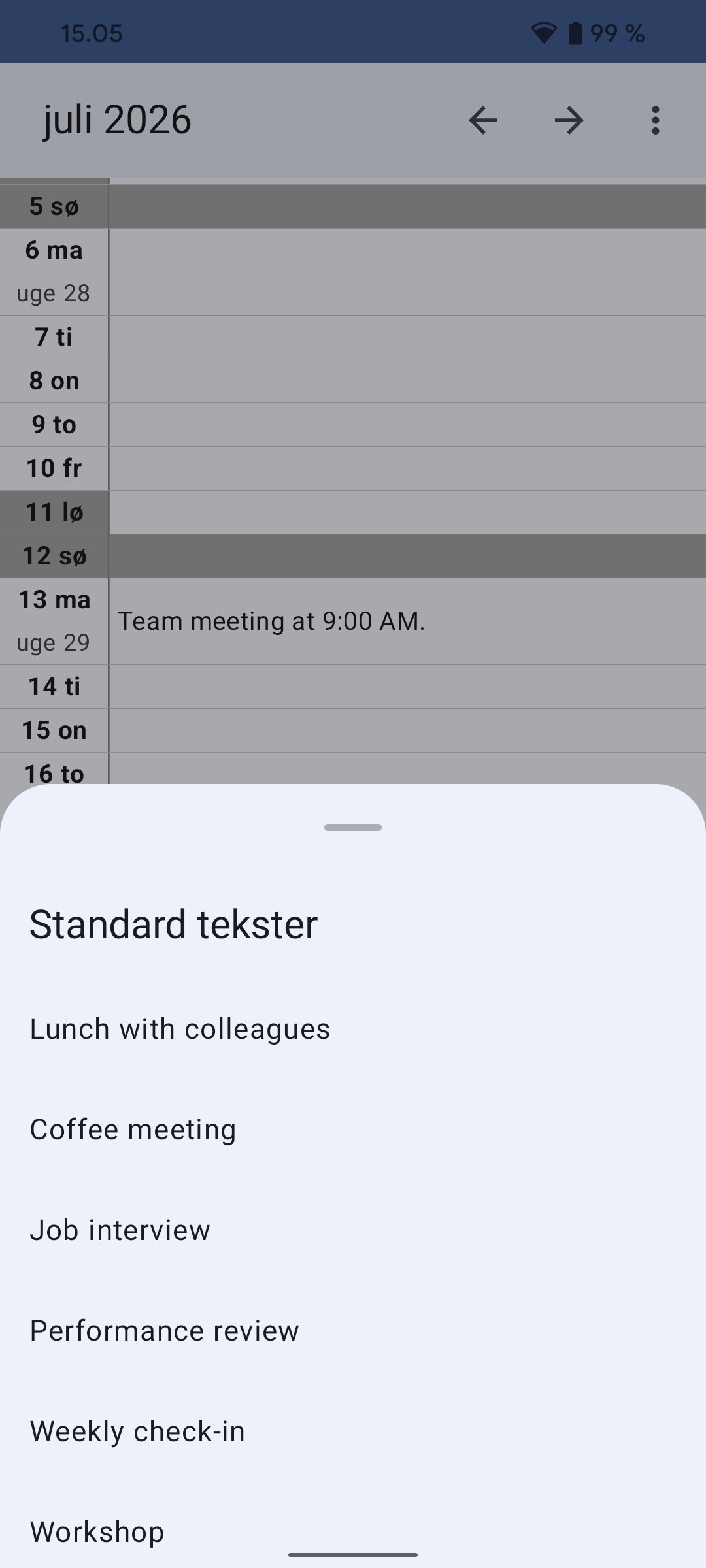
Quick Insertion (Long Press Shortcut): This is the heart of HK-Kalender. Hold your finger down on any date to instantly open your list of "Standard Texts." One tap inserts your most-used phrases (like "Morning Shift," "Working from Home," or "Day Off") directly into the calendar.
Events & Anniversaries (Red): Manage a dedicated list of birthdays and anniversaries. These appear in bold red in your calendar, ensuring you never miss a celebration. You can even include birth years to track ages.
Various Recurring Dates (Grey): Use the "Various Dates" feature to mark other important annual events. these are displayed in a subtle grey to keep your calendar organized but uncluttered.
FTP Backup Logic: Ensure your data is safe by using the built-in FTP backup. Configure your own FTP server in the settings, and with one click, the app will upload all your data files. Perfect for moving to a new device.
Customization & Settings:
Theme Control: Choose between a crisp Light theme, a sleek Dark theme, or let the app follow your system's default settings.
Readability: Adjust text sizes for both the date column and the note area to suit your preference. You can also customize the minimum row height to fit more or less information on the screen.
Visibility Toggles: Easily turn Danish holidays and week numbers on or off to keep your view exactly how you like it.
Privacy & Technical Details:
Your privacy is our priority. HK-Kalender does not collect any personal data. Every note you write and every event you create is stored locally and exclusively on your own device.
Manual Backup & Data Access: For advanced users who wish to perform manual backups or move data between devices without using FTP, all your calendar information is stored in plain text (.txt) files. You can find these files in the following directory on your phone's internal storage:
Android/data/com.HKKalender/files/
HK-Kalender — The simple, fast, and private choice for your daily planning.


One-click to install XAPK/APK files on Android!

Thanks for your rating and feedback!
You have already rated.