Safe & Fast APK Downloads on APKPure
APKPure uses signature verification to ensure virus-free High Quality UI APK downloads for you.

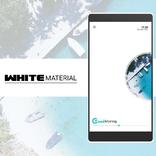
Theme for Kustom / KLWP (support for 16: 9 format)
This is not a stand alone app. Theme require Kustom Live Wallpaper Maker PRO application
What you need:
✔ Kustom (KLWP) PRO
✔ Compatible launcher that supported by KLWP (Nova launcher is recommended)
How to install:
✔ Download High Quality UI
✔ Open your KLWP app, choose menu icon on top left, then load preset
✔ Find and tap on the High Quality UI Theme
✔ Hit "SAVE" button on the top right
Instructions:
In the Nova launcher settings you need:
✔ select 3 screen
✔ set wallpaper scrolling
✔ hide status bar and dock
Please contact me with any questions/issues before leaving a negative rating.



One-click to install XAPK/APK files on Android!

Thanks for your rating and feedback!
You have already rated.