
Safe & Fast APK Downloads on APKPure
APKPure uses signature verification to ensure virus-free Hide Calculator APK downloads for you.

A calculator-style launcher with private app space and custom app display.
PriviHome Launcher is a calculator-style home launcher designed to help you organize selected apps in a private launcher space.
To use the launcher features, set PriviHome Launcher as your default home app. After it is set as the default launcher, you can manage how apps appear on your home screen and access different launcher areas through simple calculator entries.
If PriviHome Launcher is not set as your default home app, it works as a normal calculator app.
Main Features:
Calculator Entry
PriviHome Launcher opens as a simple calculator interface. You can use the calculator normally, and specific calculator entries can be used to access launcher-related areas.
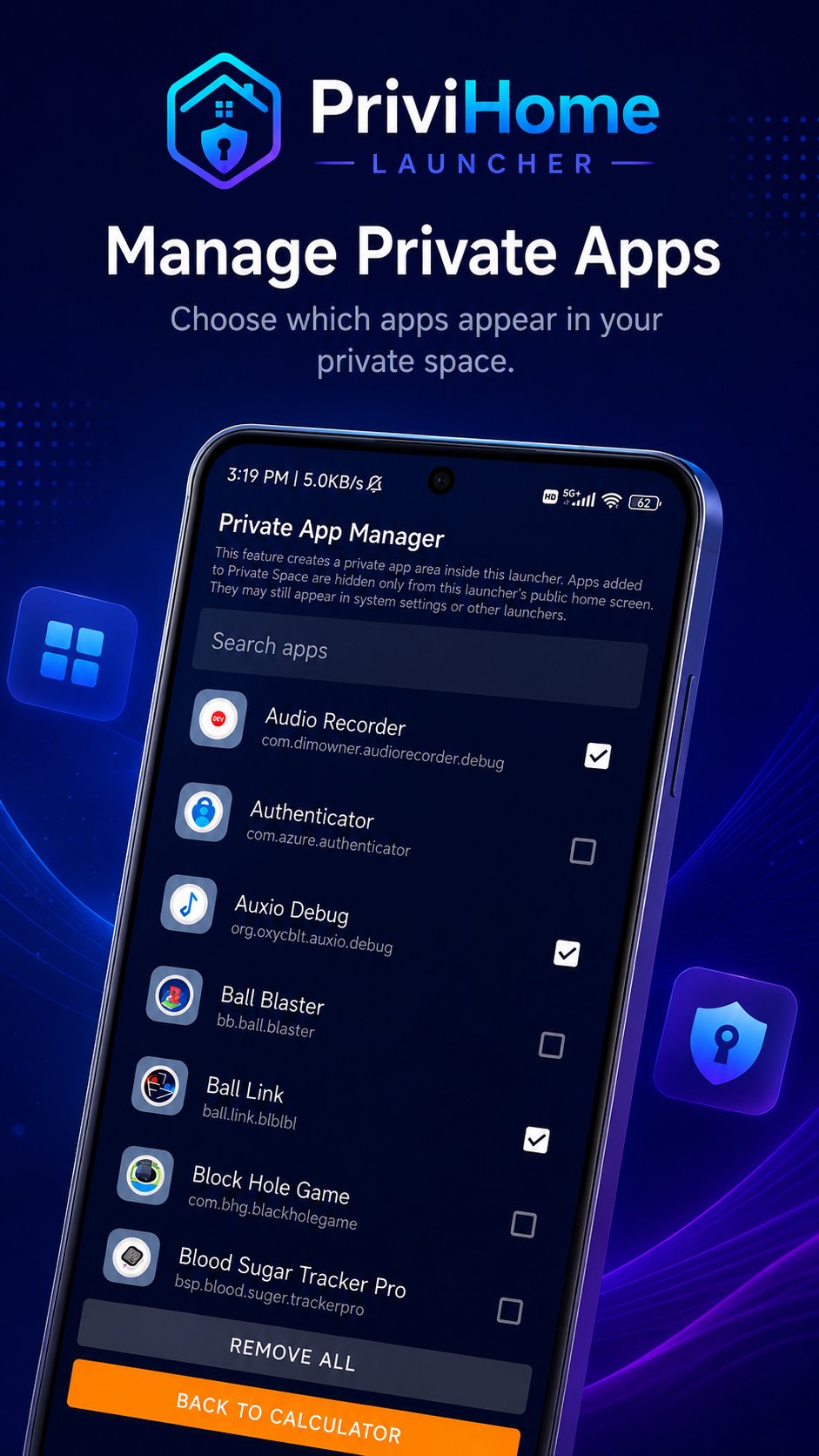
Private App Manager
Enter 123+= to open the Private App Manager. From here, you can choose which apps are added to the private space or remove apps from the private space at any time.
Public Launcher Space
Enter 456+= to open the normal launcher space. This area shows apps that are not added to the private space.
Private Launcher Space
Enter 789+= to open the private launcher space. This area shows only the apps you have selected for your private space.
Default Home App Setup
PriviHome Launcher can be selected as your default home app. Once enabled, it provides a home screen experience where selected apps can be organized separately.
Important Note:
Apps added to the private space are hidden only from PriviHome Launcher’s public home screen. They may still appear in system settings, other launchers, or other parts of the Android system. PriviHome Launcher does not uninstall, disable, or remove apps from your device.
PriviHome Launcher is suitable for users who want a simple calculator-style launcher with a separate app space for selected apps.




One-click to install XAPK/APK files on Android!

Thanks for your rating and feedback!
You have already rated.