









Thanks for your rating and feedback!
You have already rated.


56.2 MB
File Size
Everyone
Android 8.0+
Android OS
With G Band, you can review your health data and manage smart wearable device.
G Band is an application designed to connect with smartwatches. The core features of this application are as follows:
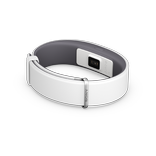
Smartwatch management: Users can connect their smartwatches to enjoy a more convenient lifestyle, including features like call handling, sedentary reminders, message synchronization, and app notifications.
Data synchronization between phone and device: With the support of smartwatches, users can analyze their sleep patterns, heart health, exercise, and step count.
Step counting: Set daily step goals and easily track the number of steps taken by syncing with the smartwatch.
Running, walking, cycling: Track routes, analyze data, and monitor your exercise progress for each session.
Professional health knowledge about weight, heart rate, and sleep.
With the support of smartwatches, accurately monitor different stages of sleep (awake, light, deep, REM) and provide scientific suggestions to help improve sleep quality.
We welcome your feedback and suggestions for improvement. Please feel free to let us know your thoughts on the application. Thank you.
Supported smartwatches:
FireBoltt 084
VEE



One-click to install XAPK/APK files on Android!
Thanks for your rating and feedback!
You have already rated.