Safe & Fast APK Downloads on APKPure
APKPure uses signature verification to ensure virus-free Fusion for klwp APK downloads for you.

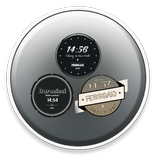
Fusion for klwp is an elegant theme that works only on Kustom KLWP
This is not a stand alone application, please download Kustom Live Wallpaper and its pro key before use.
What you need:
1. Kustom Live Wallpaper (KLWP) and its Pro key, available for download here at playstore
2. Compatible launcher which supported by KLWP, Nova launcher (2 pages) is recommended
3. Presets Download ''Fusion for klwp''
4. Open your KLWP editor, select menu icon on the top left, then load presets
5. Look for the "installed" section inside, find Fusion for klwp, then choose the preset selection
6. Press the disk icon / save on the top right, then select as wallpaper, tick the notifications you need
7. Always check the "globals" section in KLWP editor to set any presets in ''Fusion for klwp'' you need
8. It depends on the preset you use, but it's a good idea to keep your homescreen clean from the widget or icon since it will be on top of the KLWP
the ''Fusion for klwp'' preset will always try to be updated by solving bugs etc
Suggestions are welcome, email me with any problems before voting.



One-click to install XAPK/APK files on Android!

Thanks for your rating and feedback!
You have already rated.