










Thanks for your rating and feedback!
You have already rated.

Friday: AI E-mail Assistant is an AI email writing app for faster message drafting and editing.
Players Link builds Friday: AI E-mail Assistant around one clear need: turning rough ideas into cleaner emails with less effort. It helps users create replies, polish wording, and adjust tone for work, study, business, or daily communication. For anyone planning to download Friday: AI E-mail Assistant, these are the main features to know first.
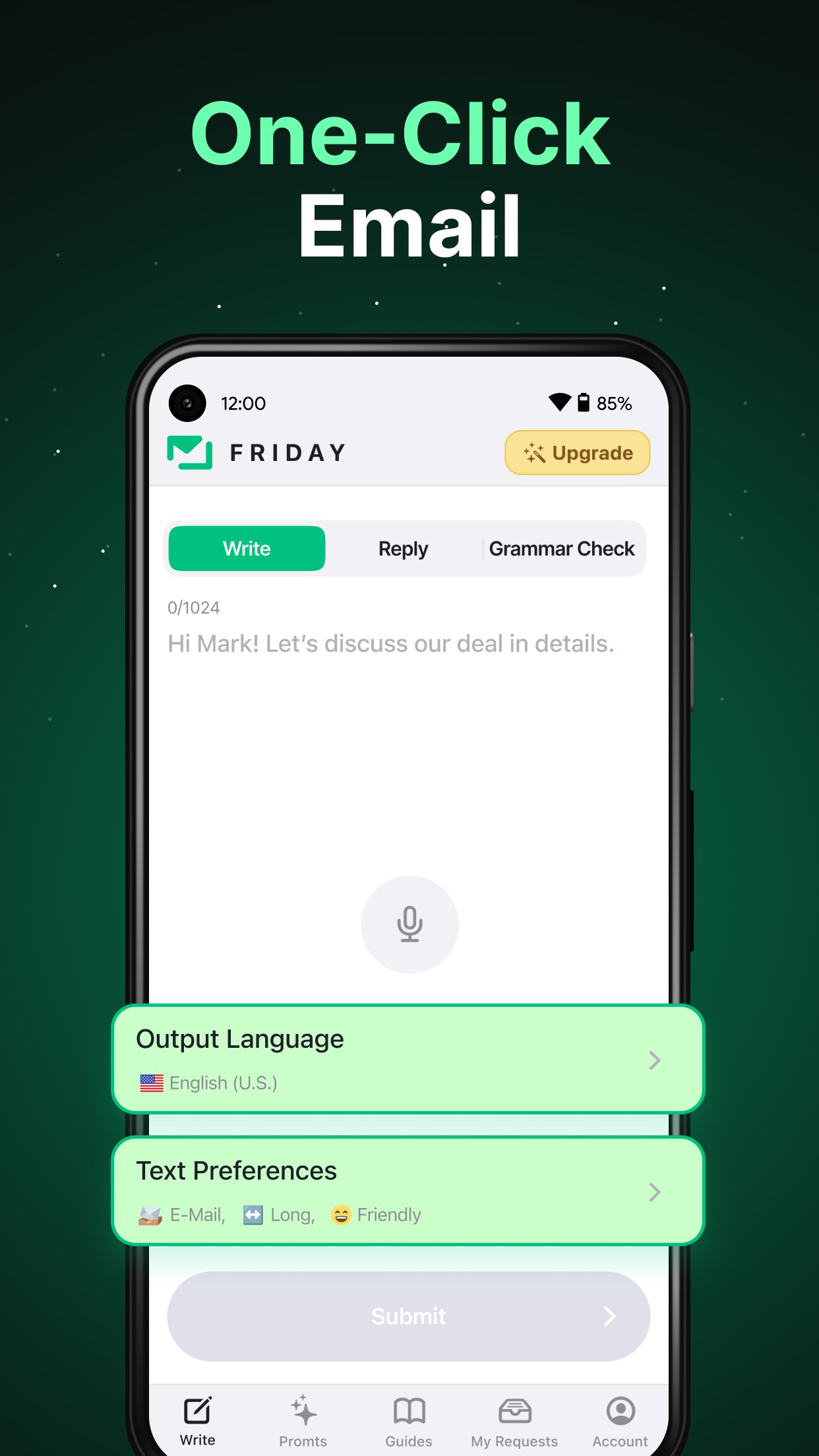
Friday: AI E-mail Assistant turns a brief intent into a more complete email draft. A user can enter a simple request, paste rough notes, or record a voice idea, then use the generated draft as a starting point for a clearer message. This is useful when the message goal is clear but the wording still feels unfinished, such as asking for a meeting time, following up with a client, or sending a polite update to a teacher or colleague.
The main value is speed, but the draft still stays editable. Users can review the result, change names or details, and make sure the message matches the real situation. Like most AI writing tools, it works best when the prompt includes enough context, such as the recipient, purpose, and preferred tone. If the input is too vague, the output may sound general, so adding a few specific points usually gives a better result.
Friday: AI E-mail Assistant also helps write replies for different communication needs. It can support business, HR, sales, customer support, marketing, and general daily messages, which makes it practical for users who handle many short email exchanges on a phone. Instead of starting from a blank screen, a user can paste the received message and describe the response they want, such as confirming details, declining politely, or asking for more information.
This feature is especially helpful when tone matters. A sales reply may need to sound confident and clear, while an HR message may need to feel respectful and structured. The app can suggest a more professional flow, but users should still check facts, names, dates, and any promises before using the final text. That small review step matters because AI-generated replies can miss context that only the sender knows.
Friday: AI E-mail Assistant is not limited to creating new emails. It can also proofread existing text for grammar, spelling, sentence structure, tone, and wording. This helps users who already wrote a message but want it to sound smoother before sharing it in a professional setting. For example, a rushed support reply can be cleaned up so it reads more clearly, while a casual message can be adjusted to sound more suitable for business.
The checking process feels useful because it focuses on common email problems rather than rewriting everything without purpose. Users can compare suggestions with the original text and decide what fits. This is important for messages where personal tone matters, since a fully polished version may sometimes sound less natural. Keeping key phrases and only accepting helpful changes can make the final email feel both correct and personal.
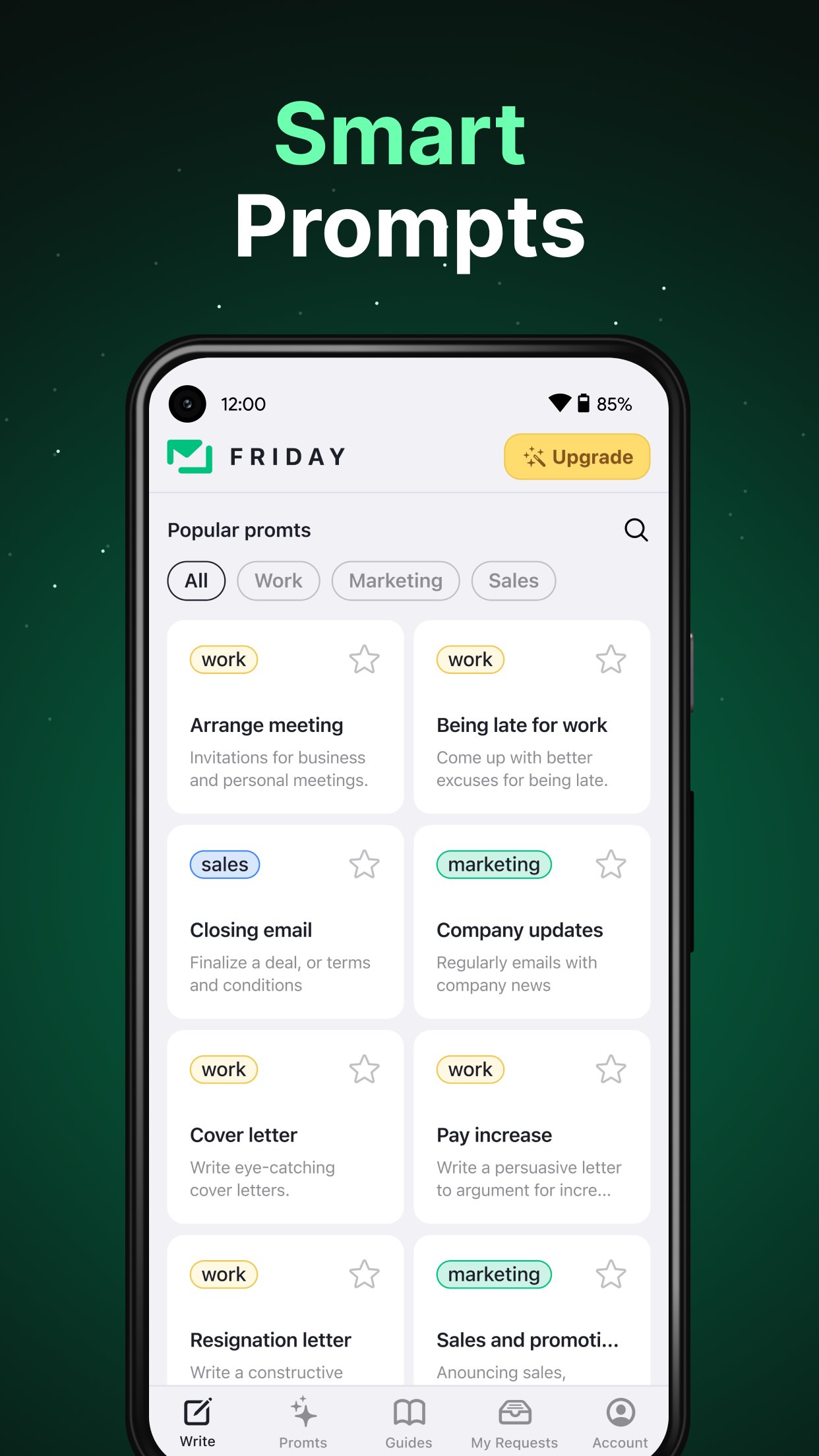
Friday: AI E-mail Assistant includes ready-made guides and professional templates for common email situations. These templates help users start faster when writing follow-ups, introductions, requests, support replies, or other regular messages. They are most useful when the user knows the email type but does not want to spend time deciding the structure.
Context-based suggestions add more flexibility. The app can consider the writing style and situation, then offer wording that better fits a professional, friendly, sales, HR, support, or business tone. This makes Friday AI Email Assistant more practical for users who switch between different roles during the day. A freelancer, for instance, may need a warm client update in the morning and a direct payment reminder later, and the same writing area can support both needs with the right context.
Friday: AI E-mail Assistant supports access across Android, web, desktop, browser extension use, and popular languages where available. This matters for users who begin writing on a phone and later continue from a computer, especially during workdays when email tasks move between devices. The cross-platform design helps keep the writing process flexible without tying every message to one screen.
The app can also fit into email, calendar, and browser-related workflows where supported. That makes it easier to draft or polish messages near the tools users already use for communication and scheduling. Availability may vary by platform or setup, so users should check which access options match their own devices. For many users, the Android app is a convenient starting point because it keeps quick drafting and proofreading close at hand.
These pros and cons come from the app’s stated functions and practical use cases. Friday: AI E-mail Assistant is strongest when users need faster drafts, cleaner tone, and reusable email structure, but it still benefits from careful review.
ProsUsers can download Friday: AI E-mail Assistant APK from APKPure to get the Android version and try its email drafting, proofreading, and template features on mobile. The APK is around 50 MB, so it should download fairly quickly on a stable connection. On slower networks, waiting until Wi-Fi is available can make the process smoother and reduce interruptions.
After installing the Friday: AI E-mail Assistant latest version, users can start by entering a short email goal, pasting an unfinished message, or using a voice request if available. Before relying on any generated email, it is worth checking recipient names, dates, sensitive details, and tone. The app is most useful when clear context is provided, so a few extra words in the prompt can lead to a more practical draft.





One-click to install XAPK/APK files on Android!
Thanks for your rating and feedback!
You have already rated.