Safe & Fast APK Downloads on APKPure
APKPure uses signature verification to ensure virus-free freenet - The Free Internet APK downloads for you.


9.0
62 Reviews
12.8 MB
File Size
Everyone
Android 4.0+
Android OS
freenet - The Free Internet is a zero-rated access and rewards app for Smart, Sun, and TNT subscribers in the Philippines.
Developed by Voyager Innovations Inc., freenet - The Free Internet focuses on giving you free access to selected partner apps and sites, with simple controls that help avoid unwanted data charges. If you want free internet that still feels safe and predictable, the freenet - The Free Internet APK latest version keeps everything in one place. Below are the key highlights that show how it works in daily use.
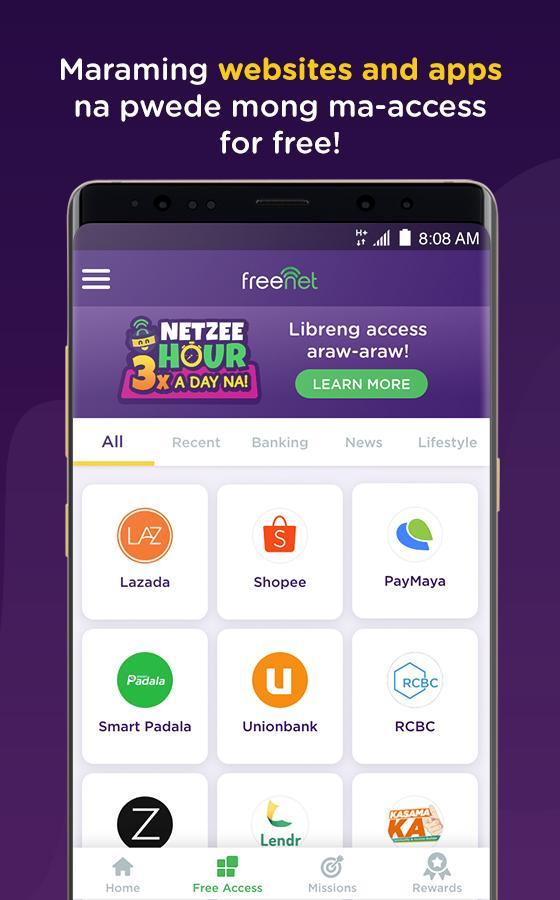
Browse shopping, news, sports, travel, and banking partners with zero data.
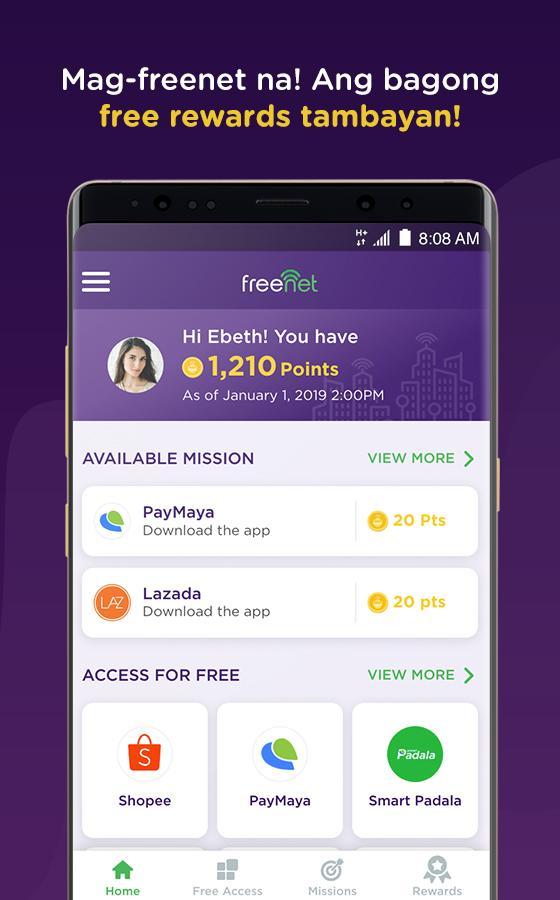
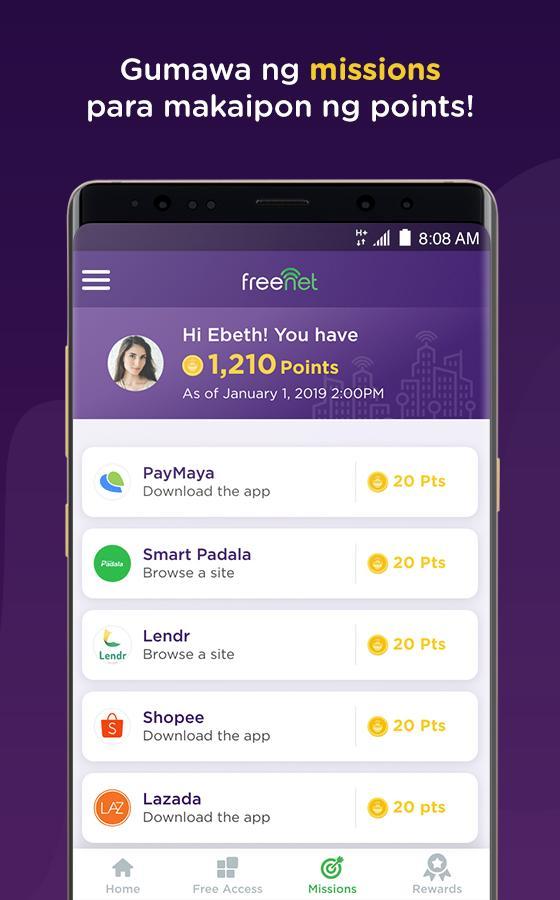
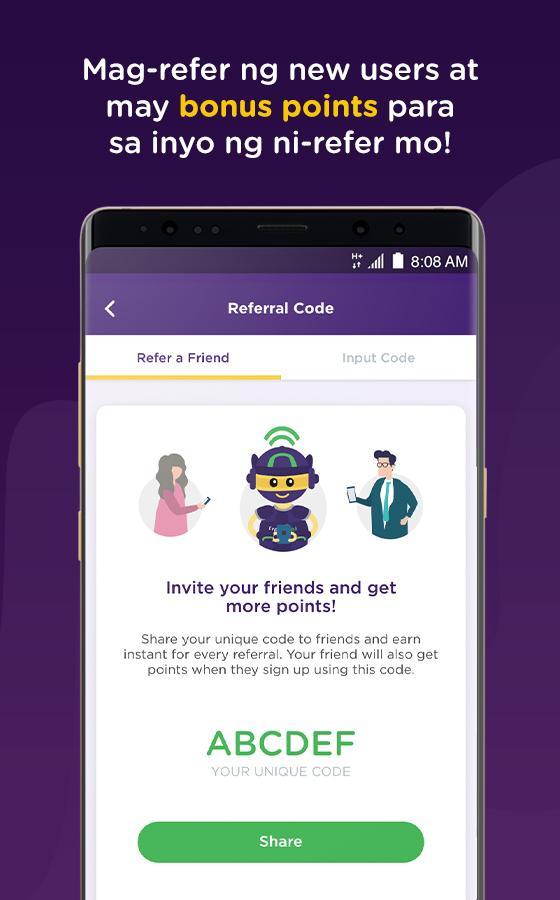
Earn freenet points via Missions and referrals, redeem rewards in the Shop.
Use My Data toggle and charge prompts to prevent unexpected mobile costs.
Check your active subscription status right on the homepage.
Discover more zero-rated partners through the Free Access button.
The core of freenet - The Free Internet is 24/7 access to selected partner apps and sites without data charges for Smart, Sun, and TNT subscribers. Categories cover everyday needs such as shopping, news, sports, travel, and banking, so you can check a sale, read headlines, or review bookings without worrying about your data balance. Tap the Free Access button to view the full partner list and quickly jump to supported services. For quick tasks on the go, this setup keeps essential browsing low-stress and predictable.
To help users avoid bill shock, the app places charge protection front and center. A My Data toggle sits in the upper-left corner, letting you easily enable or disable mobile data. When you land on content outside the free partners, the Advice-of-Charge prompt appears before any data is used, clearly explaining potential costs. From there, a paywall offers a choice between buying a one-time or recurring data package, or canceling and returning to free content. The freenet - The Free Internet app makes these guardrails obvious, so you can browse confidently even when links lead beyond the zero-rated list.
Beyond free browsing, freenet builds in a rewards system that gives you something back for regular use. Missions provide small tasks that earn freenet points, and Refer-a-friend lets you invite contacts and collect bonus points when they join. Points are redeemed in the Shop for practical items like load packages or gaming pins, which can be useful if you play mobile games or top up prepaid credits. In everyday use, you might complete a mission while waiting in line, then redeem points later for a small load bundle. This keeps rewards simple and directly tied to things you’ll actually use.
Eligibility is clear from the start, as the homepage shows your active subscription status so you know whether zero-rated access applies. This visibility helps prevent confusion, especially if you switch SIMs or accounts. The service is limited to Smart, Sun, and TNT subscribers in the Philippines and only covers selected partners. If you need full internet outside partners, you’ll need paid data via the built-in paywall. A practical approach is to keep the free browsing for everyday tasks, and purchase a small data package when you truly need to access non-partner sites. Within that balance, freenet - The Free Internet stays transparent about what’s free and what’s paid.
By focusing on zero-rated partners and clear charge prompts, the freenet - The Free Internet experience stays predictable and budget-friendly for eligible users. Limitations mostly relate to carrier support and non-partner access.
Pros
Genuine zero-rated access for Smart/Sun/TNT subscribers
Clear data controls and charge warnings
Easy rewards via Missions and referrals
Small APK size and Android 4.0+ support
Cons
Limited to supported carriers and partner sites
Paid data needed for full internet access
You can download the latest freenet - The Free Internet APK from APKPure. The installation package is around 12.8 MB, which is light for most devices. On a stable Wi-Fi connection, the download usually takes less than a minute. It also downloads quickly over mobile data, but using Wi-Fi helps conserve your plan, especially if your allowance is limited.
After installation on Android 4.0 or higher, open the app and check your active subscription on the homepage. If you rely on free browsing, keep the My Data toggle off and use the Free Access button to stay within zero‑rated partners. When you need full internet, review the Advice-of-Charge prompt and decide whether to buy a data package. If you want to download freenet - The Free Internet and start browsing right away, confirm your SIM is Smart, Sun, or TNT for eligibility and keep an eye on the prompts during use.


One-click to install XAPK/APK files on Android!

Thanks for your rating and feedback!
You have already rated.