Téléchargements APK sûrs et rapides sur APKPure
APKPure utilise la vérification de la signature pour garantir des téléchargements de Brackeys IDE - Code Editor for Android APK sans virus pour vous.


18.2 MB
Taille de fichier
Everyone
Android 5.0+
Android OS
Un éditeur de code multilingue rapide et gratuit pour Android
Brackeys IDE currently supports coding in the following programming languages: ActionScript, C, C++, C#, Groovy, HTML, Java, JavaScript, Json, Kotlin, Lisp, Lua, Markdown, PHP, Python, Shell, SQL, TypeScript, Visual Basic and XML.
Here is a list of features that will help you work with more productivity:
Syntax Highlighting
Beautiful syntax highlighting provides you a better way to understand your code at a glance
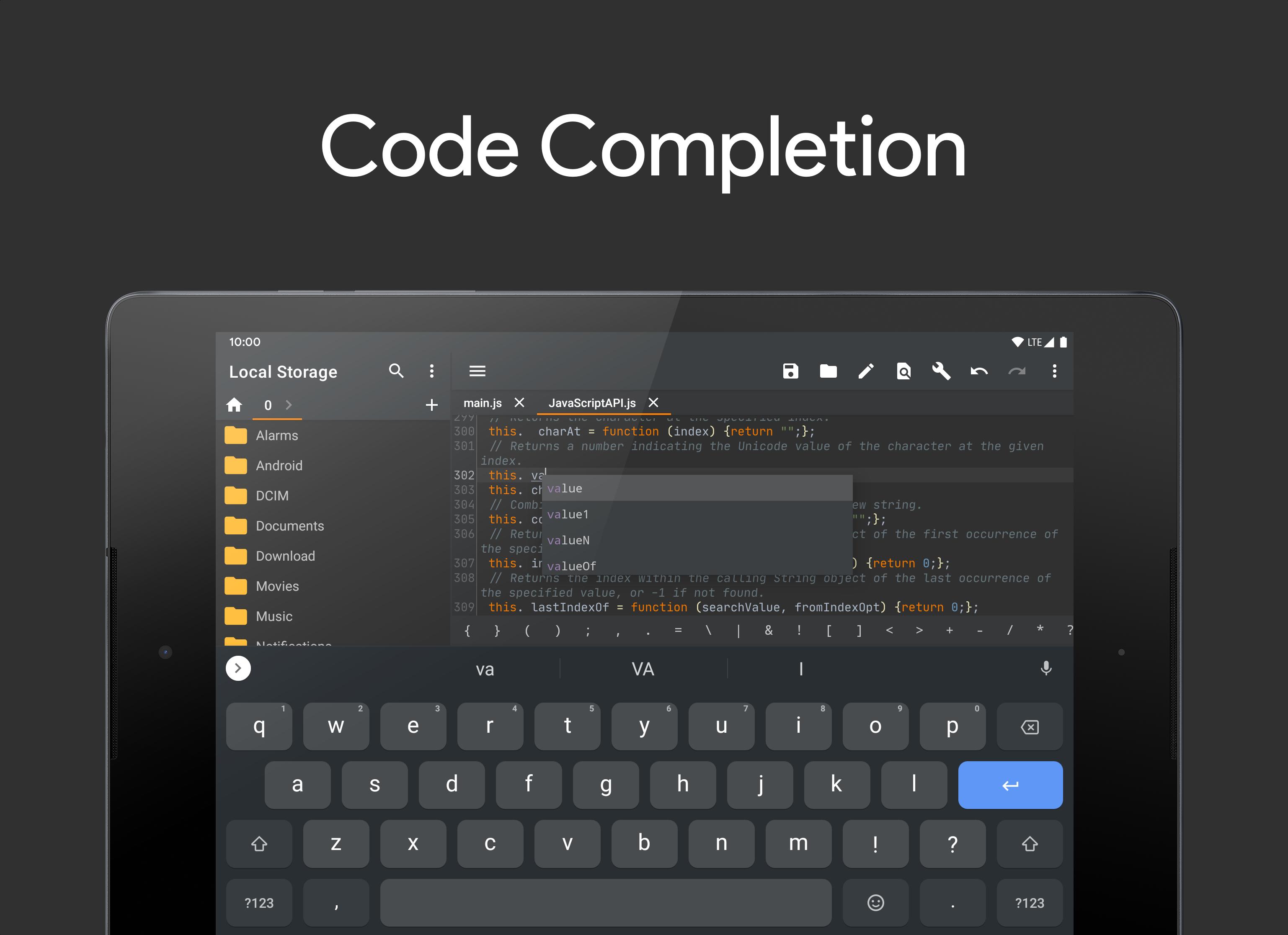
Code Completion
The code editor provides basic completion based on a file content, it suggests names of functions, fields, and keywords within your file scope
Error Checking
Whenever you make a change, IDE will correct you by highlighting a part of code that contains syntax errors (Note that this feature currently works only for JavaScript, but it will be available for more languages soon)
Cross-session Editing
All your changes automatically will be saved in cache, you don't need to save file every time you exit app
Unlimited Undo/Redo
If you made a mistake or you want to fall back to the source code you edited yesterday, simply use «Undo» button
Highlight Matching Delimiters
When you work with code in the editor, it can help you quickly understand code structure by highlighting the opening or closing delimiter ((), [], and {}) when you set the caret at its pair
Code Style
Brackeys IDE provides a better way to write your code, the editor will automatically indent lines, close open brackets, braces and quotes
Select, Delete, and Duplicate Line
You can easily delete or clone a part of code using handsome options in «Edit» menu
Color Schemes
Different color schemes defines syntax highlighting for reserved words and other symbols in your source code: operators, keywords, suggestions, string literals, and so on
OPEN SOURCE CODE
•http://github.com/massivemadness/Brackeys-IDE



Un clic pour installer les fichiers XAPK/APK sur Android!

Merci pour votre note et vos commentaires!
Vous avez déjà évalué.