ایمن و سریع APK دانلود در APKPure
APKPure از تأیید امضای نرمافزار برای اطمینان از دانلودهای بدون ویروس APK Root Uninstaller استفاده میکند.


7.0
4 بررسی ها
5.5 MB
اندازه فایل
Everyone
Android 5.0+
Android OS
Uninstall bloatware to free your storage
Don't like stock or system applications? It's for you. This application can freeze pre-installed applications on your phone and more.
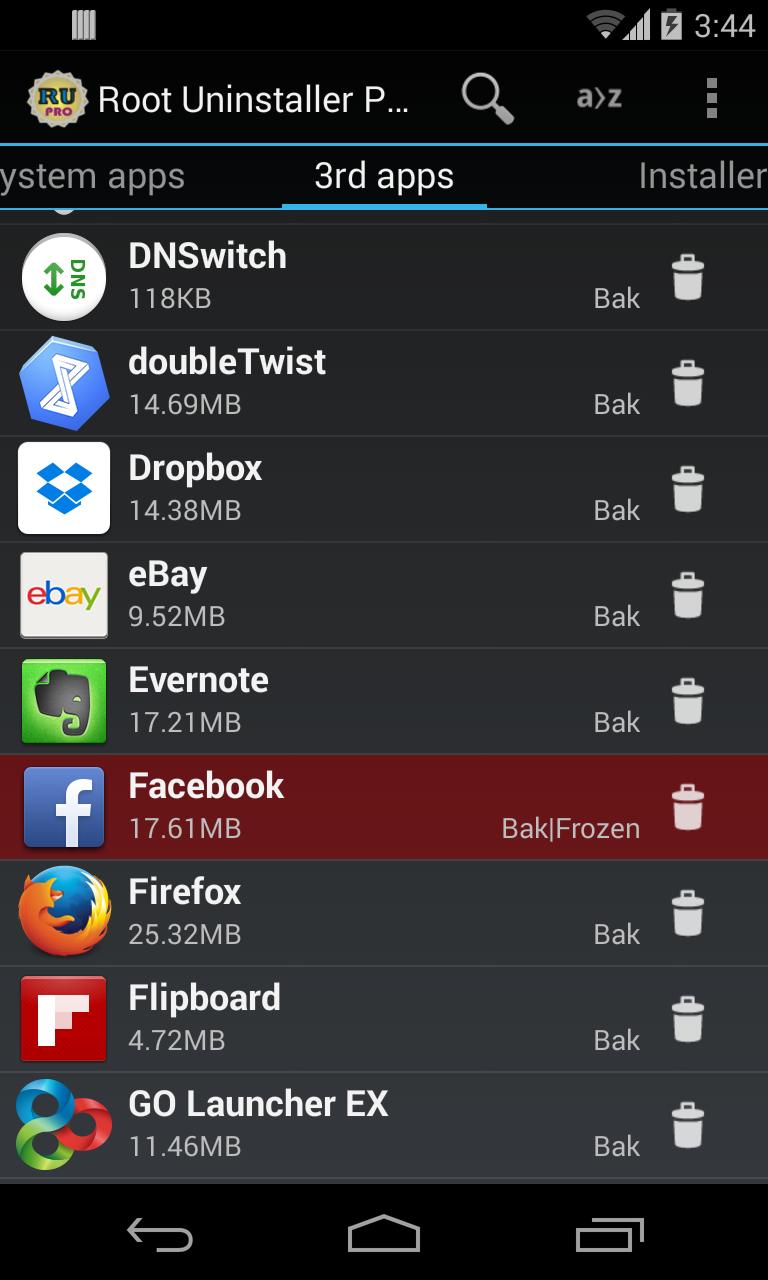
Very fast and simple uninstaller tool on single click for uninstalling both SYSTEM and REGULAR applications.
For ROOT+NAND unlocked devices
☆ Uninstall system applications
☆ Freeze or disable bloatware, stock and regular applications (keep updates)
☆ Defrost or enable applications (Free trial or PRO)
☆ Backup system application .apk to sdcard (that can reinstall later)
☆ Restore backed up applications
☆ Reset applications to fresh install state
☆ Delete definitively system applications
☆ Hide my App: launch a frozen app and automatically re-freeze on app closing (Pro only, tap on Launch->Freeze button )
☆ Explore application data folder, code folder (ex. edit preferences, need AntTek File Explorer)
For NON-ROOT devices
☆ Quick APK list to show all available .APK files on SDCard
☆ Keep Market reference and can restore after factory reset/change devices
☆ Manage to clear data, cache (manually)
☆ Manage .apk files: delete, install, install as a system app (PRO)
☆ Single click to uninstall a listed applications (Batch uninstall).
☆ Rapid load application list
☆ Display application name, icon, package name
☆ Exclude system applications (that you can not uninstall)
☆ Filter by third-party applications, system applications, applications on sdcard. backup applications or frozen applications
☆ Support large screen (ex. tablet) views
☆ Explore application data folder, code folder (ex. edit preferences, need AntTek File Explorer)
Trial on Free version :
☆ Three times to defrost or restore apps for Free version
IMPORTANT***IMPORTANT***
☆ Make sure you app is granted by SuperUser
☆ If you CANN'T freeze/defrost, try to enable USB Debugging (HOME/Settings/Application/Development/USB Debugging)
☆ If you CANN'T restore backup app, try to "find apps on SD card" then long-press the app and select "install as system app".
☆ This application uses SDCARD to store data
☆ PRO and FREE version are fully compatible
NOTES
- Some phones (ex. Desire) requires NAND unlocked (see more here http://alpharev.nl/).
- INTERNET/ ACCESS_NETWORK_STATE/ ACCESS_COARSE_LOCATION are required for displaying AdMob. The PRO version does not require these permissions.
Assistant request: rootuninstaller@gmail.com
Web site: http://rootuninstaller.com
Troubleshooting: http://rootuninstaller.com/qa/
Translation: http://www.getlocalization.com/rootuninstaller/
Facebook: https://www.facebook.com/pages/Root-Uninstaller/200912803368166




برای نصب فایل های XAPK/APK در اندروید با یک کلیک!

با تشکر از رتبه و بازخورد شما!
شما قبلاً رتبه بندی کرده اید.