ایمن و سریع APK دانلود در APKPure
APKPure از تأیید امضای نرمافزار برای اطمینان از دانلودهای بدون ویروس APK Guest Mode - AppLock Privacy استفاده میکند.


1.6 MB
اندازه فایل
Everyone
Android 3.0+
Android OS
Smart app protector privacy guard. Select apps, enable guest mode for your phone
Super AppLock Guest Mode , a security guard of privacy for android Protect apps using guest mode , show safe apps to guest , protect private data from guests, smart app protector . It can work perfectly with super applock , DIY your own password and pattern lock to protect apps from guest. There are tons of beautiful applock themes free to use. Never worry snoopers take your phone and check your personal data again!
How to use AppLock Guest Mode Smart Privacy protector ?
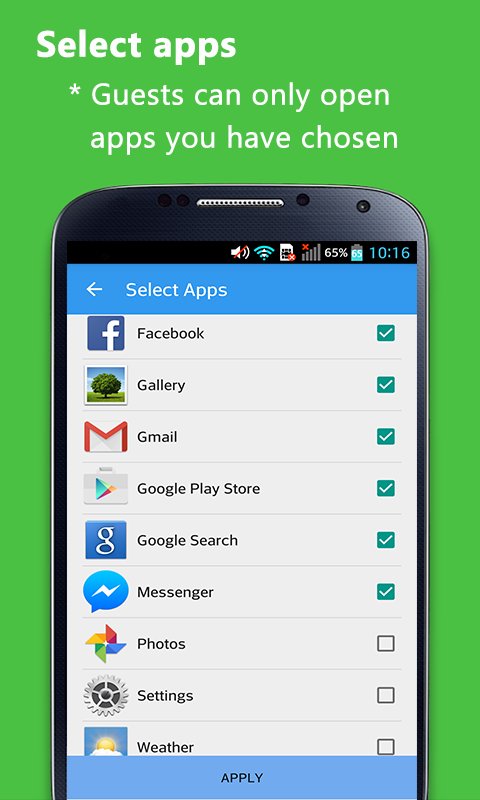
- Step 1: Press + to select safe apps to share with guests; Do not choose sensitive apps that might contain your private information inside, such as facebook, chat sms , gallery , notebook, and more.
- Step 2: Press lock Timer to set proper time, such as 30 minutes
- Step 3: Press Start to enter guest mode
- Step 4: Enable applock advance protection,
Install Super AppLock privacy security to use private pattern / password
- Now anyone who use your phone will only be able to see / open apps you have chosen;
- When time is up, enter your password to stop guest mode
Why I need Guest Mode ?
- Have you ever in an awkward situation when your friends want to use your phone?
- Do you worry your wife/husband will check your phone while you are taking shower?
- Kids want to use your phone to play games ?
- You have sensitive apps or files you don't want others to access ?
When you are in such awkward situations, you can use this Guest mode to better protect your phone privacy! You don't need to refuse others, just use this smart privacy protector to better share and protect.
Questions about Smart Privacy - Guest Mode
1. Q: how to select apps?
A: Press + button to choose apps you want to share with guest.
2. Q: What is the password to stop guest mode?
A: -the default password is the repeat of minutes you set.
For example, you set Guest mode 5minutes, the password to end is 55; if 10 minutes, the password to end is 1010.
3. Q: This password is too simple! I need more protection
A: Install Super AppLock to get high security password
Super AppLock provide more privacy protecting functions, like lock apps , incoming call, contact, games, email, files, lock photo, hide video, etc with tons of beautiful themes & applock themes .
4. Q: How to stop Guest mode?
A: You can stop it in notification bar.
Contact us:
Join the Community
https://plus.google.com/u/1/communities/103886432289711131445
Facebook: https://www.facebook.com/PrivacyLock
Twitter: https://twitter.com/Privacy_Lock




برای نصب فایل های XAPK/APK در اندروید با یک کلیک!

با تشکر از رتبه و بازخورد شما!
شما قبلاً رتبه بندی کرده اید.