Package Name:com.solvioza.colortoolkit
Show More

Pick colors from images and screen, create palettes, gradients and HEX codes.
Color Picker & Palette Maker brings essential color tools together for designers, developers, artists and creators. Pick colors from images or your screen, extract palettes, convert color codes and build custom gradients.
NEW: CAMERA COLOR PICKER
• Detect real-world colors live with HEX, RGB values and color names.
• Freeze or resume the preview, use the torch, switch cameras and zoom.
• Capture multiple colors, review history, copy, save or inspect colors.
IMAGE & SCREEN COLOR PICKER
• Pick precise colors from photos and screenshots with a magnified pixel preview.
• Use a floating screen color picker while viewing other apps and websites.
• View HEX, RGB and HSL values, find common color names, and copy or save swatches.
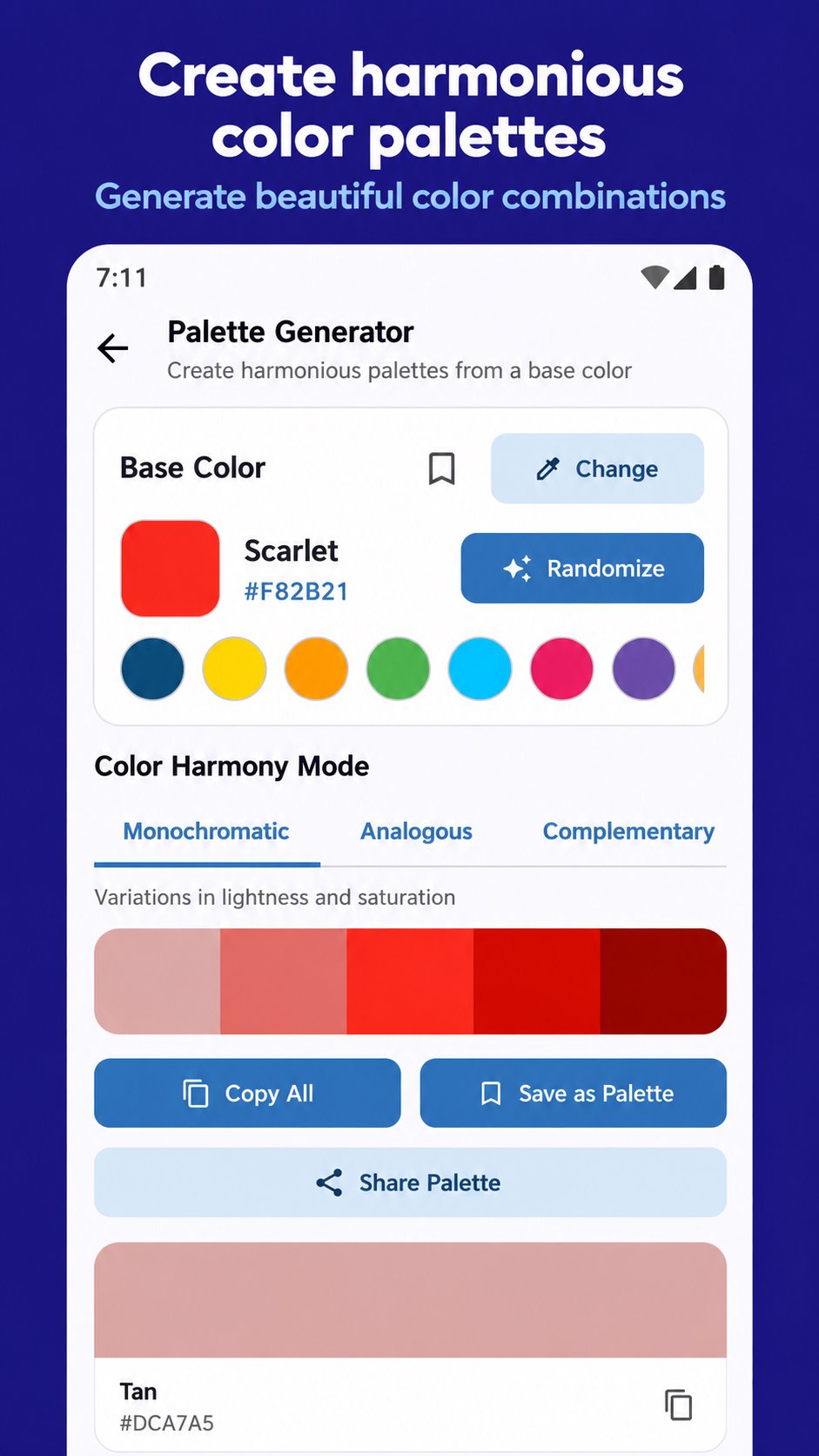
COLOR PALETTE GENERATOR
• Extract dominant colors from images and save reusable palettes.
• Generate monochromatic, analogous, complementary, split-complementary, triadic and tetradic harmonies.
• Explore random combinations; copy, save and share palettes.
COLOR CODE CONVERTER
Convert between HEX, RGB, RGBA, HSL, HSV/HSB and CMYK. Copy individual values or share all formats.
GRADIENT MAKER
Create linear, radial and conic gradients with editable color stops, positions and angles. Start from presets and export CSS or Jetpack Compose gradient code.
SHADES, TINTS & MIXING
Create lighter tints, darker shades and balanced tones. Mix two colors with an adjustable blend ratio.
CONTRAST & ACCESSIBILITY
Check foreground and background contrast ratios against WCAG 2.1 AA and AAA criteria. Preview text and interface elements for readability.
COLOR-VISION SIMULATIONS
Preview common red-green and blue-yellow color-vision deficiencies and monochromacy. These simulations support design evaluation, not medical diagnosis.
SAVE & REUSE
Keep favorite colors, palettes and gradients in your local library. Copy or share them whenever needed.
PRIVATE, ON-DEVICE TOOLS
Images and captured screen frames are processed locally, without uploading them to an image-processing server. No account is required. Color processing works offline.
Find HEX color codes, create matching palettes and make gradients in one practical Android color toolkit.





One-click to install XAPK/APK files on Android!

Thanks for your rating and feedback!
You have already rated.