Package Name:com.pd.excelviewer
Show More

55.1 MB
File Size
Everyone
Android 10.0+
Android OS
Fast, lightweight excel file viewer. Open XLSX, XLS & CSV spreadsheets offline.
Looking for a fast, reliable excel file viewer to inspect and organize spreadsheets on Android?
Whether reviewing financial reports, checking inventory, or opening workbooks, our app gives you a smooth, responsive experience. Built as a lightweight excel viewer, it delivers instant performance without the heavy storage footprint or lag of complex office suites.
📊 Universal Viewing for XLSX, XLS, XLSM & CSV
Designed as a versatile spreadsheet viewer, our app gives you instant access to documents on your internal memory, SD card, or cloud downloads:
• Open XLSX, XLS & XLSM: Full compatibility with modern .xlsx, legacy .xls, and macro-enabled .xlsm formats. Works seamlessly as your default xlsx file opener and excel file opener.
• High-Speed XLSX Viewer: Open dense sheets smoothly with clean, legible grid rendering.
• Legacy XLS Viewer: Reliable access to older workbook formats without file distortion.
• Dedicated CSV Viewer: Parse delimited data effortlessly. Open and view csv files with structured columns and clear formatting.
• Fast CSV File Reader: Handles raw datasets without slowing down your phone.
• Password-Protected Files: Securely open and unlock encrypted spreadsheets with ease.
🔍 Interactive In-Viewer Tools
Inspect and extract data from your spreadsheets quickly and easily:
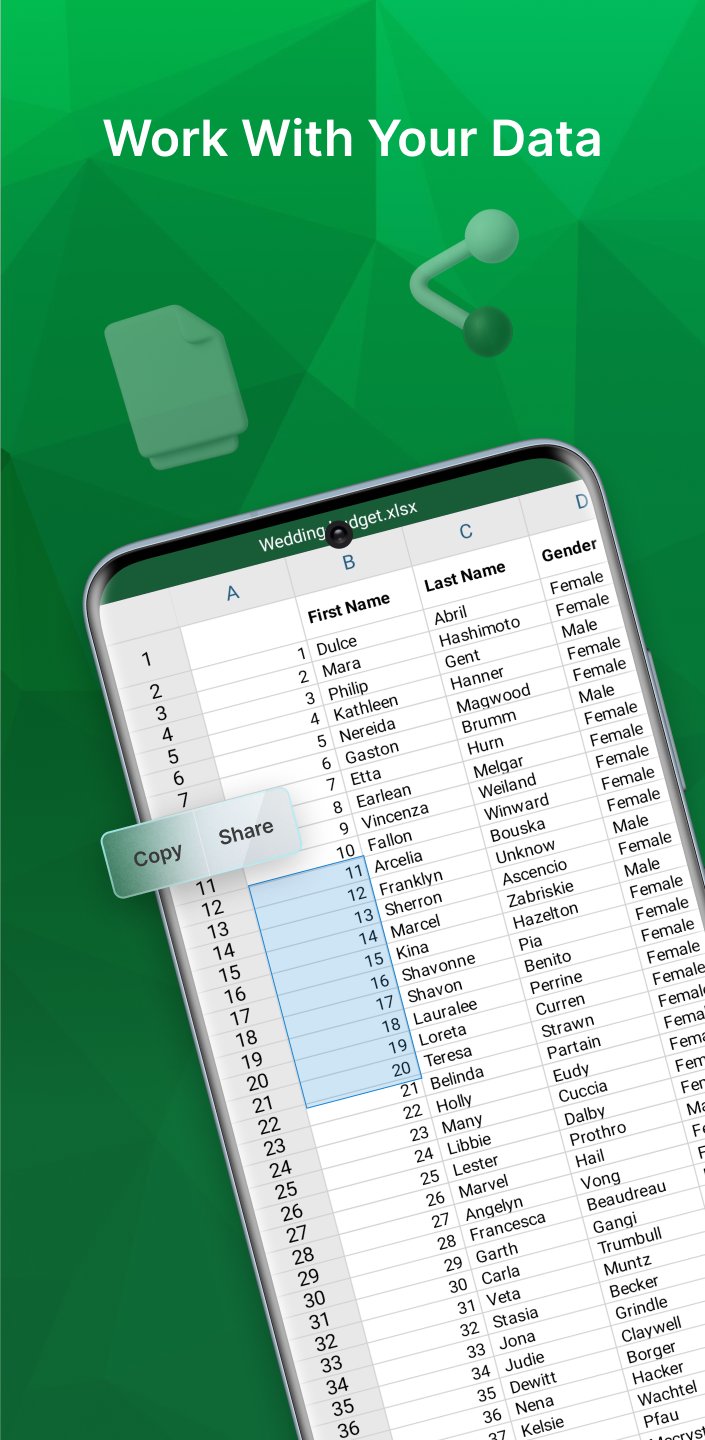
• Cell, Row & Column Selection: Tap to inspect any cell, highlight whole rows, or view entire columns.
• Copy Cell Values: Instantly copy numbers or text from selected cells to your clipboard.
• Share Content: Quickly share highlighted cell values, specific rows, or entire data files with other apps.
• Clickable Hyperlinks: Tap web links directly within cells to launch URLs in your browser.
📁 Smart Spreadsheet File Management
Organize and locate every spreadsheet across your device in seconds:
• Smart Folder Grouping: Automatically categorizes spreadsheets by device folders, showing live file counts for each folder.
• Quick Date Filters: Filter files in one tap using smart chips: All, Today, Yesterday, or Earlier this week.
• Timeline Grouping: View files organized chronologically (Today, Yesterday, This Week, Last Week, Older).
• Instant File Name Search: Quickly find any sheet across your entire library by searching its file name.
• Recent Files History: Jump back into recently viewed spreadsheets instantly, with an option to clear history anytime.
• Starred & Favorites: Bookmark vital workbooks for immediate 1-tap access.
• Multi-Criteria Sorting: Sort by Name (A–Z / Z–A), Date Modified (Newest / Oldest), or File Size.
• Batch Multi-Select: Long-press to select multiple files at once for bulk sharing or batch deletion.
• Detailed File Info: Check exact byte sizes, storage paths, and last-modified dates.
• System File Picker (SAF): Browse and open spreadsheets from any folder, SD card, or cloud storage.
⚡ 100% Offline, Secure & Global
Our app serves as a private excel reader offline and offline xlsx reader:
• Offline Spreadsheet Viewer: All processing runs 100% locally on your phone. No internet required; no data is ever sent to external servers.
• 25+ Global Languages: Full international support with high-quality localization and Right-to-Left (RTL) layout compatibility.
• Lightweight & Battery-Friendly: Consumes minimal RAM and storage, ideal for all device tiers.
⚠️ Please Note (Dedicated Read-Only Viewer):
This application is purposefully built as a clean, fast sheet viewer and document manager:
• What it does: Opens, reads, inspects, selects, copies, and organizes XLSX, XLS, XLSM, and CSV spreadsheets with maximum speed.
• What it does not do: It does not create new sheets, edit cell values, or convert files (no PDF or document editing features).
By focusing strictly on read-only viewing and file management, we eliminate the bloat, battery drain, and sluggishness of full office editors.
Download the ultimate xlsx viewer and excel file viewer today to organize, view, and read your spreadsheets effortlessly!



One-click to install XAPK/APK files on Android!

Thanks for your rating and feedback!
You have already rated.