
Scan Date:Nov 1, 2026
Show More

DistroKid is a music distribution app for independent artists, bands, DJs, producers, and labels.
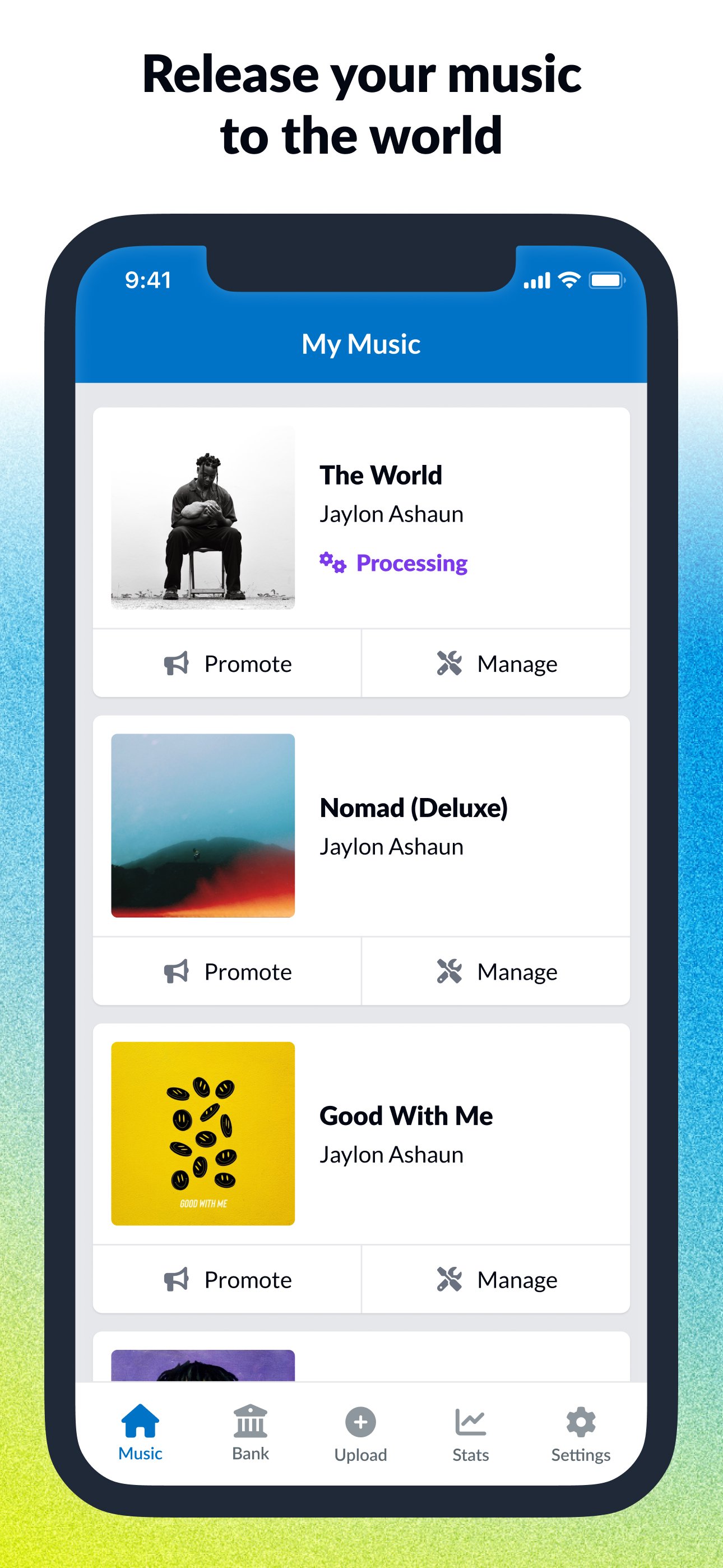
DistroKid, developed by DistroKid, focuses on helping musicians upload music to major streaming services from a phone. Its main appeal is centralized release management, so users can handle uploads, earnings, stats, and promotion without moving between many tools. For artists comparing whether to download DistroKid, these core features show what the app is built for.
DistroKid helps independent musicians send songs and albums to more than 150 streaming and social music platforms. It is built for users who already have finished tracks and want a practical way to publish them across services such as Spotify, Apple Music, TikTok, and YouTube Music.
The mobile flow suits artists who release often, since uploads can be managed from the app rather than saved for a desktop session. A producer checking final artwork, a DJ preparing a single, or a small label handling several artists can keep release tasks in one place. Actual review times, launch timing, and how each track appears still depend on the receiving streaming platforms, so planning releases ahead remains useful.
DistroKid gives users a place to follow earnings, streaming data, and release performance after music goes live. The app is especially useful when an artist wants quick checks between studio sessions, rehearsals, or social promotion work.
Users can see how tracks are performing and receive notifications when earnings become available to withdraw. The app’s value comes from keeping distribution status, plays, and income signals close together, rather than making artists check each destination separately. Since music results can vary by platform and audience activity, the data works best as a guide for release planning, playlist pitching, and future promotion choices.
DistroKid includes a Goodies area that groups extra tools for getting songs heard and shared. In the profile area, users can find sections such as Get Heard, Promote Yourself, Special Access, Enhance Your Music, Protecting Your Music, and Helpful When Needed.
Get Heard includes options like Slaps, Playlist Spotlight, and Wheel of Playlist, which support community feedback, voting, and Spotify-related playlist submission. Promote Yourself brings together HyperFollow, Mini Videos, Meme Video Generator, Vizzy, and Promo Cards, giving artists simple ways to create links, short clips, and social graphics for a new release. Some tools, including Vizzy and other advanced services, may require extra payment, so users should check what fits the current release budget.
DistroKid connects users with useful artist resources and track enhancement options after a release is prepared. It supports access to tools such as Spotify for Artists, TikTok Artist Account, and YouTube-related artist features where available.
The Enhance Your Music section adds practical extras that help a track look and read better across platforms. Artists can add Canvas loop videos, lyrics, and song credits, while Dave AI can show information such as key, tempo, and loudness. These tools do not replace full recording or mixing software, but they help users polish the presentation and metadata around finished music before promotion begins.
DistroKid also covers several support tasks that matter after music is uploaded. Protecting Your Music includes Vault for music backup and DistroLock fingerprint protection, which can help preserve audio files and reduce the risk of unauthorized uploads.
The Helpful When Needed section is useful when a release needs cleanup or verification. Fixer can help correct release errors, users can look up Spotify or Apple Music links, and the YouTube allow list can add approved video URLs. These features are practical for artists managing real releases, especially when a song is already being shared and small metadata or link issues need attention.
These points reflect how DistroKid works as a mobile music distribution and release management tool. Its strengths are strongest for artists with finished music, while some limits matter for new users and creators needing production tools.
ProsUsers can download the DistroKid latest version from APKPure to manage music releases, earnings, and promotion tools on Android. The DistroKid APK is around 140 MB, so the download should be reasonable on a stable Wi-Fi connection and may take longer on slower mobile data.
After installation, users can sign in, check release status, review earnings alerts, or explore Goodies for promotion and protection tools. Since this app is designed around finished music, it is best to prepare audio files, artwork, and release details before uploading. Keeping enough storage space available also helps the installation and future updates complete smoothly.



One-click to install XAPK/APK files on Android!

Thanks for your rating and feedback!
You have already rated.



