Sichere und schnelle APK-Downloads auf APKPure
Mit APKPure können Sie SystemCleanup APK einfach und sicher mit Signaturüberprüfung herunterladen.

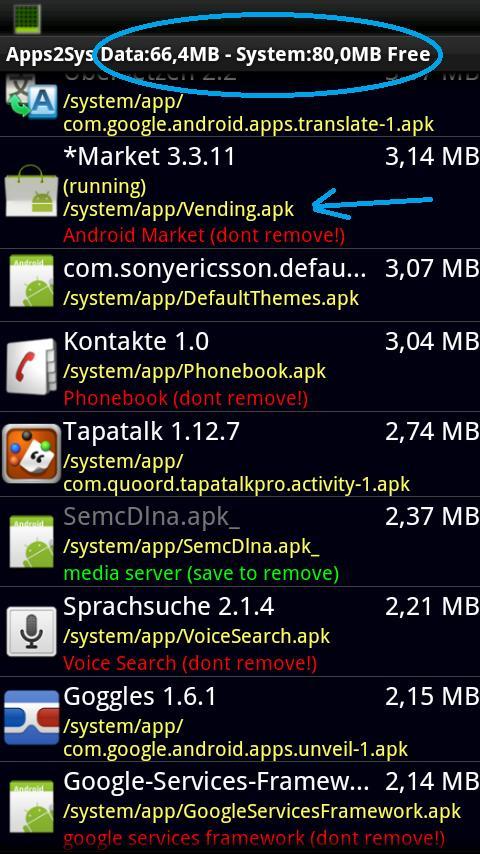
Bewegen Aktualisiert systemapps wie Karten, Markt, zurück im System suchen (benötigt ROOT!)
LAST WORKING Version for "OLD" Devices (pre Lollipop) pls use this version ->
https://forum.xda-developers.com/showpost.php?p=64542544&postcount=552
FOR NEWER Devices (android 5 and up) -> this app will not support "Update System App" in Future Releases
It doesnt make sense anymore on current hardware. we will more focus on managing battery draining apps and backgroundservices ....
http://forum.xda-developers.com/showthread.php?p=19625898
### if something doesnt work Please use the "SendDump" function of SystemCleanup and write me a short description ###
*best system / cache cleaner in market ;o) hold your system clean and free of bloatware. disable autostart / autorun of apps and services and ...
Features:
-Freeze/Remove Bloatware (it include a short description of common Apks)
-Move Userapps to /System/App to save Space
-Completely Odexfile aware (it shows the odex/dalvik file in detailview)
-Odex Apps directly On Phone to save Space on /data
-you'll get a notification if such an app is updated via Market
-cleanup App cache
-cleanup *dead* "/data/data//*.*" folder if apk is removed
-cleanup "/system/etc/product/applications/*.*"
-cleanup "/system/etc/customization/applications"
-cleanup ".android_secure/smdl2tmp1.asec"
-cleanup empty or duplicated Playlists
-cleanup dalvik-cache remove unused classes.dex files
-**automaticly checks for updated systemfiles wenn a package is updated (i.e. market) and shows a notify if a package exists in /system AND /data. (systemcleanup doesnt need to run in background! it register itself for 'package_replaced' intent ;o) **
-shows memoryusage of running apps
-search for unknown packagenanme with Google on a Single Click
-you can send me an updated/missing description for a System.apk per eMail ;o)
-in settings you can set the default installation location for packagemanager (auto,internal,sdcard)
-enable disable Activities and Services (i.E. disable the "Latitude" component of Maps if you dont need it)
-enable disable Autoruns
-Freeze items by PackageManager "disable component" or simply by rename with undescore
-added /system/vendor/app as systempath
-added /vendor/overlay/framework to cleanup paths
-backup/restore function for apk+data
-show apps installed on sdcard to manage autoruns
-added "Move app to Sdcard"
-restore only the apk or only the app data now
-negate the search with an "!" as first char
-send your backups to you google drive, dropbox, bluetooth, wifi direct or just via email.
-restore your backups i.e. directly from your google drive ;)
-added the MEDIA_BUTTON to autostarts menu (to prevent the wrong (media)app to start on headsetbutton)
-added App Descriptions for Samsung Galaxy S3
-added support for Alcatel Phones





Ein Klick zur Installation von XAPK/APK-Dateien auf Android!

Vielen Dank für Ihre Bewertung und Ihr Feedback!
Sie haben bereits bewertet.