Sichere und schnelle APK-Downloads auf APKPure
Mit APKPure können Sie Scientific Calculator Mu Lite APK einfach und sicher mit Signaturüberprüfung herunterladen.

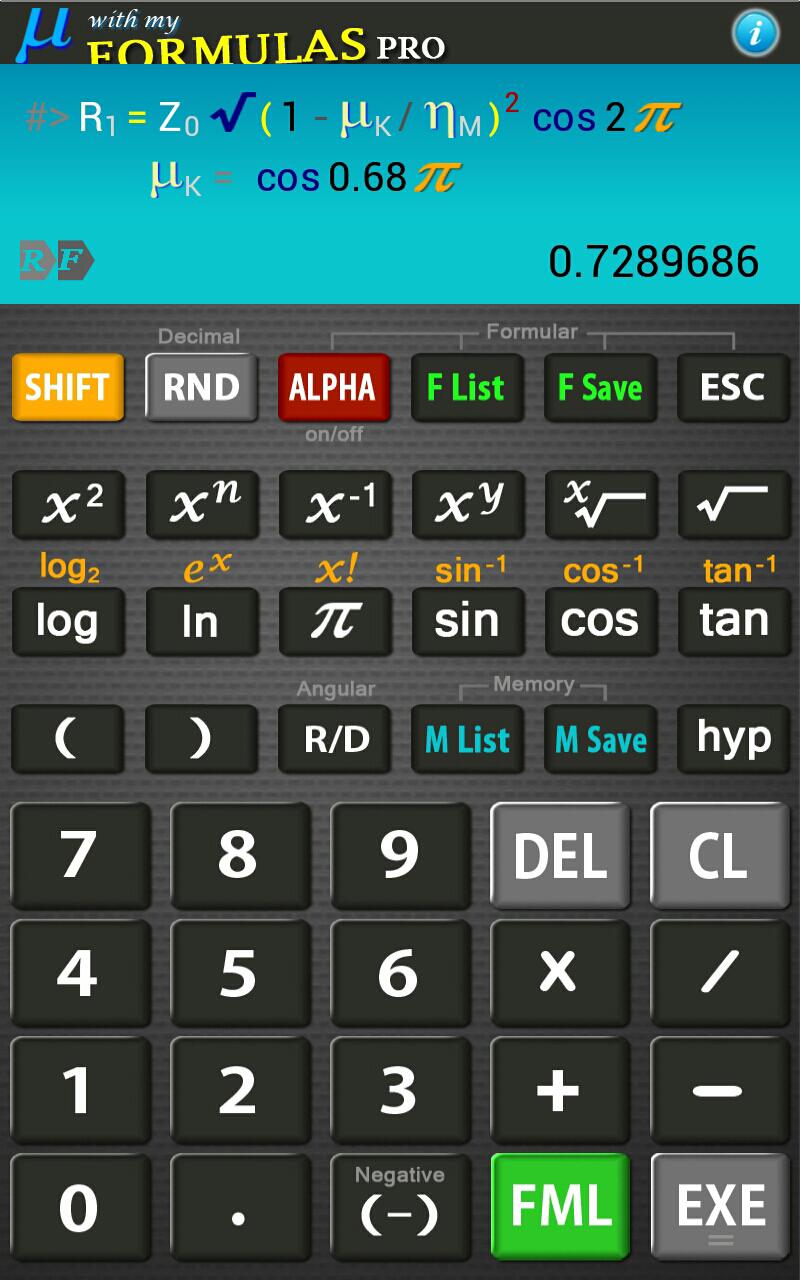
Dies ist die einzige App, die eigenen Formeln sowie normale Berechnung ausführen kann
♦ You can create your own formulas and save them in User Memory until you need them.
♦ In User Formulas, you can use English alphabets, Greeks and any symbols, such as a subscript.
♦ You can create User Formulas almost exactly identical as the mathematical equations.
♦ Once a formula is saved, it can be executed at any time by specifying the formula memory number.
♦ Once you execute a formula, subsequent operation depends on the type of formula that you recalled.
( For example, '?' may appear to tell you to input values for variables.)
♦ You can add another equations during calculation.
♦ Abbreviated multiplication and nested parentheses can be expressed exactly same way as real formulas.
♦ You can use the calculated values repeatedly by just one-touch.
♦ Saved data in Memory can be used anytime you want during both normal calculation and Formulas.
♦ You can use the saved data in User Formulas.
( Nothing effects to User Formulas although the saved data being deleted.)
♦ Appearance is identical to that of classics calculator, with providing better functions by touch screen and touch scroll.
♦ Landscape mode supported.
[ Functions include }
♦ Power & Root Functions
♦ Log Functions.
♦ Trigonometric functions in degree or radian
♦ Arcsine , Arccosine, Arctangent
♦ Hyperbolic sine, Hyperbolic cosine, Hyperbolic tangent
♦ Hyperbolic Arcsine, Hyperbolic Arccosine, Hyperbolic Arctangent
♦ Factorial
[2.2.0] Lollipop Support



Ein Klick zur Installation von XAPK/APK-Dateien auf Android!

Vielen Dank für Ihre Bewertung und Ihr Feedback!
Sie haben bereits bewertet.