Scan Date:Nov 3, 2026
Show More

34.1 MB
File Size
Everyone
Android 7.0+
Android OS
Stay organized with color notes, to do lists and smart reminders.
Tired of messy notes, forgotten tasks, or missed deadlines?
Color Notes: To-Do Planner is the fastest, simplest, and powerful way to organize your life. Capture ideas, write notes, manage to-do lists, and set reminders — all in one colorful, secure, and easy-to-use app. Whether it’s a quick thought, a shopping list, a work project, or a personal goal, Color Notes keeps everything organized and accessible.
Turn your phone into a smart notepad, task manager, and daily planner. Write quick notes, set reminders, and track your progress effortlessly. Never lose track of an idea or forget an important deadline again. Everything stays neat, organized, and color-coded for instant recognition.
✨
Why You’ll Love Color Notes
● 📝 Instant Notepad & Notes
Capture ideas instantly with a fast and intuitive notepad. Perfect for lecture notes, meeting points, personal journals, or quick memos.
● 🔒 Secure App & Lock Notes
Keep your private notes safe. Lock individual notes or the entire app with PIN or fingerprint for ultimate privacy.
● ⏰ Smart Reminders & Alerts
Set time-based or recurring reminders for notes and tasks. Never miss a meeting, deadline, appointment, or family event again.
● 🎤 Audio Notes & Audio-to-Text
Record your voice and save it as an audio note. Convert audio to text instantly for lectures, meetings, or quick personal reminders.
● 🖼 Import From Gallery
Attach images, screenshots, or photos directly from your gallery to any note. Keep all your important information organized in one place.
● Organize Your Notes
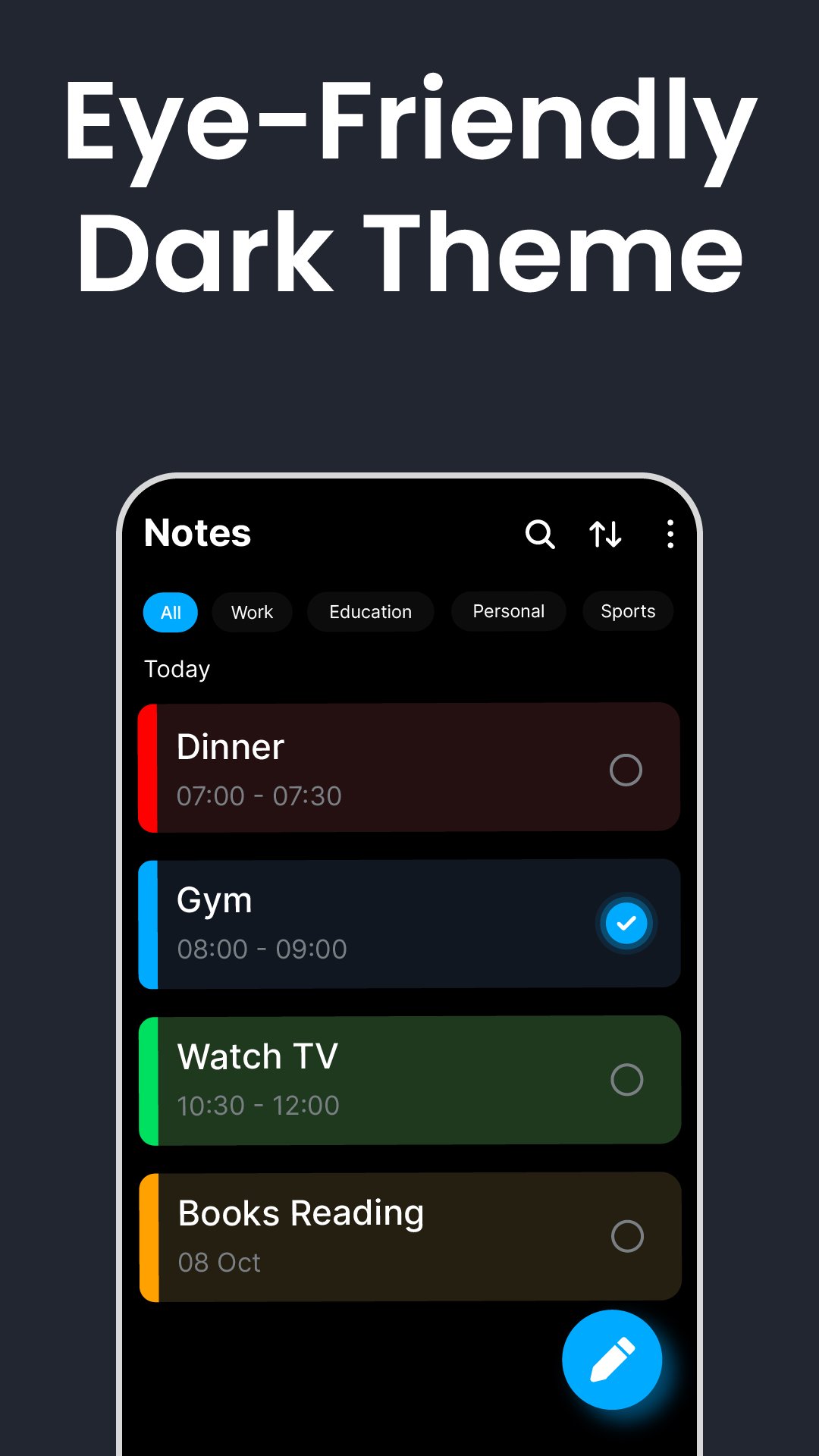
Make your notes your own! Choose from a variety of vibrant colours and stylish fonts to organize your thoughts visually.
● 🔍 Lightning-Fast Search & Filters
Search notes, audio notes, and images quickly using keywords, colours, or types. Save time and stay productive.
🎯 Perfect For
✅ Students – Track lecture notes, assignments, and study schedules.
✅ Professionals – Manage meeting points, work projects, and deadlines efficiently.
✅ Homemakers – Organize shopping lists, chores, and daily plans.
✅ Creatives – Capture inspirations, “Aha!” moments, and ideas on the go.
✅ Everyone – Stay organized, save time, and simplify daily planning.
💡 Why Choose Color Notes/b>
● All-in-one notes app, planner and reminder app.
● Simple, intuitive, and easy-to-use interface.
● Powerful reminders to keep you on track every day.
● Color-coded notes for faster recognition.
● Helps you boost focus, productivity, and organization effortlessly.
Start Using Color Notes
Stop juggling messy notebooks, sticky notes, or multiple apps. Take control of your day, stay productive, and simplify your life with Color Notes: To-Do Planner — the easiest way to manage notes, to-do lists, and reminders.
Download and experience a smarter, simpler, and more organized life today!





One-click to install XAPK/APK files on Android!

Thanks for your rating and feedback!
You have already rated.