在APKPure安全快速地下载APK
APKPure 使用签名验证功能,确保为您提供无病毒的 Handy Flashlight - BRIGHT APK 下载。

方便的闪存使用简单,只需3按键是超级好用,超亮!
Handy Flash is simple to use, no complicated settings or designs, just 3 buttons that are super handy.
The design is a flat theme which adds to simplicity of this app.
Why is it so Handy?
Ever been looking for something in the dark you put your phone down with the flash side down and dont see the flash still on or you have to go back in and unlock your phone just to turn the flash off again.
Well with Handy flash we have added 2 buttons that make life in the dark easier.
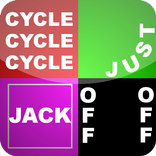
The YELLOW flash button:
This button turns on the flashlight when your finger touches it, so you can look for whatever it is in the dark and then remove your finger from the button if you don't want it on, you can flash your own sos, or flash it how you like.
The RED flash button:
When you touch this button the flashlight comes on, remove your finger from the button and the flashlight goes off and the app closes. THIS is handy for those times you forget to put the flash off, or perhaps you just want to find something quickly and don't want to have to exit the app manually once you found what you looking for.
And as usual.....the GREEN power button is your standard on/off button, just in case you don't feel like using the other buttons.
It's simple, handy and great looking!


感谢您的评分和反馈!
您已经评分了。