Downloads seguros e rápidos de APK no APKPure
O APKPure usa verificação de assinatura para garantir downloads de APK Crius sem vírus para você.

Aproveite milhões de apps, jogos, filmes, músicas, TV, livros e revistas mais recentes para Android. A qualquer momento, em qualquer lugar, em todos os seus dispositivos.
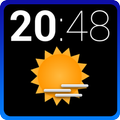
Crius is an elegant Home and Lock screen clock and weather widget brought to you by XDA Recognized Developer EatHeat.
This is based on the CyanogenMod cLock widget but backported to lower versions. Currently, the Calendar Settings are not supported but it will be added back later.
Visit the XDA thread here: http://forum.xda-developers.com/showthread.php?t=2592610
+++++++++++
PLEASE NOTE
+++++++++++
1) Lock screen widgets are only supported on Android 4.2+. This is a limitation of Android itself.
2) On some devices you may have to reboot your device after installing for the widget to show up in the widget picker.
3) Make sure to use a launcher supporting resizable widgets.
4) This is a widget and you need to drop it on your home screen or lockscreen first. You can customize the options from the app drawer, but this will not put the widget on your home screen by itself!
5) PLEASE REBOOT ONCE IF YOU DO NOT SEE THE WEATHER ICONS APPEARING AT FIRST.
++++++++++++++++++
STANDARD FEATURES
++++++++++++++++++
*CLOCK*
- Toggle Digital/Analog Clock.
- Show/Hide Alarm.
- Bold/Normal style for hour.
- Bold/Normal style for minutes.
- Show/Hide AM/PM.
- Bold/Normal style for date and alarm.
- Custom colour for hour and minutes.
- Custom colour for alarm.
*WEATHER*
- Show/Hide weather.
- Custom refresh interval for weather updates.
- Custom weather location.
- Toggle between color/white icons.
- Show/Hide location.
- Show/Hide timestamp.
- Invert low/high temperature.
- Custom weather font color.
- Custom timestamp color.
- Choose between weather source.
- Forecast on clicking weather.
- Icon pack support.
*CALENDAR*
- Show/Hide calendar.
- Choose calendar.
- Choose calendar lookahead.
- Set reminder.
- Show/Hide calendar icon.
- Show/Hide event icon.
- Show/Hide location.
- Show/Hide description.
- Set font color.
- Set details font color.
- Stylize bold/normal font.
+++++++++++++
PRO FEATURES
+++++++++++++
*GENERAL*
- Show/Hide settings button on widget.
- Set color to settings button on widget.
- Reset settings.
- Backup settings.
- Restore settings.
*CLOCK*
- Separate date color.
- Hide/Show date.
- Hide/Show clock.
- Separate hour/minute color.
- Separate AM/PM color.
- Separate bold/normal for date.
- Separate bold/normal for alarm.
- Option for bold/normal AM/PM.
- Set Analog Clock color(!!!)
More features will be added later. Please leave your valuable ratings, reviews and suggestions. You can mail me for any help regarding this app.
V1.2
- Add calendar options.
- Icon pack support.
- Weather source selection.
- Weather forecast.
V1.3
- Fixed weather crash on some ICS devices.
V1.3.1
- Fixed minor bug with weather icons not appearing
V1.3.2
-Fixed minor UI



Um clique para instalar arquivos XAPK/APK no Android!

Obrigado pela sua classificação e feedback!
Você já classificou.