Downloads seguros e rápidos de APK no APKPure
O APKPure usa verificação de assinatura para garantir downloads de APK Coffee Keyboard Theme sem vírus para você.

6.3 MB
Tamanho do arquivo
Everyone
Android 4.0+
Android OS
Aproveite este tema incrível!
How do I apply this theme?
To apply this theme you need to follow these steps:
1. Install Coffee Keyboard Theme from Google Play store;
2. Open the theme;
3. Go to Theme Manager and press 'Installed' tab;
4. Find your theme and press 'Activate theme'
Do you want a custom font for this theme?
This theme comes with a free Google Font™ that will be activated the moment you install the theme. The font you can find it here: https://www.google.com/fonts/specimen/The+Girl+Next+Door
Do you have something to say?
For errors, bugs or suggestions please contact us at this email: creativekeyboards1@gmail.com
Can I resize the font of my keyboard?
Yes, from Quick Settings you can change the size of your font from S-small, M-medium, to L-large.
Do you want more translations?
We have new layouts with translations coming soon. Be prepared!
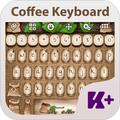
Do you like coffee? Of course, you do! Our designers prepared only for you this amazing Coffee Keyboard Theme to feel good all day long. Coffee is the first thing you think about it in the morning. Coffee has arguably become the most popular accessory in our days so you should install this awesome Coffee Keyboard Theme. The smell of a good and strong coffee will make your day and a smile will appear on your face instantly. Start your day with a fresh, new attitude and download this amazing Coffee Keyboard theme! Enjoy it!



Um clique para instalar arquivos XAPK/APK no Android!

Obrigado pela sua classificação e feedback!
Você já classificou.