Package Name:com.arabic.writing.keyboard
Show More

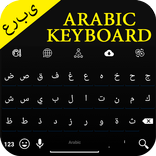
Arabic Keyboard with stunning themes, emojis, language switch & suggestions
Arabic Keyboard – Fast & Easy Typing
Type comfortably in Arabic and English with Arabic Keyboard. Designed for speed, simplicity, and a smooth typing experience, this keyboard helps you write messages, chat with friends, and post on social media with ease.
⭐ Key Features
🌍 Arabic & English Typing
Type in both Arabic and English using a simple and easy-to-use keyboard layout.
🔄 Quick Language Switching
Switch between Arabic and English instantly while typing without changing apps.
🎨 Stylish Keyboard Themes
Personalize your keyboard with a variety of beautiful themes and designs.
😊 Emojis & Symbols
Access a collection of emojis and symbols directly from the keyboard to make conversations more expressive.
💡 Smart Word Suggestions
Type faster with helpful word suggestions that assist while you write.
⚡ Smooth & Lightweight
Optimized for reliable performance and designed to work smoothly on a wide range of Android devices.
📱 Easy Setup
1. Open the Arabic Keyboard app.
2. Tap "Enable Keyboard" and enable Arabic Keyboard in your device settings.
3. Select Arabic Keyboard as your default keyboard.
4. Open any app and start typing in Arabic or English.
🔒 Privacy
Your privacy is important to us. Please review our Privacy Policy within the app or on the developer website for information about data handling practices.
💬 Feedback & Support
Thank you for using Arabic Keyboard. We are committed to providing the best typing experience possible. If you have suggestions, questions, or feedback, we'd love to hear from you. Your reviews and ideas help us improve and add new features in future updates.



One-click to install XAPK/APK files on Android!

Thanks for your rating and feedback!
You have already rated.