تنزيلات APK آمنة وسريعة على موقع APKPure
يستخدم APKPure التحقق من التوقيع لضمان تقديم تنزيلات خالية من الفيروسات لـ WINKING OWL Theme for KLWP APK لك.

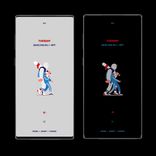
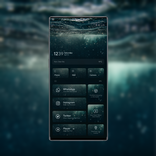
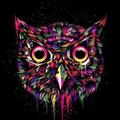
WINKING OWL Theme لـ KLWP. هذا الموضوع يتطلب Kustom لايف للجدران صانع PRO
This is not a stand alone app. Theme requires Kustom Live Wallpaper Maker PRO application (not free version of this app).
What you need:
✔ Kustom (KLWP) PRO
✔ Compatible launcher that supported by KLWP (Nova launcher is recommended)
How to install:
✔ Download WINKING OWL Theme for KLWP and KLWP PRO application
✔ Open your KLWP app, choose menu icon on top left, then load preset
✔ Find and tap on the WINKING OWL Theme for KLWP
✔ Hit "SAVE" button on the top right
Instructions:
In the Nova launcher settings you need:
✔ select 1 screen
✔ hide status bar and dock
In the KLWP settings you need:
✔ select 1 screen
Please contact me with any questions/issues before leaving a negative rating about WINKING OWL Theme for KLWP.



قم بتثبيت ملفات XAPK/APK بنقرة واحدة على أندرويد!

شكرًا لتقييمك وتعليقاتك!
لقد أكملت التقييم سابقًا