Safe & Fast APK Downloads on APKPure
APKPure uses signature verification to ensure virus-free AppLock APK downloads for you.

AppLock,a smart AppLock&privacy guard,is designed to lock apps .
APPLock , your best AppLocker & privacy guard , is the most smart AppLock !
※ Lite , Easy and Fast !
※ Full protection for your phone ! Give your phone 360 ° security protection .
It's easier for you to protect your private data with the smart AppLock ! With AppLock , nobody can check your sensitive apps , gallery and messages except yourself . APPLock , a must-have privacy guard !
-----------FEATURE-----------
☆ EASY and FAST
One-tap to lock apps . Lock takes just seconds , 500% faster than any other applocker . Very easy and convenient to use .
☆ LITE
AppLock is lightweight , only 4M , taking up half as much phone memory as other applocker !
☆ ON-INSTALL SCAN
Prevent harm to your device with real-time scanning of new app and updates .
☆ VARIETY of LOCK SCREEN
You can not only use DIY locker to DIY your lock screen , but also choose PIN or pattern lock themes . PIN and pattern lock have many kinds of themes , especially the PIP style , which is the most popular theme in this year .
-----------MAIN FUNCTION-----------
► Protect privacy
AppLock can lock your photos , gallery and messages from prying eyes and nosy friends . To be your privacy guard !
► Lock apps
AppLock can lock apps , such as Facebook , WhatsApp , Line , Messenger , SMS , Contacts , Gmail and any app you choose . Prevent unauthorized access and guard privacy . Ensure security !
► Lock install / uninstall
Prevent your children from buying unwanted apps / games . Keep your important apps from being uninstalled by your friends . AppLock is a real AppLock Pro !
► Lock phone setting
Prevent others from changing your phone setting . Wi-Fi , Bluetooth , Mobile data and Data Sync , these are all protected . To keep your phone away from being messed up by other people . To be your smart AppLock !
► Customize your AppLock setting
Customize your settings in order to satisfy various demanding .
Ex: New app reminder , notifying to make a lock when an app is installed . Protect your privacy immediately and prevent incorrectly uninstalling app .
► Lock by PIN or Pattern lock
PIN and Pattern lock, choose your favorite style to lock apps . Pattern lock is more easier and faster to unlock . PIN lock has random keyboard and pattern lock , which is invisible . Much safer for you to lock apps .
► Random keyboard
AppLock has random keyboard and invisible pattern lock . No more worry people may peep the password or pattern . More safe for your phone !
► DIY Locker
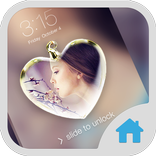
Customize lock screen wallpaper with your photos !
Beautiful themes for you , decorate your own lock screen . You can select your photos and DIY your lock screen in your style . Make the most beautiful lock screen .
App Lock , the best smart App Locker ,the most smart privacy guard . Give your phone 360 ° security protection . You deserve to choose!
▲ Choose APPLock , you don't need to worry about your friends borrow your phone to play games .
▲ Choose APPLock , your colleagues cannot check your privacy with your phone any more .
▲ Choose APPLock , never worry about your private data may be read by some other apps .
▲ Choose APPLock , children are not able to change the setting of your phone and mess up your data .
-----------FAQ---------
1) How to set my passcode at the first time ?
Open App Lock-Enter passcode-Re_enter your passcode .
Choose apps that you want to lock-Next .
Setting Apps with usage access-APP Lock-Permit usage access .
Finish .
2) How to change my passcode ?
Open App Lock-Setting-Change passcode .
Enter passcode-Re_enter your passcode .
3) How to change the theme of App Lock ?
Open App Lock-Number/Pattern/DIY .
Choose the Style you like .
Download-Apply .
Contact AppLock :
Facebook https://www.facebook.com/FotoRus
Instagram https://www.instagram.com/fotorus_official
Email support@fotoable.com
Facebook Guideline https://m.facebook.com/ads/ad_choices



One-click to install XAPK/APK files on Android!

Thanks for your rating and feedback!
You have already rated.