
Safe & Fast APK Downloads on APKPure
APKPure uses signature verification to ensure virus-free Apk Cloud APK downloads for you.

Save the phone memory and record the application tag to the cloud.
Mobile applications are colorful, but the phone memory is limited, we want to save all the favorite or not commonly used applications to the cloud, we later can download and install.
"App Cloud" is such a tool application, its purpose is to save the phone memory, it saves the application tag to the cloud, you need to be summoned back to the application.
Very easy to use:
1. Backup: In the "Installed Apps" tab, select the application to add to favorites list.
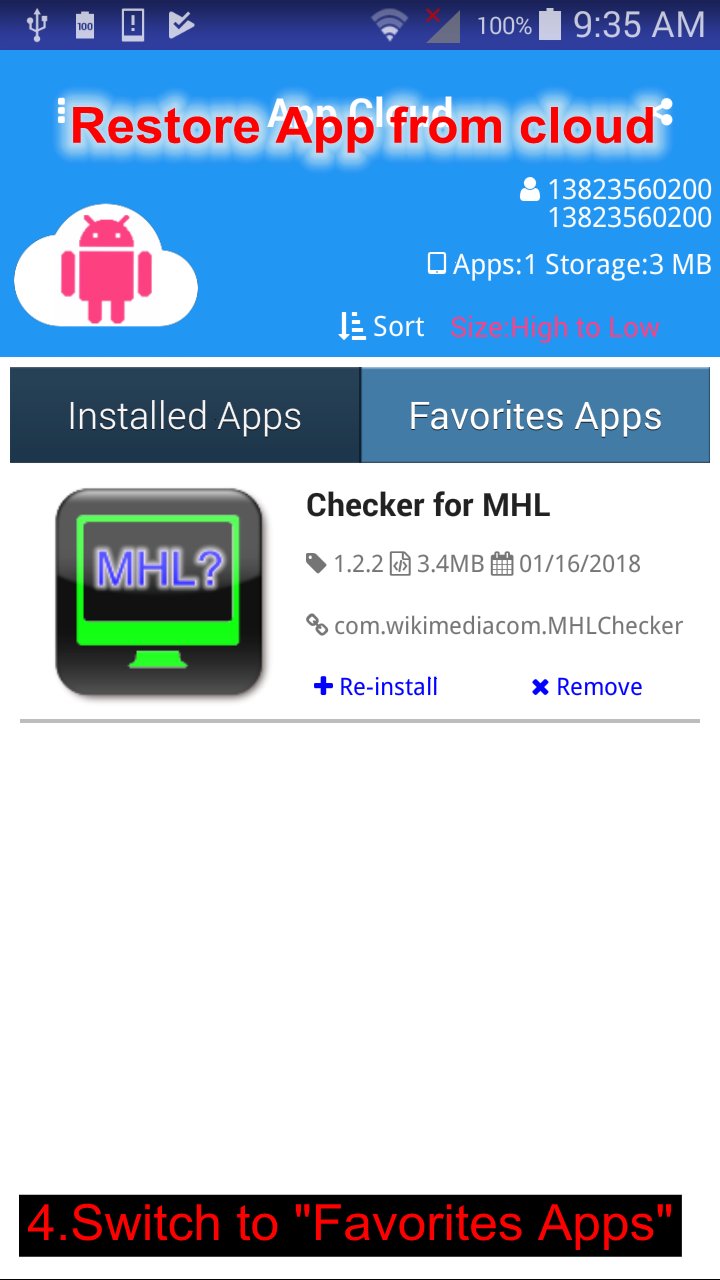
2. Recovery: in the "Favorites Apps" tab, select the application tab, start Google play to reinstall.
3. Use the Google Play account to log in for recording app labels.




One-click to install XAPK/APK files on Android!

Thanks for your rating and feedback!
You have already rated.