Scan Date:Aug 14, 2026
Show More


10.0
1 Reviews
12.7 MB
File Size
Everyone
Android 5.0+
Android OS
All in one to explore, manage and set-up your android device!
A complete set of tools to manage your device, Advanced Tools is: file manager, task manager, apk manager, system manager and much more with the device-related tools (sensors, gps, cpu, display, flashlight).
Even more options available for root users.
**** NOTES ****
Logcat tool requires READ_LOG permission to run properly, non-root users can grant READ_LOG permission by using ADB commands, see related info inside the app.
**** BASIC HINTS ****
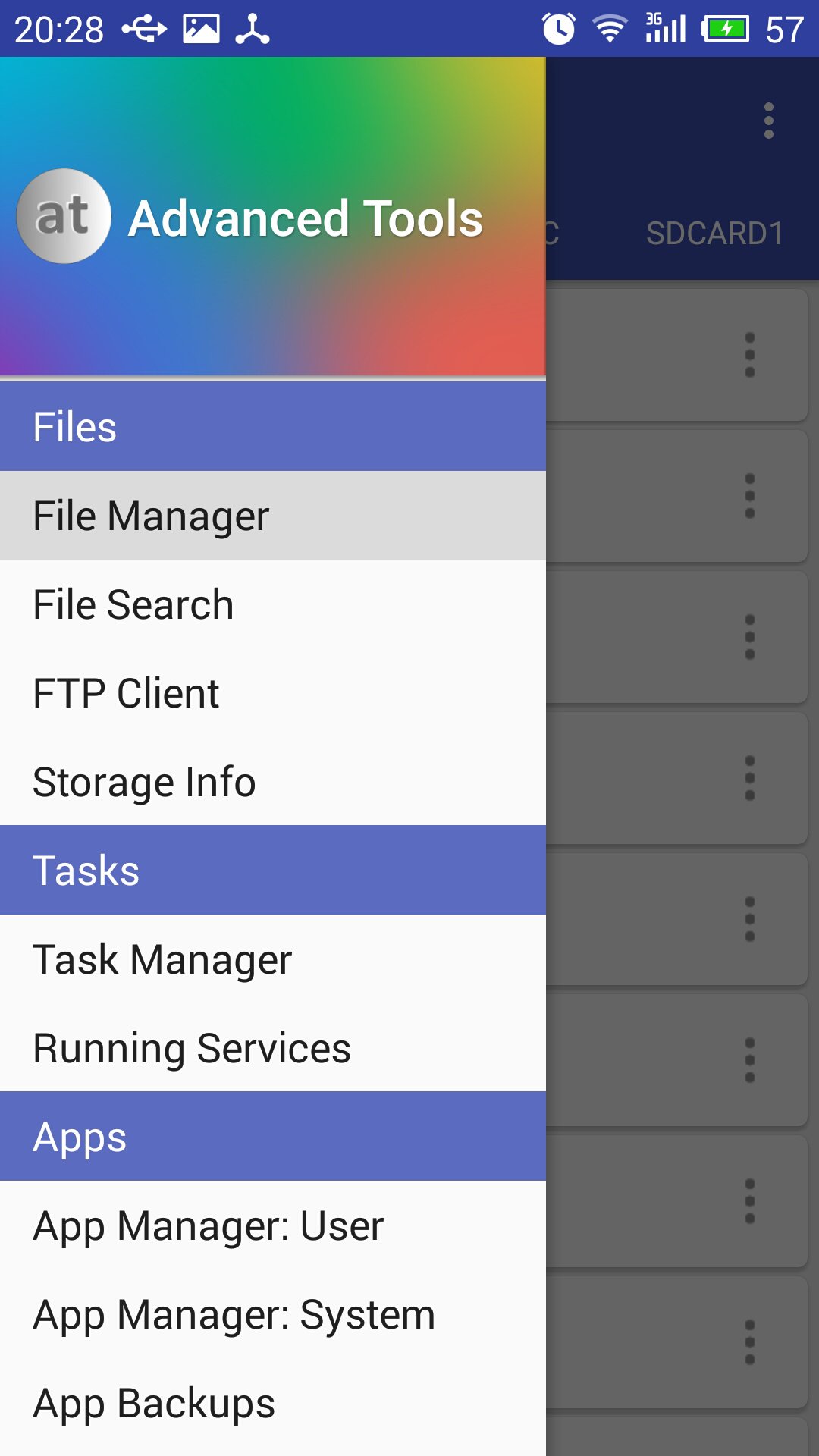
Open the main menu to access all the tools available, swipe from the left edge to the right or tap the dedicated button.
File Manager - for any of the item in the list, single tap to open, long-press to select. Open the top-right menu (three dots) for more options.
**** SOME OF THE THINGS YOU CAN DO ****
FILE MANAGER
* Operate on two different tabs
* File operations between tabs (no need to navigate back!)
* Access/modify RO folders, system, data, etc. (root)
* Copy, cut, paste, delete, rename files or folders
* Add new folders
* Add new text files
* Integrated mini text editor
* Search files or folders
* Get file or folder details
* Set file or folder permissions (root)
* Zip/unzip files or whole folders
* Browse zip file's contents
* Unzip selected contents from a zip file
* Browse APK file's contents
* Send files via bluetooth
* Share supported files
* Storage info with pie charts
* Set starting folders (shortcuts)
* FTP: download/upload files or whole folders
* FTP: browse FTP contents, add new folders
APP MANAGER
* Detailed info about each installed application
* Uninstall apps
* Freeze system apps (root)
* Uninstall system apps (root)
* Backup and restore apps
* Clear app cache/data
* Startup apps (grant/deny auto-start)
* Manage app components! (Pro only)
* View content of manifest file (Pro only)
SYSTEM MANAGER
* Plenty of info about system, memory, graphic, hw, battery
* Change LCD density (root)
* Change the heap size (root)
* Change "max events per second" value (root)
* Change the WiFi scan interval (root)
* more properties from build.prop file
* Change "min free kbytes" value (root)
* Change "vfs cache pressure" value (root)
* Change swappiness value (root)
* Change dirty ratio and dirty background ratio (root)
* more kernel's VM and sysctl parameters
* Configure Android's internal task killer
* Access special settings and info
* View filesystem
* View dmesg (Kernel Debug Messages)
* View live logcat
* Record, filter, stop, resume logcat
* Detect CarrierIQ
* Floating RAM meter (Pro only)
TASK MANAGER
* Kill selected applications
* Filter system processes (security options)
* Info about running services
SENSOR ANALYZER
* Scan and analyze all the sensors installed
* Compass tool
* Compass calibration tool
* Magnetic field detector
GPS STATUS AND FIX
* Get all the info passed by GPS device
* Fast fix tool to get signal fixed in less time
* Scan satellites and get dedicated info
* Get your current location's address
CPU MONITOR
* CPU Time in State monitor
* Real-time CPU meter
* Floating CPU meter (Pro only)
* Set CPU scaling frequencies and governor (root)
DISPLAY
* Detailed info about screen device
* Blue light filter for eyes comfort
* Dim filter for smart brightness control
ATOOLS TERMINAL (Pro only)
* Pseudo terminal emulator
* Execute linux commands
* Quick buttons for mount and set permissions
OTHERS
* Quick launch from notification bar
* Use the camera flashlight as a torch
* Light and dark themes
* Customizable font style and text size
Enjoy Advanced Tools!



One-click to install XAPK/APK files on Android!

Thanks for your rating and feedback!
You have already rated.











