Package Name:com.shimeji.interactive.screen.pet
Show More

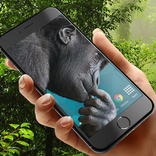
Add interactive Shimeji screen pets, multiple pets, wallpapers & battery styles.
Bring cute companions onto your phone with Shimeji: Screen Pet & Custom. Set up Shimeji screen pets, interact with them, add more than one pet to your screen, and personalize your phone with wallpapers, status bar styles, and battery icons.
🐶ADD SHIMEJI PETS TO YOUR SCREEN
Choose a Shimeji pet and set it up directly on your screen. Keep your screen pet visible while you use your phone and turn an ordinary display into a more playful space.
🐻INTERACT WITH YOUR SCREEN PETS
Your Shimeji is more than a static decoration. Interact with the pets available in the app and make your screen feel more lively and personal.
🐸SET UP MULTIPLE PETS
Want more than one companion? Add multiple Shimeji pets to your screen and create your own group of screen pets. Mix the available pets and build a setup that matches your style.
🐨CUSTOMIZE YOUR WALLPAPER
Complete your screen setup with custom wallpapers. Choose from the wallpaper options available in the app and create a background that works with your Shimeji pets.
🔋CUSTOMIZE STATUS BAR & BATTERY ICON
Personalize more parts of your screen with status bar styles and battery icons. Match these elements with your wallpaper and screen pets for a more coordinated phone setup.
Shimeji: Screen Pet & Custom combines interactive Shimeji pets, multi-pet screen setups, wallpapers, status bar customization, and battery icon styles in one personalization experience.
Set up your Shimeji screen pets and make your phone feel more playful and personal.
ACCESSIBILITY SERVICE
Shimeji: Screen Pet & Custom uses the AccessibilityService API for the optional Battery style and Pets on status bar features. With your consent, this service draws your selected battery appearance and pet decoration over the system status bar while you use other apps. Floating screen mascots use the separate display-over-other-apps permission.
The accessibility service checks only whether a window-change event occurred, so it can restore a detached status-bar overlay. It does not read screen content, text, passwords or messages, and does not perform taps or gestures. Accessibility event data is processed on your device, is not stored or shared, and is not used for advertising or analytics. Battery, clock and connection indicators are obtained through Android system APIs, not by reading your screen.
Accessibility access is optional. Shimeji shows an explanation and asks for your agreement before opening Android Accessibility settings. If you decline, you can continue using features that do not require this access. You can turn off Battery style and Pets on status bar in Shimeji or disable the Shimeji accessibility service in Android Settings > Accessibility at any time.



One-click to install XAPK/APK files on Android!

Thanks for your rating and feedback!
You have already rated.