Muat turun APK Selamat & Cepat di APKPure
APKPure menggunakan pengesahan tandatangan untuk memastikan muat turun APK PSAVision tanpa virus untuk anda.

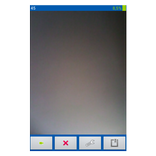
Reads the image areas from the camera and sends the result to the server
The program receives an image from the phone’s video camera. calculates the image areas indicated to it and transmits image and calculated data to the server. The software part of the server is in the phone is an SDA.JAR file, which you will need to unload, go to the settings "Wrench" and click the button "Unload SDA.JAR". The program will write to which folder on the phone she saved the file. This file will need to be copied to a computer and run. Example of the program and a detailed description is here:
https://www.linkedin.com/pulse/photo-sa-%D1%81%D0%B5%D1%80%D0%B3%D0%B5%D0%B9-%D1%88%D0%B5%D0%B2%D1%87%D0%B5%D0%BD%D0%BA%D0%BE-1f/?published=t
The server part allows you to work with more than one phone at a time. That is, it can be used as a security video monitoring as well as for working with segment data of different devices (voltmeter, dosimeter, barometer, etc.), which output numbers in a segment view. And use such data, in machine form (not an image!), In programs and websites.



Satu klik untuk memasang fail XAPK/APK pada Android!

Terima kasih atas penilaian dan maklum balas anda!
Anda sudah dinilai.