Muat turun APK Selamat & Cepat di APKPure
APKPure menggunakan pengesahan tandatangan untuk memastikan muat turun APK App Hider - Hide Application tanpa virus untuk anda.


7.7 MB
Saiz Fail
Everyone
Android 4.1+
Android OS
Privacy Protect, AppLock, Hide, Encrypt Pictures &Video, History Clean, Security
App Hider - Hide Application
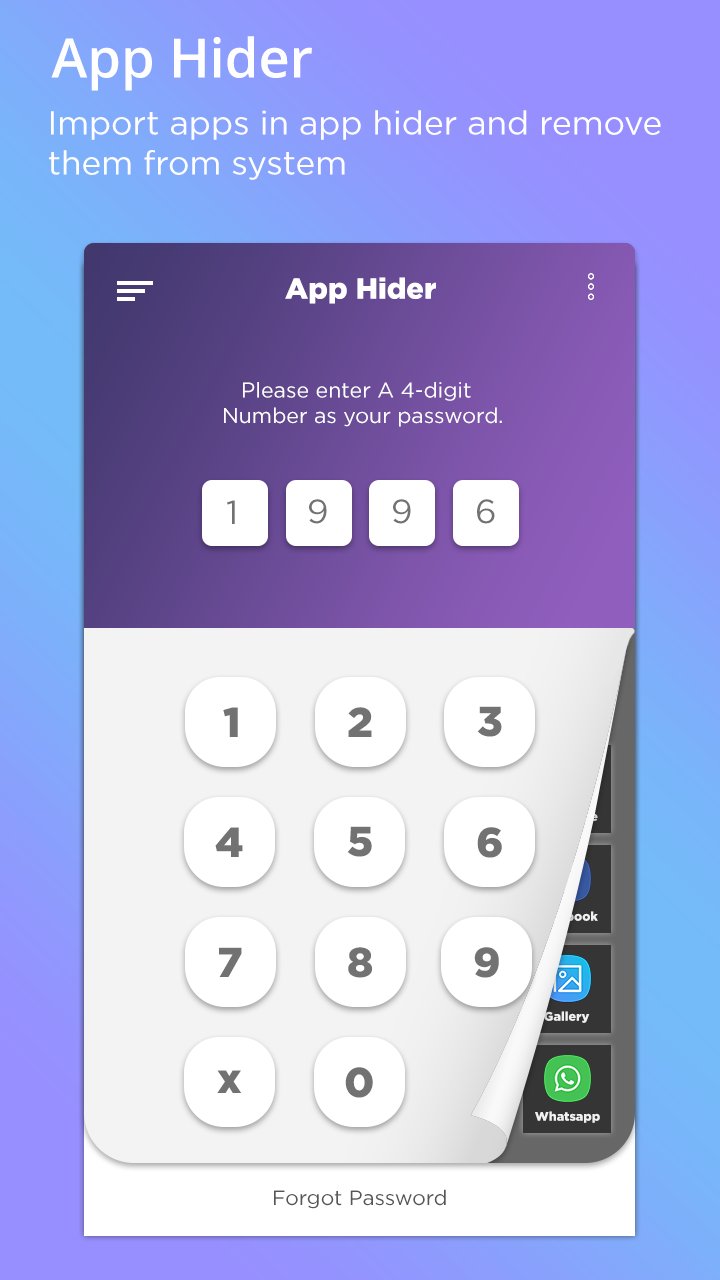
AppHider is basically a launcher which can help you to hide installed apps. After app is hided, the app icon will disappear from the Launcher.
AppLock, App lock, one of the best App locker & privacy guard, the smart and amazing AppLock.
AppLock will protest your privacy, give your phone all-around protection.
Privacy your photo, note, call, sms, email, setting...
Hide your contacts, gmail, chats, videos, music, file manager etc. It does not required any permission for disable your notification. It allows notification and when anyone wants to access the app it would ask for the password.
Features::
- Launcher with simple and easy UI.
- Root permission is not required.
- Longprss Uninstall apps.
- Password protected.
- Hide/Lock apps.
- One touch google search supported.
- Categorize media into hidden folders of your choice
- Free Cloud backup of your files
- App Disappears from recent apps list, can't be tracked
- Multiple lock screen options - Pin, Password, Pattern
- Fingerprint unlock
- Escape pin/password for times when you get caught
- Built in encryption tool to secure your most important files
- Other Features like Secret Chatting, Private Messaging / Calls, Private Browsing, apps locker.
- Hide app icon from the app drawer of phone.
- Hide apps.
- Lock apps.
- Password protection.
How to Use::
- How to enable PIN optional:
Go to Setting->Select PIN, create new PIN
- Forget PIN:
Select forget password answer questions
- How to hide app:
On top select hide app it will show list of apps just select which app you want to hide
- How to enable secret codes:
goto secret codes select app put your codes i.e 1234
- How to put any app to Home screen (Desktop):
put hold on any app it will ask add to home screen 1 or 2 just add it
- How to open any or hidden apps:
goto our hidemyapp put code i.e 1234 (it will ask PIN if you enabled PIN)
- How to uninstall Hide My App:
goto setting select uninstall it will uninstall our app
This app uses the Device Administrator permission. Open this permission can prevent others from uninstalling AppLock easily.
Thank You!!!!!!





Satu klik untuk memasang fail XAPK/APK pada Android!

Terima kasih atas penilaian dan maklum balas anda!
Anda sudah dinilai.





