
APKPure पर सुरक्षित और तेज़ APK डाउनलोड करें
आपके लिए वायरस मुक्त Task Manager for Android APK डाउनलोड करने के लिए APKPure प्रमाणित करने का उपयोग करता है।

, फोन को गति स्मृति मुक्त, और बैटरी बचाने के लिए! एंड्रॉयड 7.0 पर काम करता है
Works on Android Nougat 7.0
--------------------------------
- This task manager is used to kill background running apps .
- The Task Manager can Kill running apps and clear ram memory.This cleared ram memory increase phone performance & Killing such apps improve Battery life.
- Clear Ram memory.
-------------------------------
Features
* Kill Background apps.
* Ignore App-add apps which you want exclude from killing.
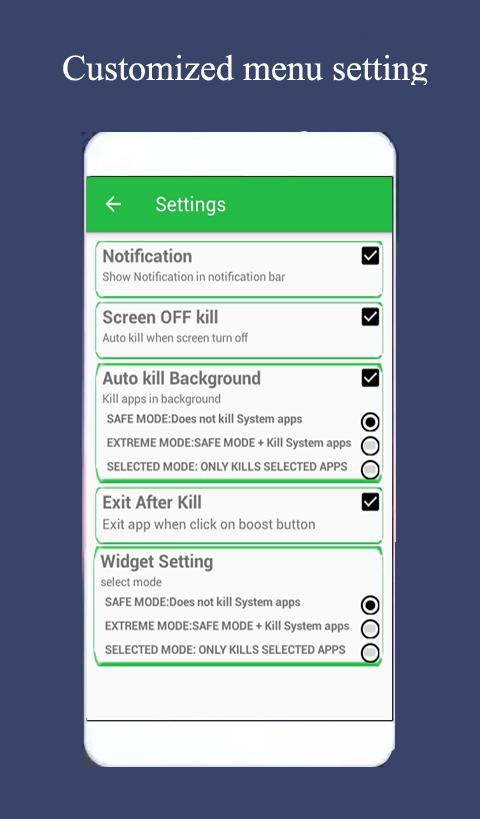
* Auto kill Apps -Kill app by running task manager in background
* Quick Unistaller
* Widgets support added
* System Running Processes- Menu->Running services
* Ram cleaner
* Memory Booster
* App or game cleaner
* Android optimizer
* Regular Kill
* Show battery life
* Support all android version
* Memory Booster, Ram Booster
Description
---------------------------------
The Task Manager can Kill running apps and clear ram memory.This cleared ram memory increase phone performance & Killing such task improve Battery life. .It is also task management tool which can manage all the installed apps on your phone.It can not kill the services and notifications on your phone. By use of task manager , you can thoroughly stop tasks by clicking on boost button.
If you want to manage running services, click menu->service, then it will open the system panel where you can stop running services.
FAQ
---------------------------------
Q:How can I exclude apps from killing ?
A:Go to Menu-> & select Ignore Apps. Now add apps which you want to exclude from killing. Such apps are not killed by the task manager.
Q:Does it improve battery life?
A: As a Task Manager kill background running apps. Such app consume battery for running.So it close such apps & indirectly improve battery life.
------------------------------------
How to use?
1.First make ignore list ( add app which are to be ignore from killing)-just Go to Menu->Ignore List & add app
Click on Boost Button.
2. Add Widgets to home screen. click on widgets to boost!!!





एंड्रॉइड पर XAPK/APK फ़ाइलें इंस्टॉल करने के लिए एक-क्लिक करें!

आपकी रेटिंग और प्रतिक्रिया के लिए धन्यवाद!
आप पहले ही रेट कर चुके हैं।