Package Name:com.moon.speedhud
Show More

58.1 MB
File Size
Everyone
Android 7.0+
Android OS
GPS speedometer and trip meter: big digits, dial, HUD, knots and GPX export
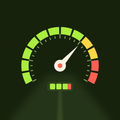
GPS speedometer and trip meter on one screen: a big speed number that fills the display, with distance, moving time, moving average and confirmed maximum underneath while a trip runs. Switch to a dial (with your speed alert on, it marks your own limit in red) or to a mirrored HUD that reads right as a reflection in the windshield. Pick km/h, mph, knots or m/s; with knots, distances are shown in nautical miles for the boat. Every finished trip keeps a speed graph, a route sketch and GPX/CSV export. Speed comes from your phone's GPS, so readings are approximate.
▶ SPEED YOU CAN READ
• Big digits, a dial, or HUD mode (mirrored, for a reflection in the windshield).
• km/h, mph, knots or m/s — tap the number to switch.
• A GPS quality chip with the phone's own accuracy estimate (± metres).
• No current GPS fix? You see the GPS status instead of a number ("—" in HUD mode), never a fake 0.
▶ HONEST TRIP NUMBERS
• Start, pause and end a trip: distance, moving time, total time, moving average, confirmed maximum and pace.
• Standing still with a wandering GPS position adds no distance.
• Tunnels, parking garages and other GPS gaps are shown as gaps — never filled in with a guessed straight line.
• Moving average = distance ÷ moving time. The maximum is only counted when two readings in a row agree, so one bad reading can't create a record.
▶ TRIP HISTORY
• Every trip is saved with a speed graph and a route sketch; gaps are drawn as breaks.
• Export a trip as GPX or CSV.
• If the app is closed during a trip, it comes back paused with everything up to the last save (every 10 seconds).
▶ SPEED ALERT
• Set your own limit: the digits turn red and the phone vibrates after about 3 seconds above it.
• It is your threshold, not the road's speed limit, and it only reacts to valid GPS readings.
▶ GOOD TO KNOW
• Trips are recorded only while Honest Speed is open on screen. If you switch to another app, the trip pauses and the time away is shown as a gap.
• GPS speed can differ from your car's speedometer; car speedometers usually read a little high.
• Don't handle your phone while driving. Mount it before you set off or let a passenger use it.
• Location is used only while the app is open. Trips stay on this phone.
• Banner ads appear in Trips and Settings. Full-screen ads may appear when you open or return to the app, and sometimes after you close a trip summary, but never while a trip is running or paused.



One-click to install XAPK/APK files on Android!

Thanks for your rating and feedback!
You have already rated.